C 11 29
8.1 Driving mode
f
Press the emergency stop button when a dangerous situation arises!
Operation Buttons
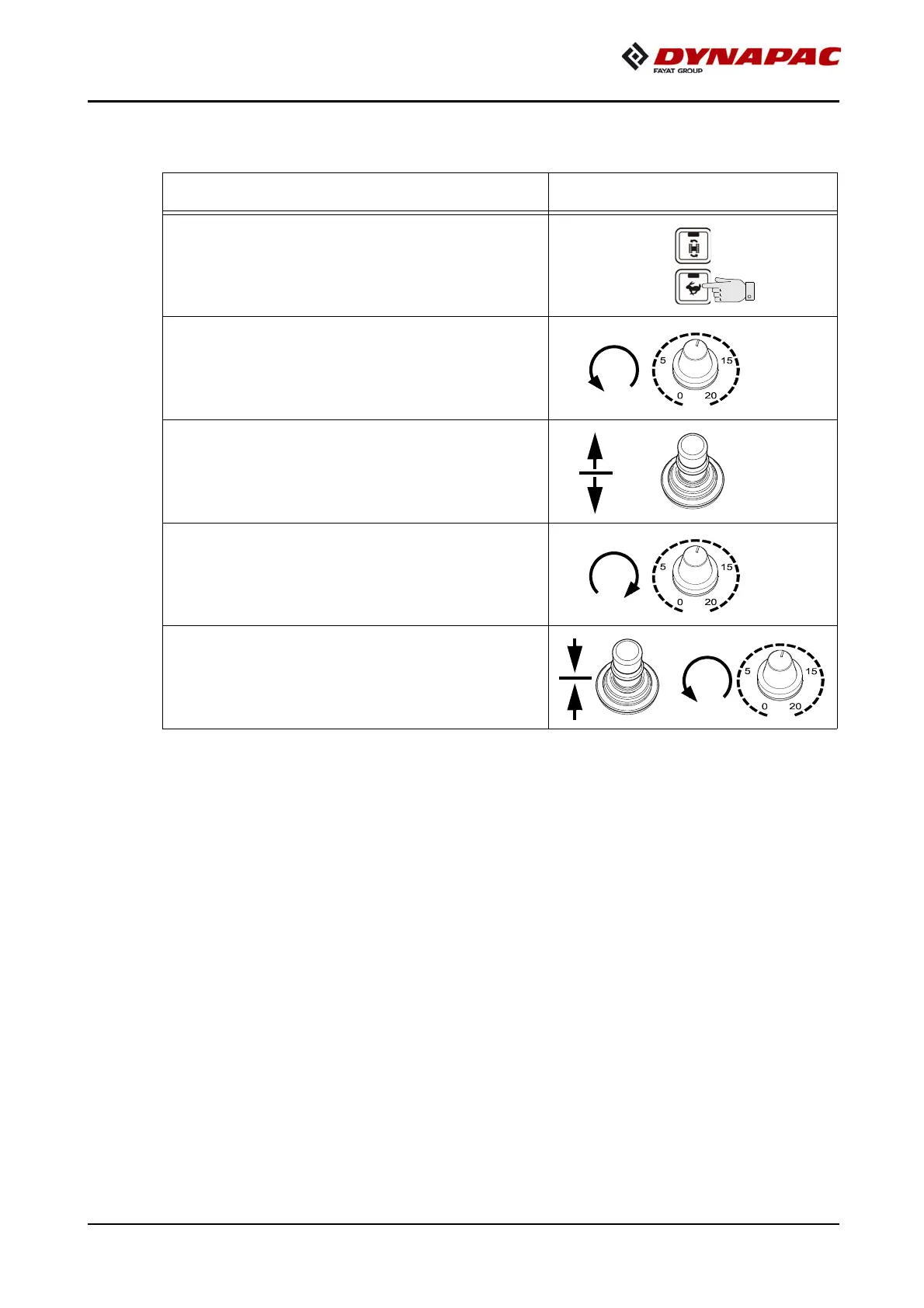
- Set the fast/slow switch to "Hare"
if necessary.
- Turn the preselector to "zero".
- Swivel the drive lever to maximum.
f
The vehicle already advances
slightly on deflecting the drive lever!
- Adjust required vehicle speed
with the preselector.
- To stop the vehicle, swivel the drive
lever to the middle setting and set
the preselector to "zero".



 To Next Page