D 23 32
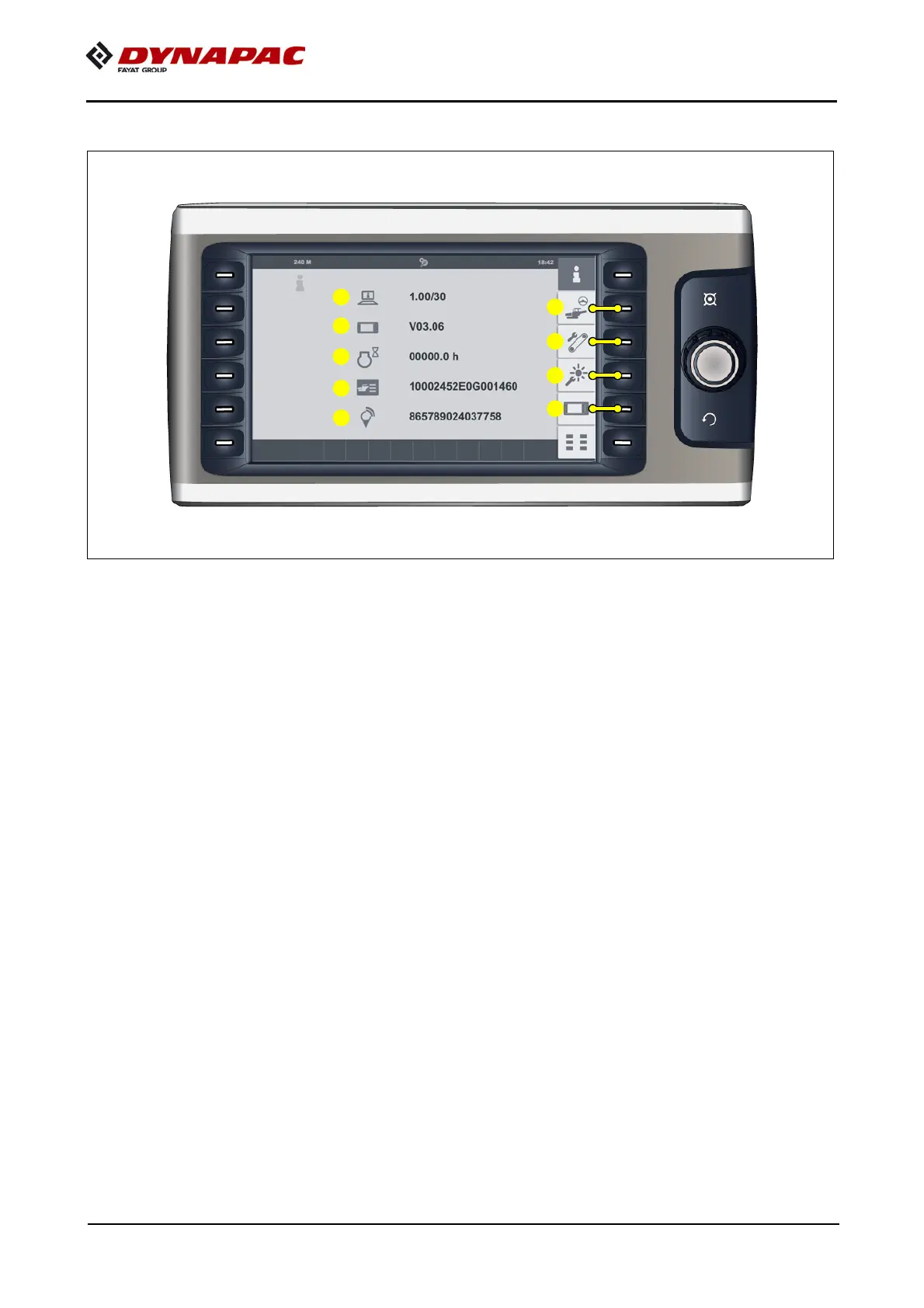
"Info & settings" menu
Menu for calling up various vehicle information and sub-menus for various settings.
Display of the following information:
- (1) Software version of the vehicle
- (2) Software version of the display
- (3) Engine operating hours (h)
- (4) Vehicle serial numbers (17-digit PIN) / (VIN)
- (5) Dynalink module number (o) (15-digit number) / (IMEI)
A
If consultation with Technical Support is required for your vehicle, always specify
the
software version!
Open the following sub-menus:
- (6) "Functions / intervals" set up menu.
- (7) "Belt control conveying belt functions" set up menu.
- (8) "Day/night lighting" set-up menu.
- (9) "Display" set-up menu.



 To Next Page