F 32 7
Belt tension
m
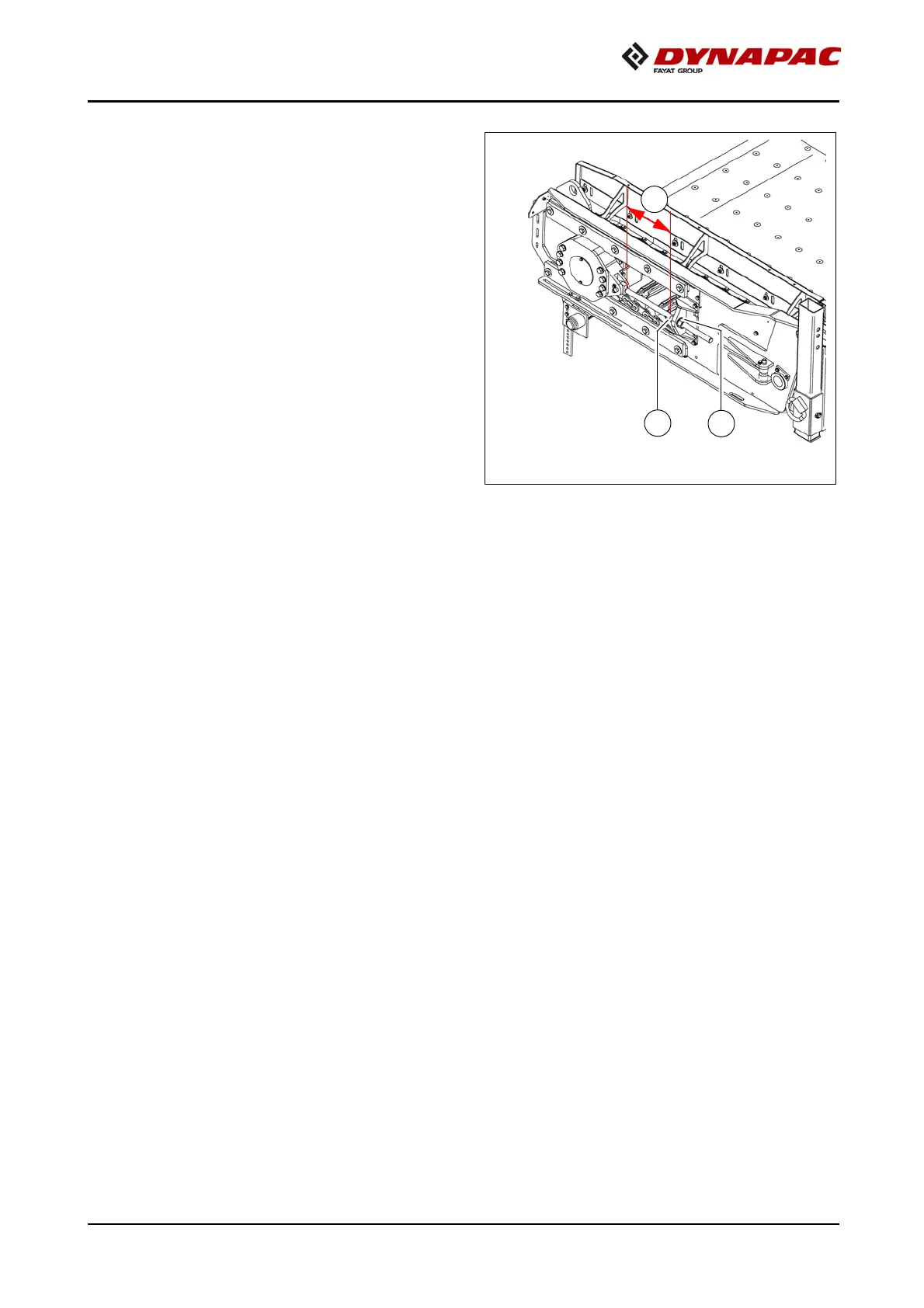
Check belt tension on a daily basis. If
there is too much slack in the belt, adjust
the tension.
Increasing the tension:
- Unfasten lock nuts (A) on both sides of
the tensioning fixtures.
- Use an open-end wrench to adjust
tension on both sides evenly on the
adjusting nuts (B).
- Tighten lock nuts (A) back down after
the adjustment procedure.
A
If the belt on the reversing drum is run-
ning to one side, tighten the right-hand spindle or loosen the left-hand spindle if the
drum is rotating clockwise, or vice versa for anti-clockwise rotation.
m
Avoid an inclined position of the reversing drum because this can cause damage to
the conveyor belt.
m
After completing the adjustments, check whether the belt tension has been restored
evenly on both sides. The length of the spindle (C) must be identical on both sides!
A
At the latest, the drive chains and conveyor belt must be exchanged when their elon-
gation has progressed so far that they can no longer be re-tensioned.
m
Chain links must not be removed to shorten the chain!
Incorrectly dividing the chains would lead to destruction of the drive wheels!



 To Next Page