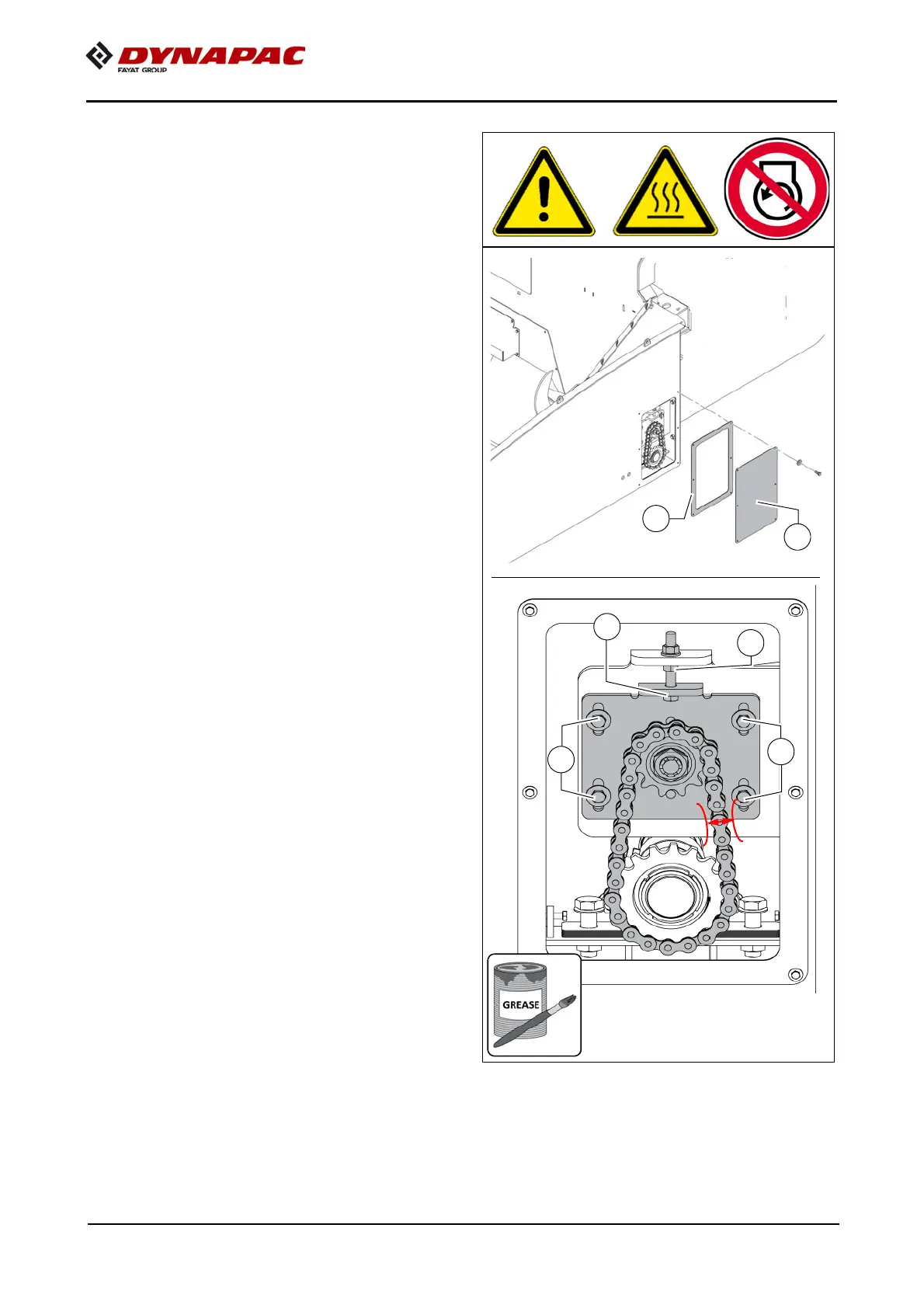
F 95 6
Check the tension of
the drive chains (2)
- Remote the maintenance flap (A) and
take out the seal (B).
To check the chain tension:
- When the tension is set correctly, the
chain must be able to move freely ap
-
prox. 10 mm.
To re-tension the chains
- Slightly loosen the mounting
screws (C) and lock nut (D).
- Adjust the required chain tension us-
ing the tensioning screw (E).
- Tighten fastening bolts (C) and lock
nuts (D) again correctly.
- Regrease the chain with a suitable
grease.
- Then replace the seal (B) and mainte-
nance flap (A) in the correct position.



 To Next Page