D 23 23
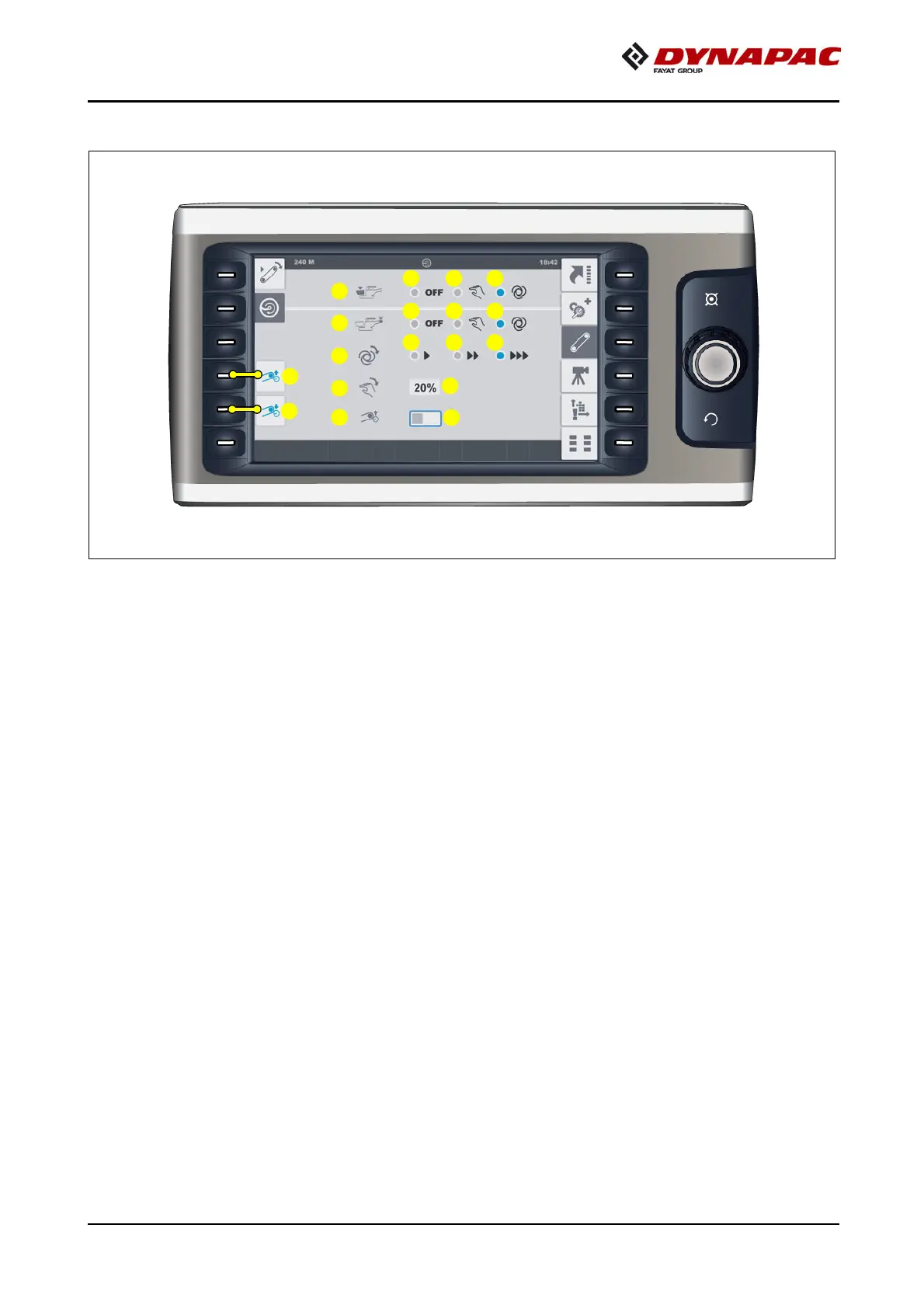
"Front mixer / rear mixer" set-up menu
Menu for setting up the remixer functions.
- (1) "Front mixer" mode.
- Front mixer "OFF": (1.1).
The function is switched off or there is no front mixer on the vehicle.
- Front mixer "MANUAL": (1.2)
The function can switched on with the "Set-up mode" button (see operating panel).
- Front mixer "AUTO": (1.3)
The function is switched on by swivelling the drive lever out, and controlled with
the material limit switches.
- (2) "Rear mixer" mode.
- REAR mixer "OFF": (2.1).
The function is switched off or there is no rear mixer on the vehicle.
- Front mixer "MANUAL": (2.2)
The function can switched on with the "Set-up mode" button (see operating panel).
- Front mixer "AUTO": (2.3)
The function is switched on by swivelling the drive lever out, and controlled with
the material limit switches.
1
2
3
6
7
4
5
1.1 1.2 1.3
2.1 2.2 2.3
3.1 3.2 3.3
4.1
5.1



 To Next Page