D 23 36
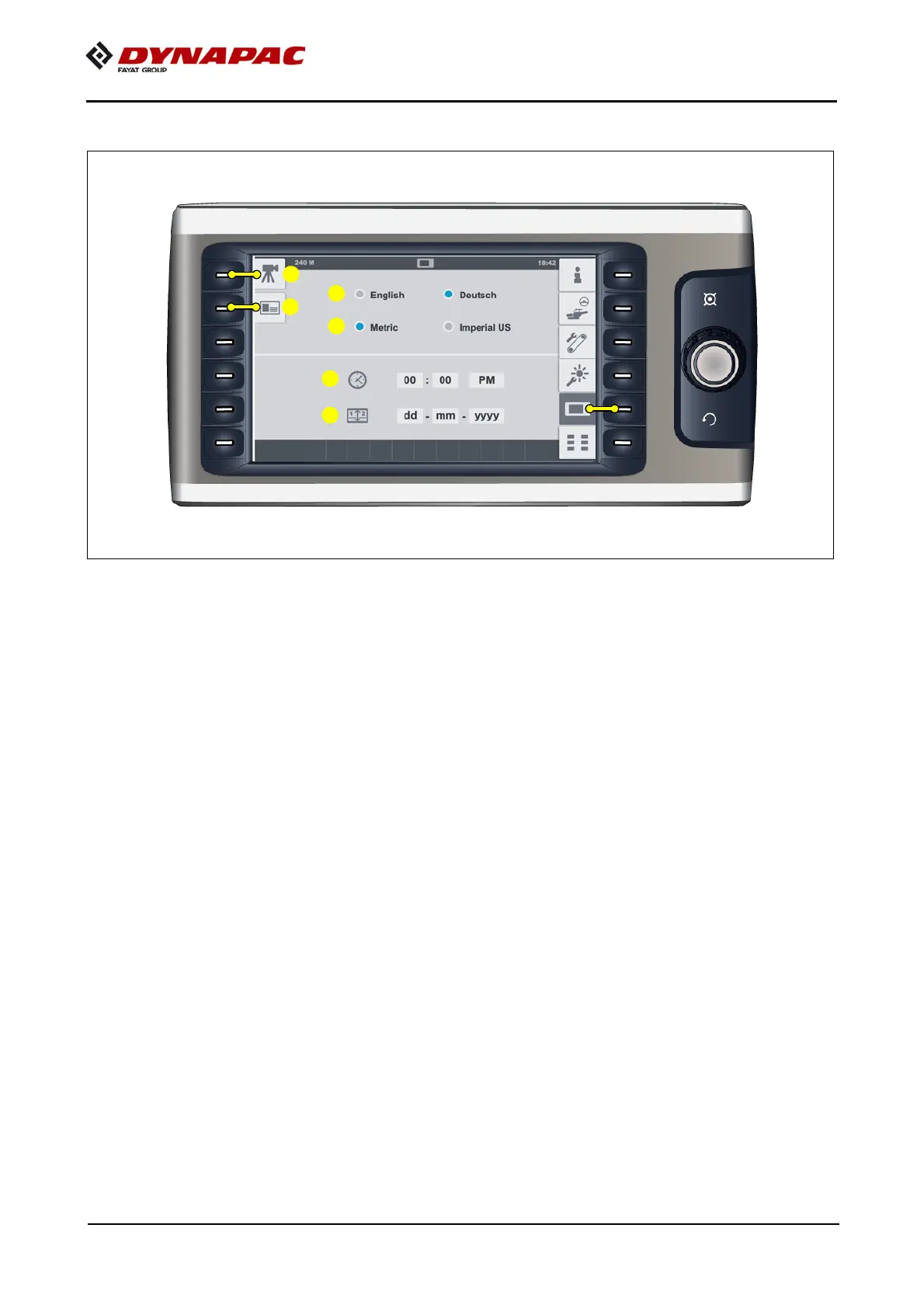
"Display" set-up menu
Menu for setting up basic display settings.
- (1) Selection "System language"
- English / German
- (2) Selection "Units of measurement"
- Metric / Imperial (US)
- (3) "Time" display and adjustment parameters
- h/h : min/min
- 24h / PM/AM
- (4) "Date" display and adjustment parameters
- dd - mm - yyyy
Open the following sub-menus:
- (5) "Camera / display" set-up menu
- (6) "Licence text" display



 To Next Page