D 23 18
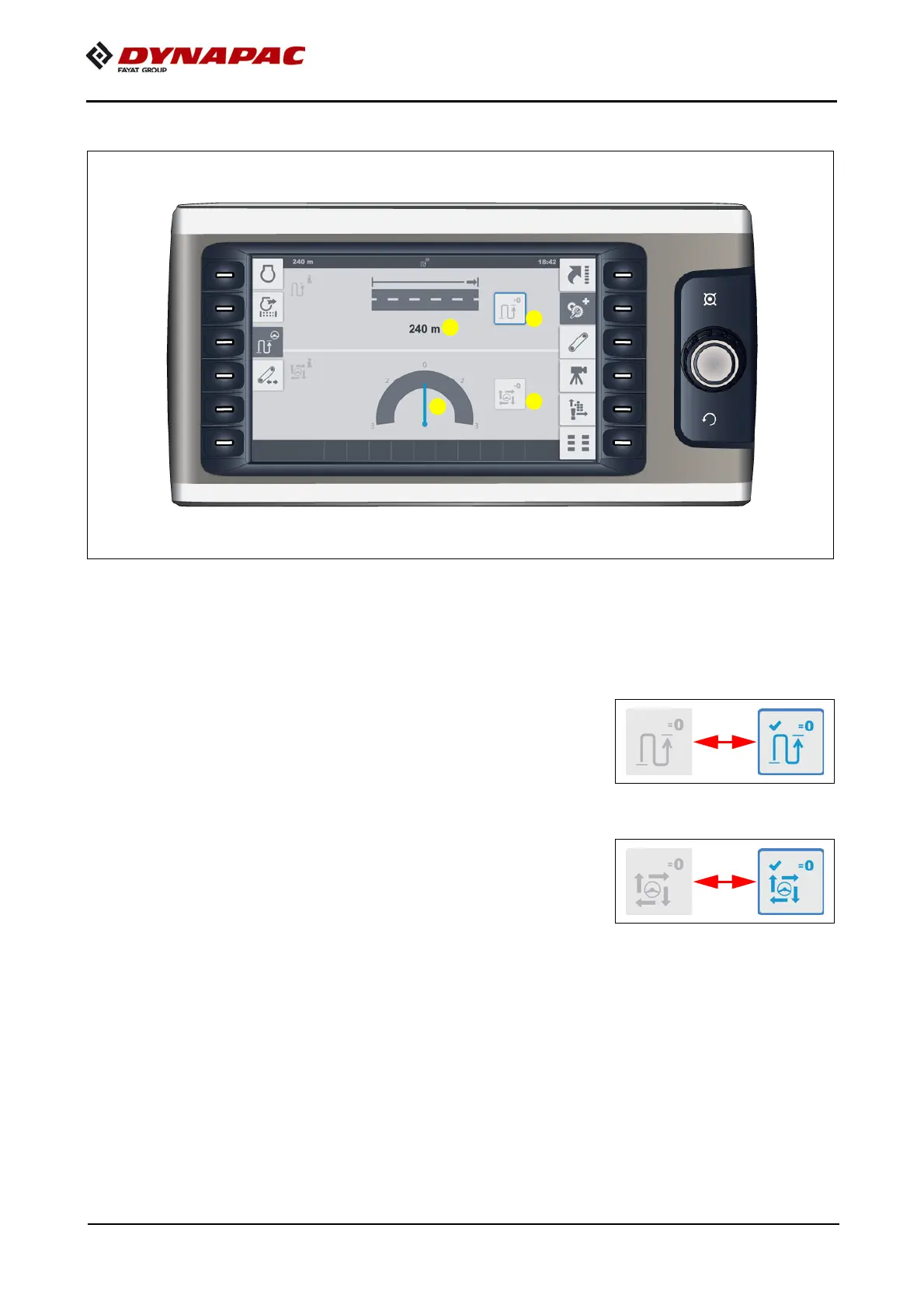
"Paving area / Automatic steering unit" menu
Menu for retrieving and resetting the current paving area, for showing the steering
monitoring and resetting the steering monitoring reference.
- (1) Current paving distance (m)
- Reset / set value to zero: Select function (1.1) with the job dial and press to reset.
A
As confirmation, the display changes for 5 to 10 seconds
during reset.
- (2) Steering monitoring is used for distance control
scanning --> reference.
- Reset / reference to zero: Select function (2.1) with the job dial and press to reset.
A
As confirmation, the display changes for 5 to 10 seconds
during reset.
A
Ideal distance scanning --> reference is the value "0" in
display (2). Excursions indicate increased or reduced
distances.
A
If necessary, carry out correction via slight steering movement!
A
If the driver carries out a steering movement, this overrides the automatic steering
unit due to safety reasons.



 To Next Page