D 23 2
1 Operation of the input and display terminal
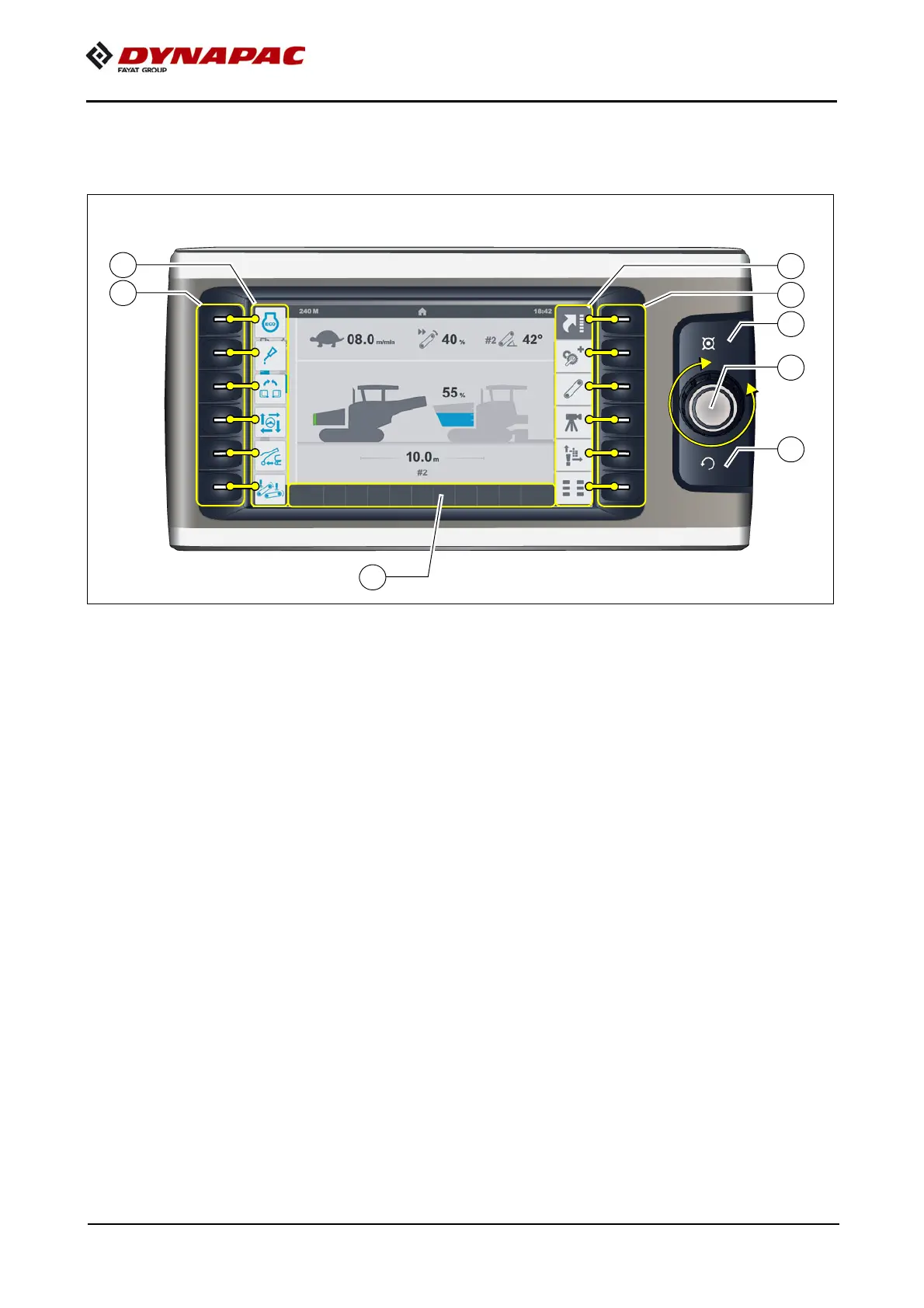
Button layout on the display
- (A) Jog dial (knob to be turned+push button):
- Turn:
- to select various adjustment parameters within a menu
- to adjust the parameter
- to select various selection possibilities within a menu
- Press:
to release the adjustment of a parameter
- to confirm a parameter adjustment
- to confirm a selection possibility
- (B) Home button
- To show the home menu directly
- (C) Upwards button
- To show the higher-level menu / higher-level display
- (D) Function buttons:
- To select the menus assigned in the display area (D1)
- To activate the functions assigned in the display area (D1)
- (E) Function buttons:
- To select the menus assigned in the display area (E1)



 To Next Page