D 11 25
Item Designation Brief description LED display
40
Tell truck "Start
Tipping (raise truck
hopper)
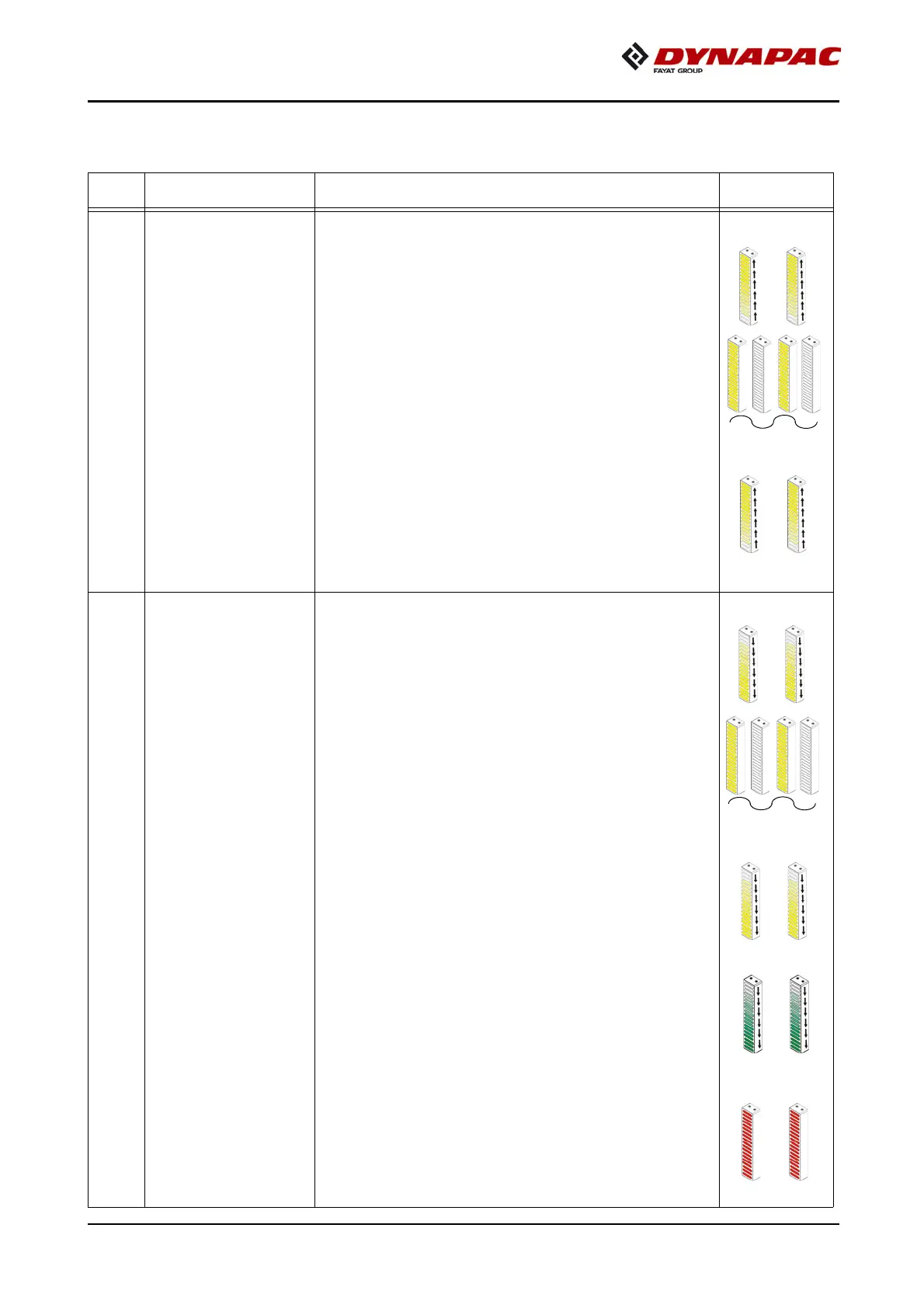
Pushbutton function with LED feedback:
- To change over to
the "Start Tipping" signal.
(YELLOW SIGNAL,
running light ascending)
- Press button again to change signal
over to "Pause".
(YELLOW SIGNAL, flashing).
A
The button LED + button LED (41)
flashes in the "PAUSE" MODE
- Press button once more to switch
again to "Start Tipping" signal.
(YELLOW SIGNAL, running
light ascending)
41
Tell truck to "End
Tipping" (lower
truck hopper) +
tell truck to
"Detach, Depart"
Pushbutton function with LED feedback:
- To change over to
the "End Tipping" signal.
(YELLOW SIGNAL,
running light descending)
- Press button again to change signal
over to "Pause".
(YELLOW SIGNAL, flashing).
A
The button LED + button LED (40) flas-
hes in the "PAUSE" MODE
- Press button once more to switch
again to "Start Tipping" signal.
(YELLOW SIGNAL, running
light descending)
- After material transfer completed:
Press button >3 seconds to change
signal to "Detach, Depart".
(GREEN SIGNAL, running light
descending) + button LED (38),
flashing.
- After 10 seconds the system auto-
matically changes over to the
"STOP" signal. (RED SIGNAL)



 To Next Page