F 30 8
Adjust belt tension:
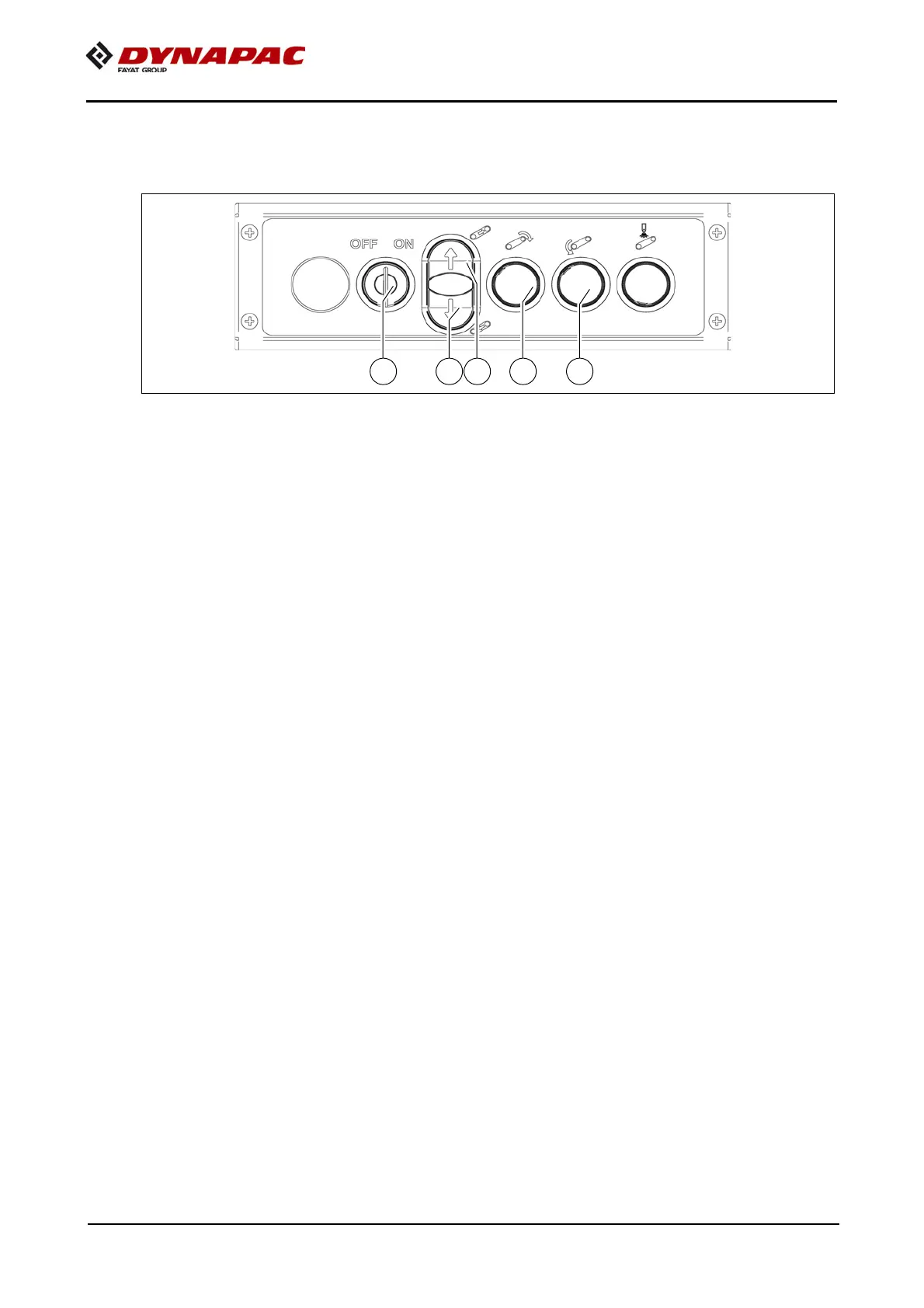
To adjust the tension, key switch (A) of the lateral control unit must first be switched
to
position I.
- To increase the tension, press switch (B) until the desired tension is achieved.
- To reduce the tension, press switch (C) until the desired tension is achieved.
- After adjusting the tension, allow the conveyor belt to run briefly again and check
its sag again; readjust if necessary.
A
If the conveyor belt has been slackened e.g. for cleaning purposes, it can be driven
slackened condition by pressing switches (D) and (E).
m
Risk of damage to equipment!
Only allow the conveyor belt to run in reversing mode if the conveyor belt scraper has
been disengaged!
f
Ensure that nobody is located in the danger area when working on the conveyor belt!
Danger of crushing
A
At the latest, the drive chains and conveyor belt must be exchanged when their elon-
gation has progressed so far that they can no longer be re-tensioned.
m
Chain links must not be removed to shorten the chain!
Incorrectly dividing the chains would lead to destruction of the drive wheels!



 To Next Page