5.4 Sending the Scanned Data by e-Mail
243
5.4.4 Deleting an e-Mail Target from the e-Mail Address Book
The following explains how to delete an e-mail address or a distribution list from your My
List. e-Mail targets cannot be deleted from the LDAP List.
1. Perform the steps from Step 1 to Step 3 in "5.4.2 Adding an e-Mail Target
to the e-Mail Address Book" (page 237) to show the [e-Mail Address
Book] window.
2. Select the e-mail address or distribution list to be deleted.
3. Press .
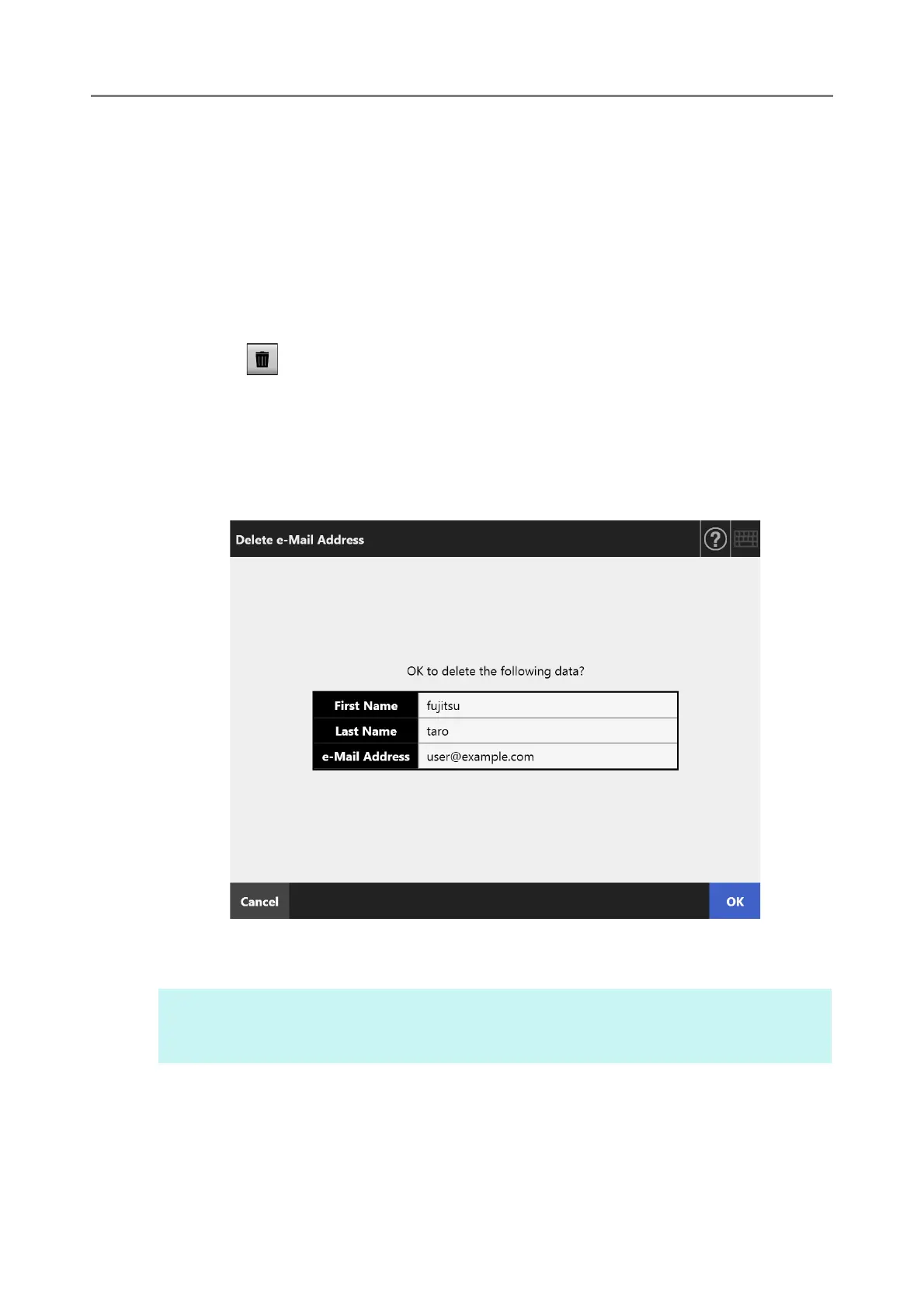
The [Delete e-Mail Address] window appears.
The following is an example window which is shown when an e-mail address is
selected to be deleted.
4. Check that the correct e-mail target has been set for deletion and press
the [OK] button.
The e-mail target is deleted from the e-mail address book.
HINT
My List can also be edited using User Editor. For details, refer to "Appendix F Editing Using
User Editor" (page 433).











 To Next Page