4.5 Setting the Scan Options
91
4.5.3 Setting General Scanner Settings
Usually, it is not necessary to make any setting changes.
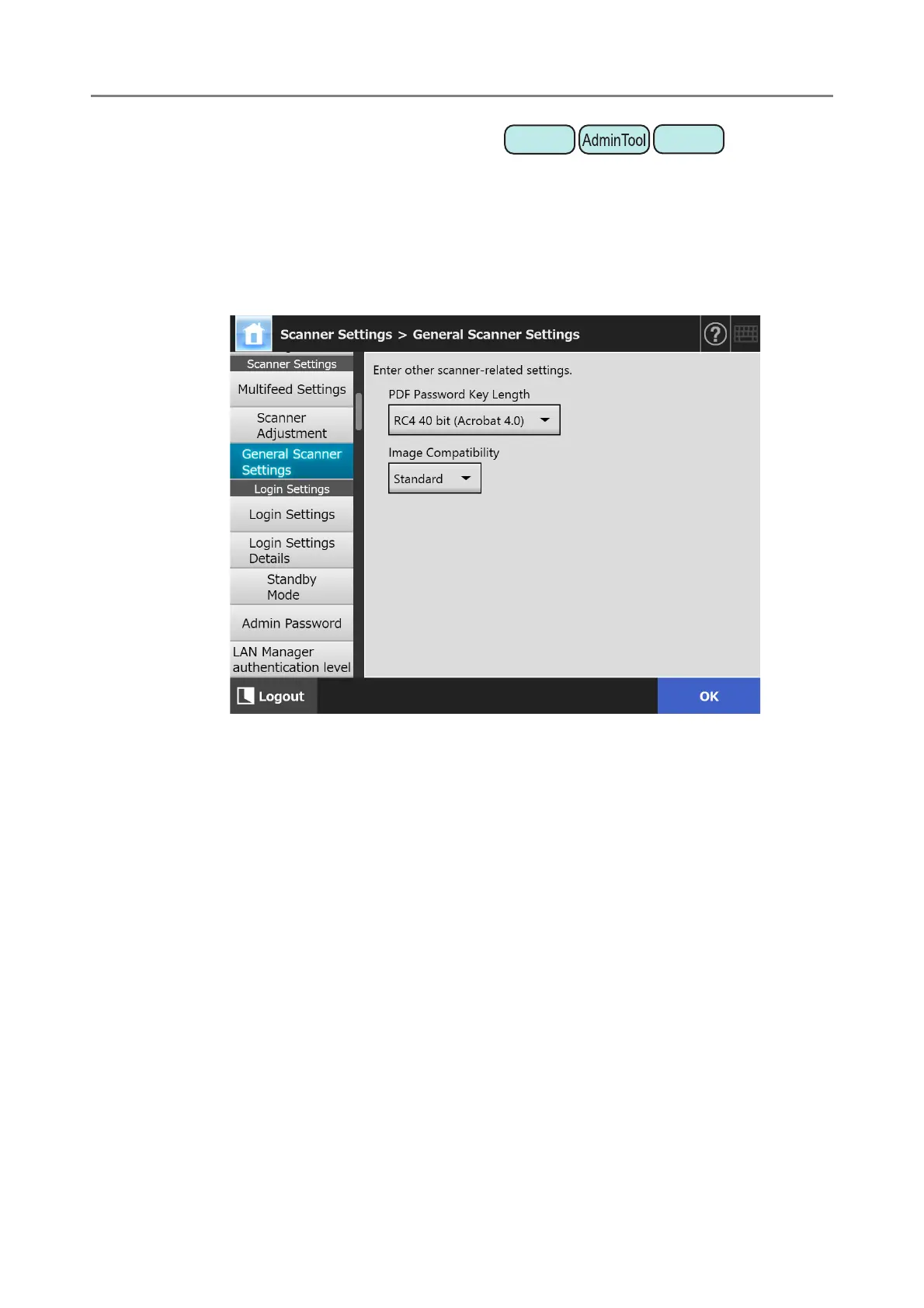
Configure the general scanner settings for scanning.
1. Select [General Scanner Settings] under [Scanner Settings].
The [General Scanner Settings] window appears.
2. Specify each item.
3. Press the [OK] button.
The information entered is set.
Central Admin
Console











 To Next Page