EasyManua.ls Logo

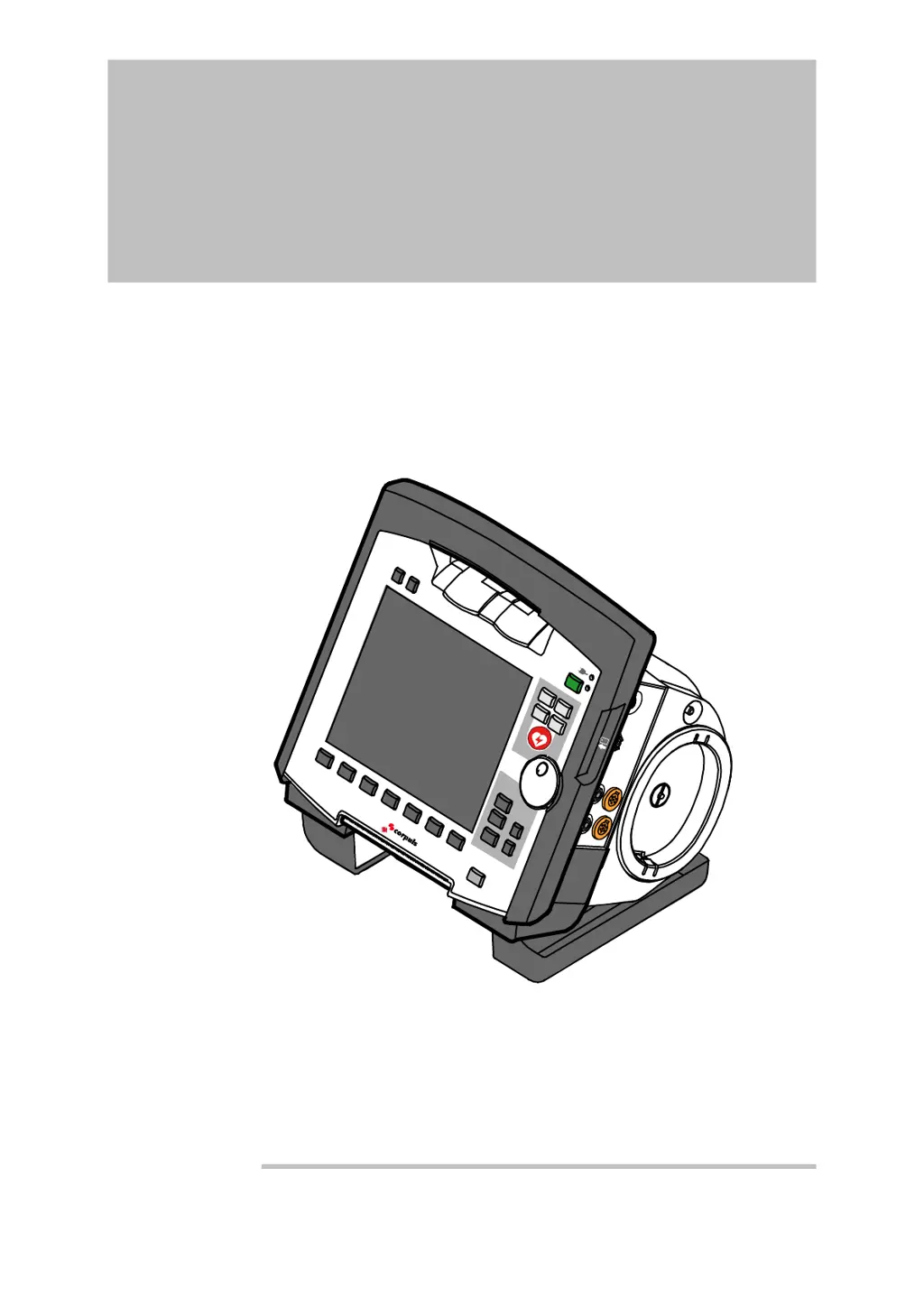
GS corpuls3 - User Manual

GS corpuls3
346 pages
Print Icon
To Next Page IconTo Next Page
Loading...
corpuls
3
User Manual

Table of Contents

Other manuals for GS corpuls3

Questions and Answers

  • S
    Samuel SuttonSep 7, 2025
    Why does the GS corpuls3 defibrillator take so long to charge?
    • M
      Mark HenrySep 8, 2025
      The battery state of charge might be low. Connect the defibrillator to an external power supply if possible, or connect the defibrillator with the other modules to be able to access their energy reserve.
  • S
    Sheila PeckAug 22, 2025
    Why are ECG curves not displayed on the GS corpuls3?
    • A
      Andrea CaldwellAug 22, 2025
      Poor contact between the ECG electrodes and the patient’s skin can cause this issue. Ensure the electrodes are firmly attached, especially the green and black ones on the 4-pole ECG monitoring cable. Remove any excessive hair and clean the skin with an alcohol-based substance before applying new ECG electrodes. Also, check the connection of the clip to the ECG electrodes, particularly the green and black ones. Electrical interference in the environment can also cause this issue, remove or switch off any sources of electrical interference if possible. Incorrect ECG or mains filter settings can also cause this, check the ECG filter setting for monitoring and diagnostic and check the mains filter settings.
  • W
    William GrossSep 5, 2025
    Why is the ECG recording quality poor on GS corpuls3 Medical Equipment?
    • S
      Sandra LloydSep 5, 2025
      The ECG electrodes used may have passed their expiry date. Only use ECG electrodes whose expiry date printed on the packaging has not passed. Also, using ECG electrodes from different manufacturers can cause this. Only use ECG electrodes from the same manufacturer. The ECG electrodes may also be dried out. Do not use ECG electrodes stored outside the packaging for a prolonged period or with the packaging open. Do not use ECG electrodes exposed to the sun or excessive ambient temperatures for a prolonged period. Please read and follow the instructions for storage on the electrode packaging.
  • S
    Susan MorganSep 3, 2025
    How to resolve connection issues between modules on GS corpuls3?
    • D
      Deborah HollandSep 3, 2025
      This issue might be caused by foreign bodies in front of the infrared interfaces on individual modules. Remove any foreign objects and clean the infrared interfaces if necessary. Also, the connection authorisation (Pairing) may not be taking place. Check if all modules are switched on and repeat pairing.
  • C
    chad39Sep 2, 2025
    What to do if the GS Medical Equipment monitoring unit won't switch on?
    • V
      Vincent JohnstonSep 2, 2025
      This may be caused by a malfunction in the network connection, or because the On/Off key on the monitoring unit was last pressed for more than 8 seconds. Disconnect the monitoring unit from the defibrillator/pacer and the patient box. Check if the defibrillator/pacer and patient box are switched on. Then, switch on the monitoring unit again by pressing the On/Off key.
  • J
    Jennifer AnthonyAug 31, 2025
    Why is the acoustic signal transmitter on the GS Medical Equipment too faint?
    • O
      ortizlauraSep 1, 2025
      The acoustic signal transmitter volume may be set too low. Set the volume to a readily audible value. Also, the opening of the acoustic signal transmitter may be dirty. Clean the opening of the acoustic signal transmitter.
  • D
    Denise MartinAug 30, 2025
    How to fix faint loudspeaker volume on GS corpuls3?
    • C
      ccunninghamAug 30, 2025
      The loudspeaker volume may be set too low. Adjust the volume to a readily audible level. Also, the opening of the loudspeaker may be dirty. Clean the opening of the loudspeaker.
  • M
    Melissa RoseAug 29, 2025
    What causes LT-ECG to be unavailable on GS corpuls3 Medical Equipment?
    • J
      Jennifer HessAug 29, 2025
      This issue may be because no CompactFlash® card is inserted. Insert CompactFlash® card correctly. It may also be that a non-original CompactFlash® card is inserted. Only use original corpuls3- CompactFlash® cards. If the CompactFlash® card is full, delete the data on the CompactFlash® card and re-insert.
  • Y
    ygreenAug 27, 2025
    How to extend radio connection range for GS Medical Equipment?
    • B
      Brent LeonardAug 27, 2025
      The radio unit in the patient box may be shadowed by metallic or metallised objects, or by people or body parts of the patient. If possible, choose a position that allows an unimpeded view to the other modules. Put the patient box in an upright position or use an appropriate bracket. Remove any metallic or metallised objects.
  • F
    fbarkerAug 26, 2025
    Why is the oximetry value not displayed on my GS corpuls3 Medical Equipment?
    • A
      ashleyriveraAug 27, 2025
      This problem can arise if the oximetry sensor is not correctly placed on the patient’s body. Reposition the oximetry sensor according to the sensor manufacturer's instructions. Ensure that you are using an oximetry sensor suitable for the patient’s age and weight. Clean the oximetry sensor. Also, ensure that the oximetry intermediate cable is connected to the 'oximetry' socket on the patient box and that the oximetry sensor is connected to the oximetry intermediate cable. If the connection with the patient box is cut off, reduce the distance between the monitoring unit and the patient box. The measurement site on the patient may be dirty or disturbed by other influences, rotate the finger sensor by 90°, clean the measurement site and choose another measurement site.

Summary

Safety

General

General information on operating the corpuls3 device safely.

Operating Staff

Qualifications and training required for operating staff using the corpuls3.

Restrictions of Therapeutic Functions

Limitations on using defibrillation, cardioversion, and pacing functions.

Maintenance

Procedures and authorization for maintaining the corpuls3 device.

Information and Warning Labels on the Device

Explains various labels and symbols found on the corpuls3 device.

Warning Notices and Symbols

Defines warning symbols and their meanings used in the manual.

Special Types of Risk

Details specific risks associated with electric shock and EMC during operation.

Intended Use

General

Describes the intended purpose and use of the corpuls3 device.

Optional

Lists optional monitoring functions like oximetry, capnometry, etc.

Usage other than as intended

Lists situations and operations for which the corpuls3 is not intended.

Introduction

Components

Overview of the corpuls3 device components and their functions.

Device Design

Details the different design configurations of the corpuls3 system: compact, semi-modular, modular.

Pairing (Connection Authorisation)

Explains the procedures for pairing and ad-hoc connection between corpuls3 modules.

Monitoring Unit

Description of the monitoring unit, its operating elements, LEDs, and interfaces.

Patient Box and Accessory Bag

Description of the patient box, its display, and the accessory bag for storage.

Defibrillator;Pacer

Description of the defibrillator/pacer unit, including its components and features like equipotential bonding.

Brackets

Lists various available brackets for the device and their power supply options.

General Operating Instructions

Operating and Display Elements

Overview of the operating elements and LEDs on the monitoring unit.

Switching On and Off

Instructions for switching the corpuls3 device on and off in different configurations.

Menu Control

Explains how to navigate menus using the jog dial, softkeys, and function keys.

Disconnecting and Connecting Modules

Procedures for safely connecting and disconnecting the corpuls3 modules.

Accessory Bag

Instructions for fitting and packing the accessory bag for the patient box.

Operation - Therapy

Therapy Electrodes for Defibrillation and Pacing

Details the types of therapy electrodes and how to connect them for defibrillation and pacing.

Preparing the Patient for Defibrillation, Cardioversion and Pacer Therapy

Steps to prepare the patient before performing defibrillation, cardioversion, or pacer therapy.

Defibrillation in AED Mode

Information and procedures for using the defibrillator in AED mode.

Manual Defibrillation and Cardioversion

Detailed instructions for performing manual defibrillation and cardioversion.

External Pacer

Information and instructions for using the external pacer function of the corpuls3.

CPR Feedback

Information on the CPR feedback system for monitoring compression quality.

Operation - Monitoring and Diagnosis

ECG Monitoring

Details the routine monitoring of heart rhythm and heart rate using ECG, including required cables.

Recording, Measuring, Printing and Interpreting a Diagnostic ECG

Explains the diagnostic ECG function, HES® Light, and therapy suggestions.

Longterm ECG

Describes the longterm ECG function for monitoring and evaluating cardiac dysrhythmias.

Oximetry Monitoring (Option)

Explains oximetry for measuring SpO2, SpMet, SpCO, SpHb, and pulse rate.

CO2 Monitoring (option)

Explains CO2 monitoring for ventilation, haemodynamics, and metabolism in intubated/non-intubated patients.

Non-invasive Blood Pressure Monitoring (option)

Describes NIBP monitoring using the oscillometry method for systolic, diastolic, and mean blood pressure.

Invasive Blood Pressure Monitoring (Option)

Explains IBP function for measuring arterial, venous, and intracranial pressures.

Temperature Monitoring (Option)

Describes temperature monitoring for body core and surface temperatures.

Configuration

Configuring the System

Details system settings including language, display, and master data.

Configuration of the Monitoring Functions

Configuration options for monitoring functions like ECG, Oximetry, CO2, NIBP, IBP, and CPR.

Alarm Configuration

How to configure alarm settings, limits, and suspension parameters.

Advanced Settings (Persons Responsible for the Device)

Advanced configurations requiring higher authorization, including user management and system settings.

Data Management

Creating a Patient File

Process of automatically creating a new data record or patient file upon switching on the device.

Handling Data

Instructions for inserting and managing the CompactFlash® card for data storage.

Master Data

Configuration and saving of master data such as transport type, radio ID, and EMS location.

Telemetry (Option)

Details about telemetry options, abbreviations, and data transmission methods.

Bluetooth data interface

Information about the Bluetooth® data interface for wireless data transfer and system connection.

Maintenance and Tests

General Information

Importance of regular maintenance and testing for device readiness and a summary of checks.

Function Checks

User-performed checks to ensure device functionality and readiness, supplementing automatic self-tests.

Automatic Self Test

Description of the automatic system check performed upon device startup.

Regular Maintenance Work

Guidelines for regular maintenance tasks, including safety and metrological checks.

Cleaning, Disinfection and Sterilisation

Procedures for cleaning, disinfecting, and sterilizing device modules and accessories.

Approved Accessories, Spare Parts and Consumables

List of approved accessories, spare parts, and consumables for the corpuls3 device.

Procedure in Case of Malfunctions

Device alarms

Lists device alarms, their priority, explanation, and recommended measures for elimination.

Troubleshooting and Corrective Actions

Provides solutions for common malfunctions and corrective actions.

Notifications Message Line and Information in the Protocol

Explains notifications shown on the message line and recorded in the protocol.

Appendix

Symbols

Explains various symbols used in the manual and on the device interface.

Factory Settings

Details the default factory configuration settings for system, display, and alarms.

Technical Specifications

Provides detailed technical specifications for device components and modules.

Safety Information

General safety guidelines and precautions for using the corpuls3 and its accessories.

ECG Analysis during Semi-automatic Defibrillation (AED mode)

Describes the ECG analysis process in AED mode, including shock recommendations and timing.

Warranty

Information on the manufacturer's limited warranty against material and manufacturing defects.

Note on Data Protection

Adherence to data protection directives for saving and transferring personalized data during operation.

GS corpuls3 Specifications

General IconGeneral
BrandGS
Modelcorpuls3
CategoryMedical Equipment
LanguageEnglish