v 2.0 — March 2023 Altanium Delta5
232 Color Change and Thermal Sensitive Resin Example
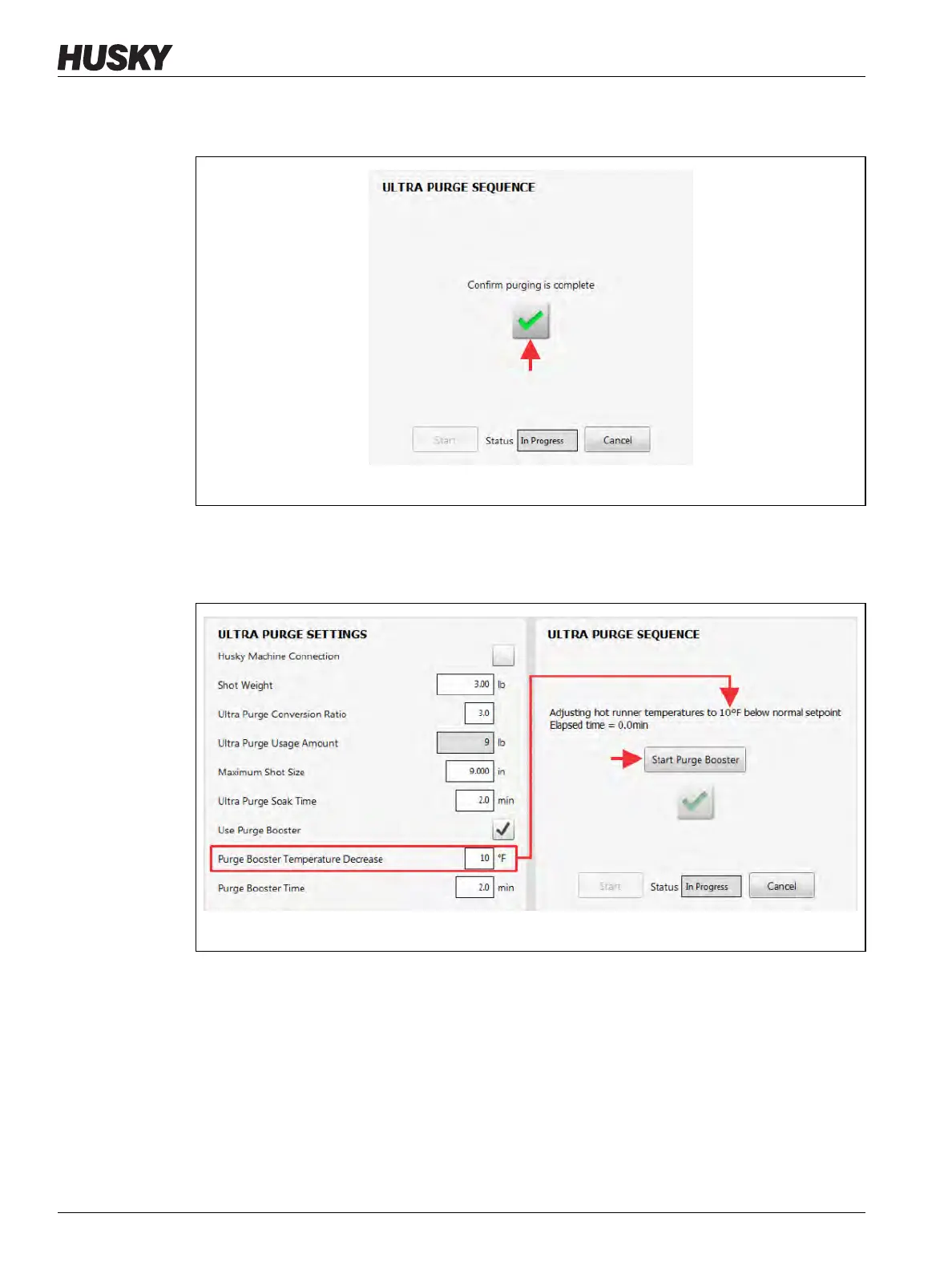
20. Touch the green check mark button to confirm that the purging has completed
(Figure 13-33).
21. Adjust the hot runner temperature to x
°F (x °C) below the normal setpoint (refer to
Figure 13-34).
22. Touch the Start Purge Booster button.
Figure 13-33 Confirm Purging is Complete
Figure 13-34 Adjust Hot Runner Temperature and Start Purge Booster



 To Next Page