2N8/2N7
1-2-71
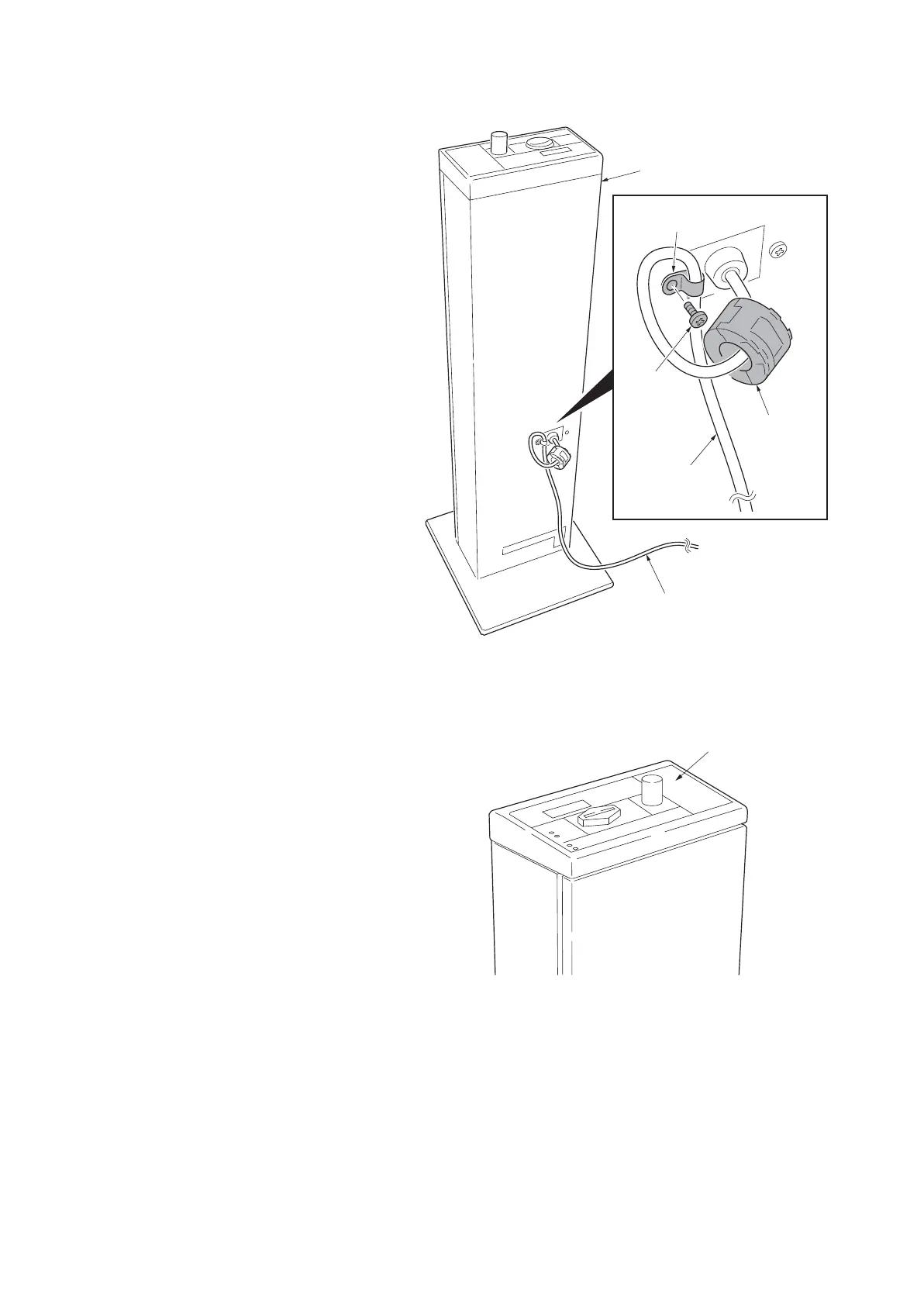
19. Fit the ferrite core to signal cable of coin
vender.
20. Fit the clamp to signal cable of coin
vender.
21. Remove a screw from the coin vender
and fix the coin vender with a clamp.
Figure 1-2-107
22. Affix the price size decal at the right
side of the coin vender operation panel.
Figure 1-2-108
23. Turn the main power switch on and
enter the maintenance mode.
24. Run maintenance mode U206 and acti-
vate 'Coin vender is installed.’ Continue
configuring the coin vender required
(see page 1-3-106).
25. Exit the maintenance mode.
Screw
Clamp
Ferrite core
Signal cable
of coin vender
Signal cable of
coin vender
Coin vender
Price size seal







 To Next Page