2N8/2N7
1-3-127
U246 Setting: [Width Up HP/Width Down HP]
1. Select [Width Up HP] or [Width Down HP].
2. Change the setting value using the +/- keys or numeric keys.
3. Press the start key. The value is set.
4. Press the stop key. The screen for selecting a maintenance item No. is displayed.
5. Enter maintenance mode U240 and select [Booklet], then [Width Test(A3)].
The width guides of the center-folding unit will move to A3-size position.
6. Pull the center-folding unit, insert paper between the guides and check that paper is abut the
guides.
7. Repeat the above adjustment until paper is properly in position.
Setting: [Staple Pos]
1. Select [Staple Pos1], [Staple Pos2] or [Staple Pos3].
2. Change the setting value using the +/- keys or numeric keys.
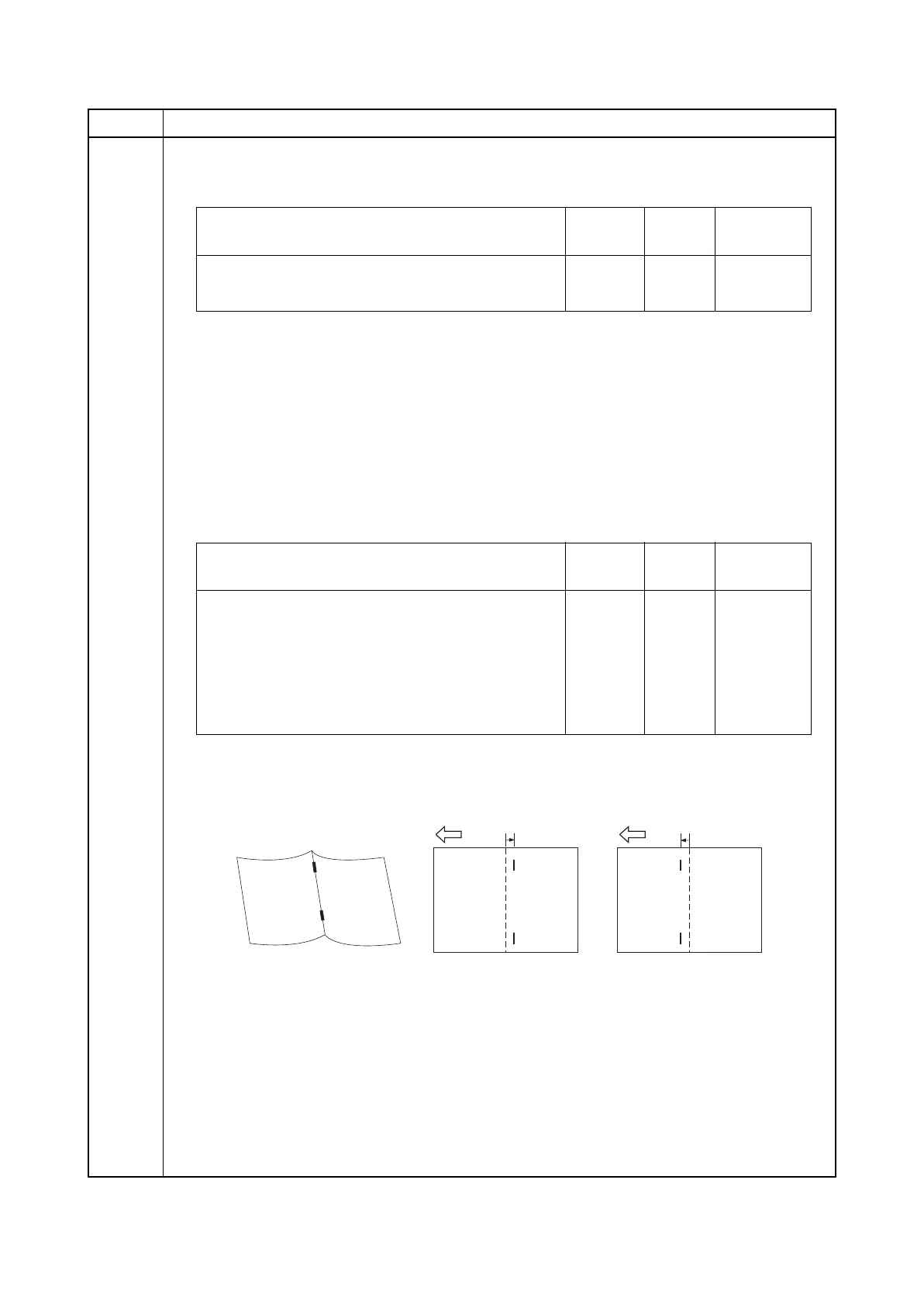
* : When staples are placed too far right (sample 1), decrease the preset value. When sta-
ples are placed too far left (sample 2), increase the preset value.
Reference value: within 2 mm
Figure 1-3-36
3. Press the start key. The value is set.
Item No. Description
Description Setting
range
Initial
setting
Change in
value per step
Adjustment of upper side registration home position -15 to 15 0 0.34 mm
Adjustment of lower side registration home position -15 to 15 0 0.34 mm
Description Setting
range
Initial
setting
Change in
value per step
Adjustment of booklet stapling position for
A4/Letter size
-15 to 15 0 0.32 mm
Adjustment of booklet stapling position for
B4/Legal size
-15 to 15 0 0.32 mm
Adjustment of booklet stapling position for
A3/Ledger/8K size
-15 to 15 0 0.32 mm
Sample 2
Sample 1
2 mm2 mm











 To Next Page