2N8/2N7
1-2-13
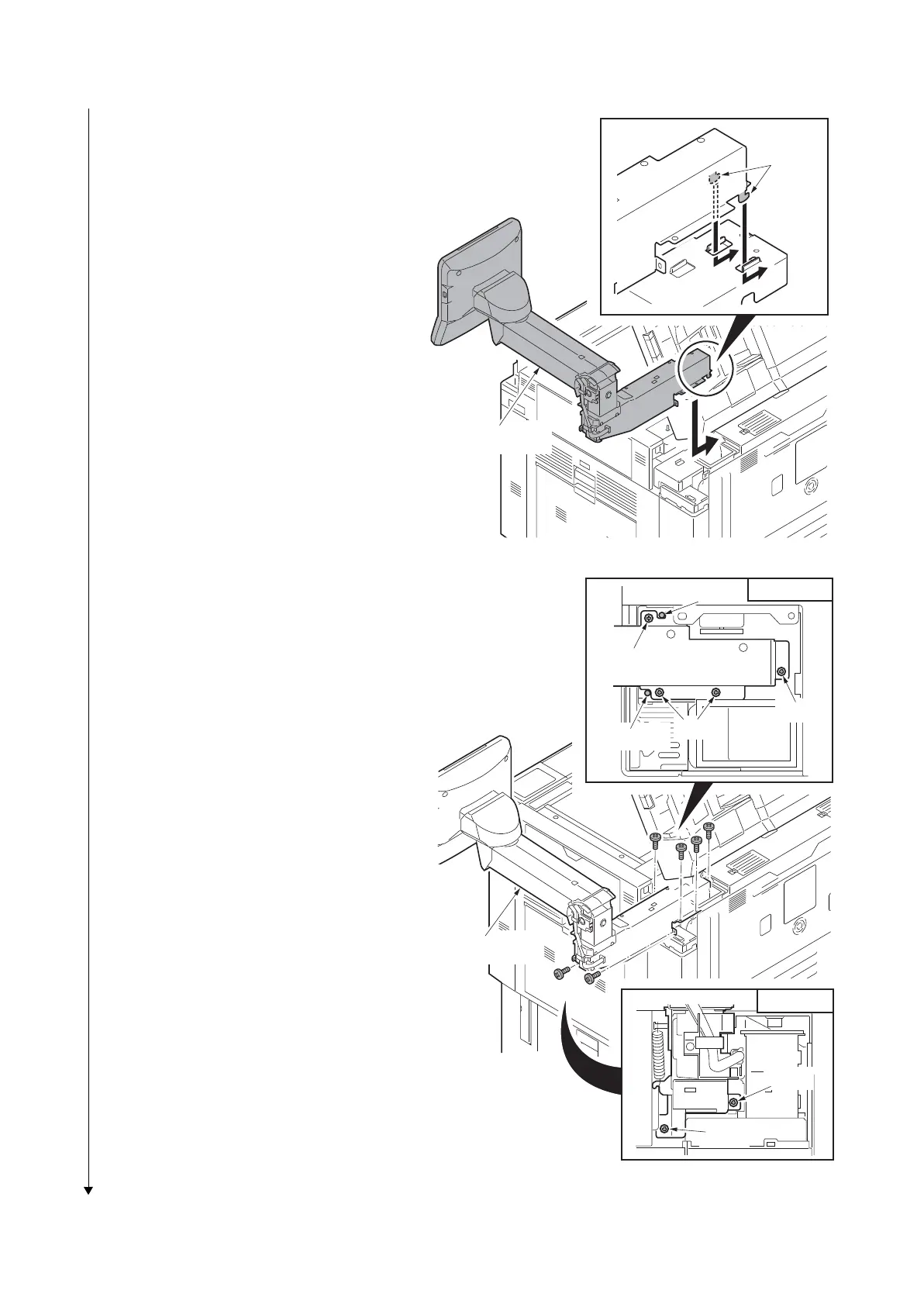
2. Insert two hooks and the install the
operation arm to the machine.
*: Install the unit observing the caution not
to damage the wires.
Figure 1-2-19
3. Align the two positioning keys with each
other, fix the operation arm using four
M4x8 screws a top and two M4x8
screws from the right side.
Figure 1-2-20
Operation arm
Hooks
Positioning
Screws
Screw
Screw
Positioning
Upper side
Operation arm
Screw
Screw
Right side











 To Next Page