2N8/2N7
1-2-14
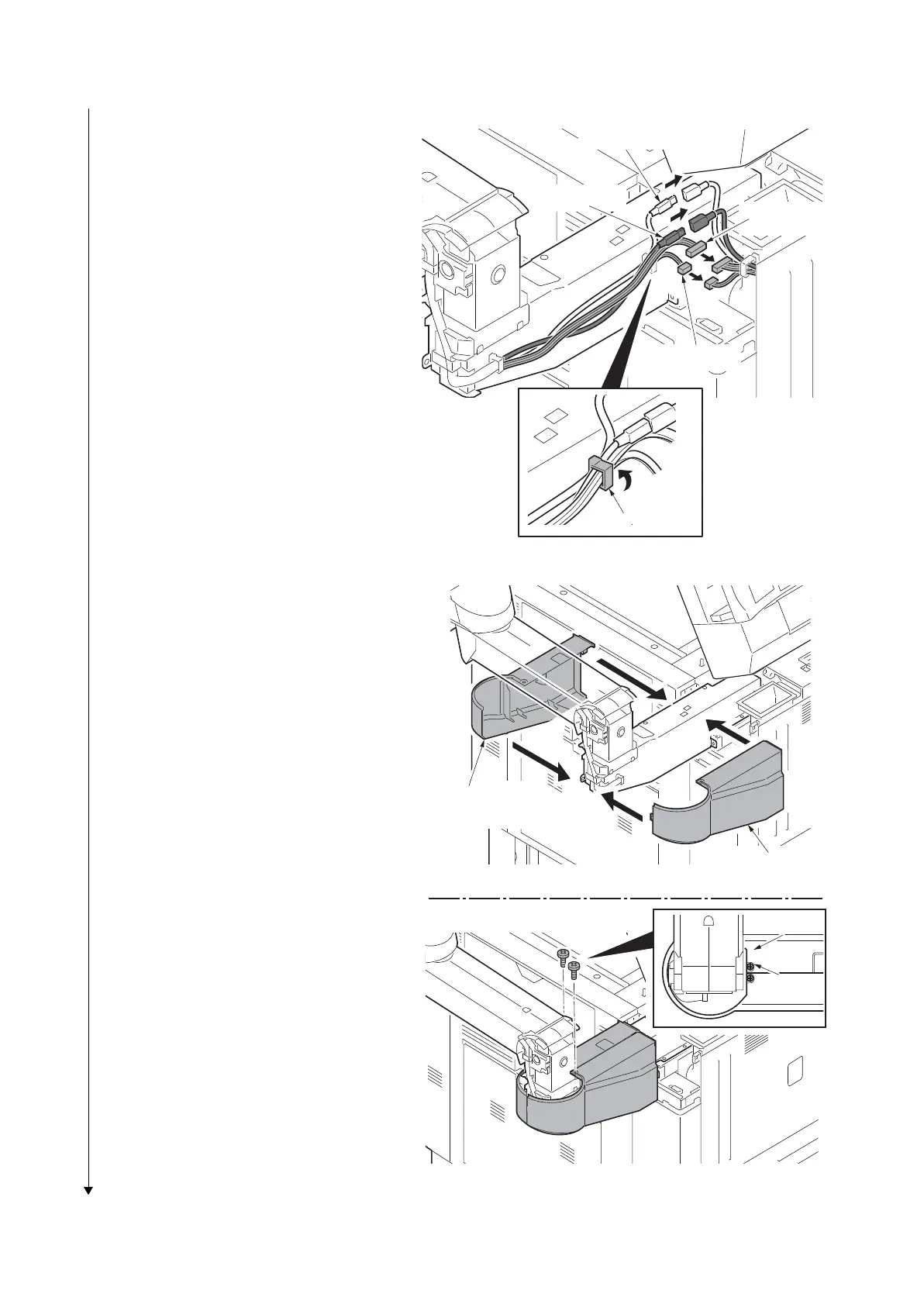
4. Connect four connectors of the opera-
tion arm to connectors of the machine.
5. Pass the wire through the wire saddle
and then fasten the wire.
Figure 1-2-21
6. Fit the operation mount cover A and B
using two M4 x 8 screws (black).
Figure 1-2-22
Connector
Connector
Connector
Connector
Wire saddle
Operation mount
cover A
Operation mount
cover B
Screw
Screw











 To Next Page