2N8/2N7
1-5-54
5. Pull the paper conveying unit out.
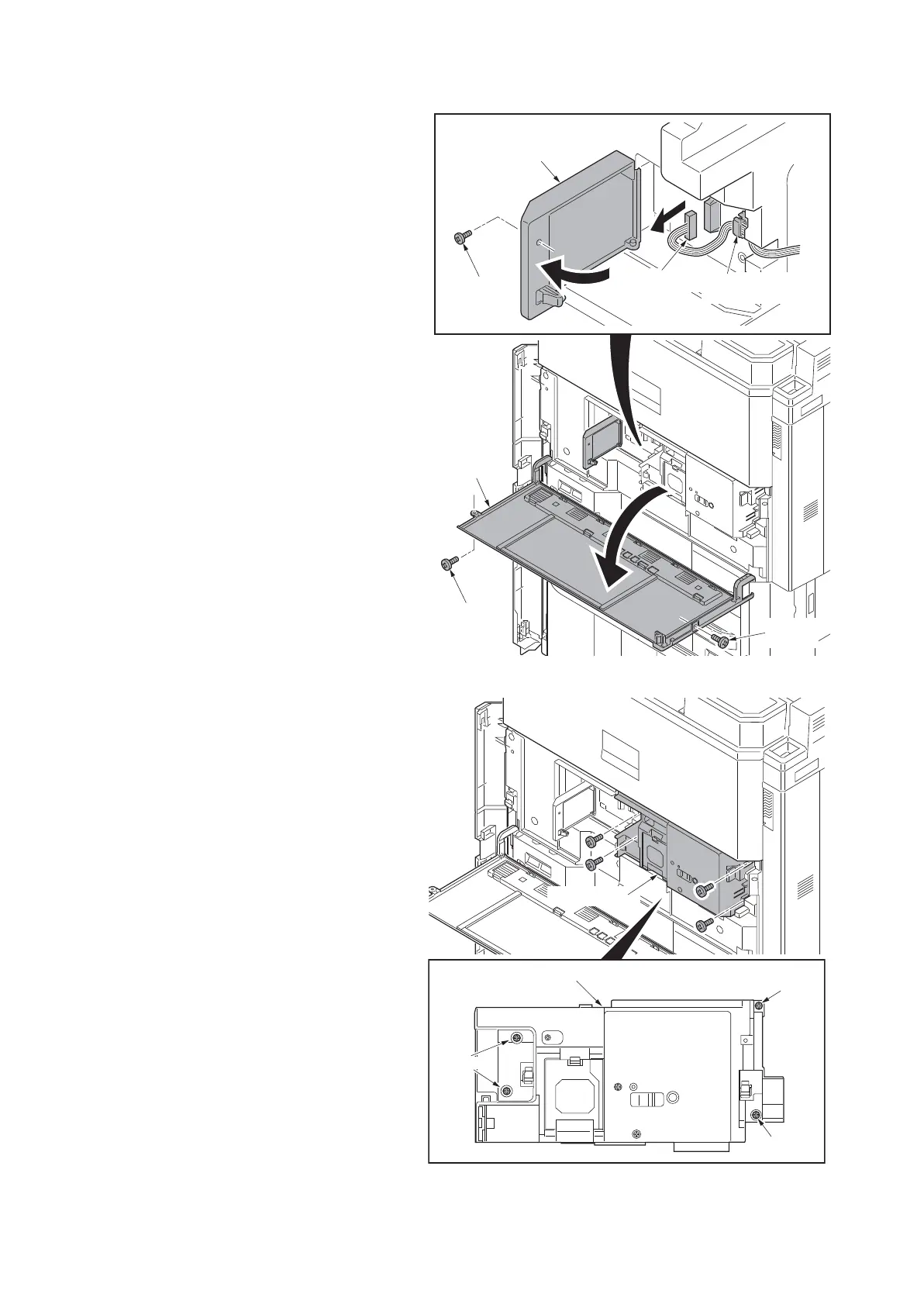
6. Remove two screws and then open the
front middle cover.
7. Lock the developer waste exit that has
been released (see page 1-2-25).
8. Remove the screw and then open the
connector cover.
9. Remove the connector.
10. Release the wire saddle.
Figure 1-5-91
11. Remove four fixed screws of inner unit.
Figure 1-5-92
Screw
Screw
Screw
Wire saddle
Connector
Connector cover
Front middle
cover
Inner unit
Screw
Screw
Screws
Inner unit











 To Next Page