2N8/2N7
1-5-92
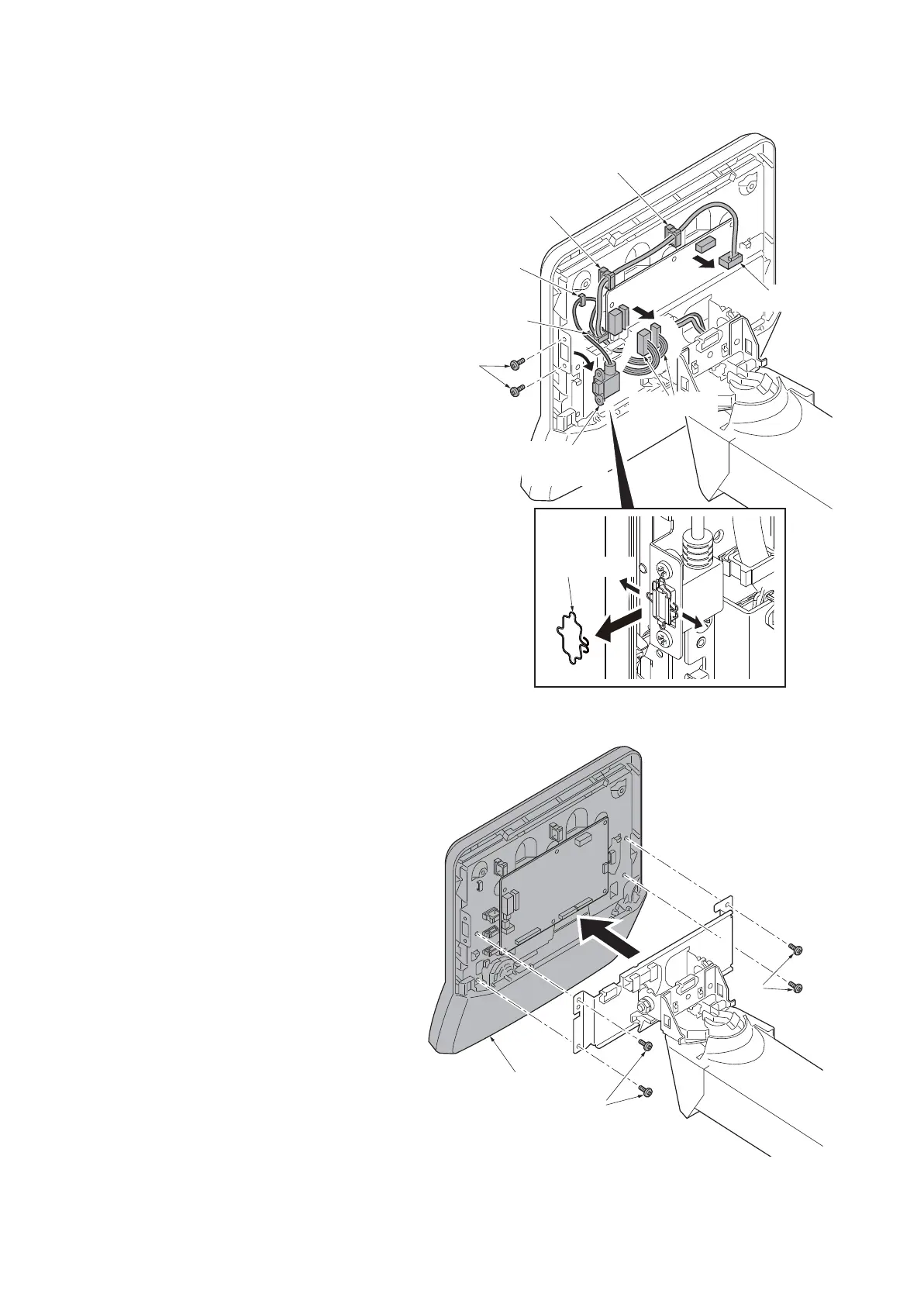
4. Remove the lock spring from the USB
connector.
5. Remove two screws and then remove
the USB wire (connector).
6. Release three wire saddles.
7. Remove the wire holder.
8. Remove three connectors.
Figure 1-5-145
9. Remove four screws and then remove
the operation unit.
Figure 1-5-146
Wire saddle
Wire saddle
Connectors
Connector
Wire saddle
Screws
USB wire
(connector)
Wire holder
Lock spring
Operation unit
Screws
Screws











 To Next Page