2N8/2N7
1-2-46
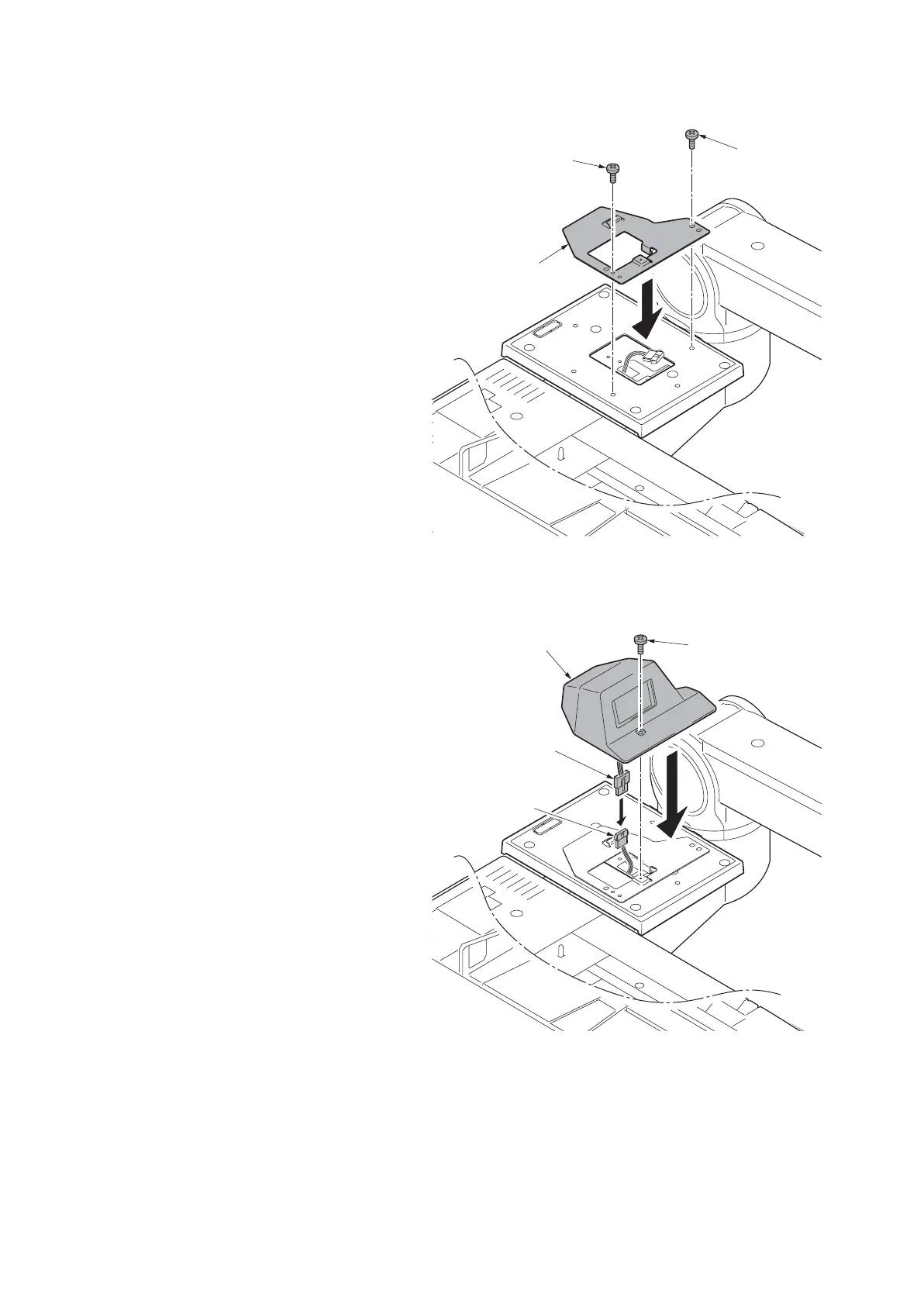
30. Fit the key counter cover retainer to the
tray cover using two M4 x 20 tap-tight S
screws.
Figure 1-2-71
31. Connect the key counter signal cable to
the key counter wire.
32. Fit the key counter cover to the
machine using the M4 x 6 screw.
33. Insert the key counter into the key
counter socket assembly.
34. Turn the main power switch on and
enter the maintenance mode.
35. Run maintenance item U204 and select
[Key-Counter] (see page 1-3-105).
36. Exit the maintenance mode.
37. Check that the message requesting the
key counter to be inserted is displayed
on the touch panel when the key coun-
ter is pulled out.
38. Check that the counter counts up as
copies are made.
Figure 1-2-72
Key counter
cover retainer
M4 x 20
tap-tight S
screw
M4 x 20
tap-tight S
screw
Key counter
signal cable
Key counter
wire
M4 x 6 screw
Key counter cover











 To Next Page