2N8/2N7
1-2-56
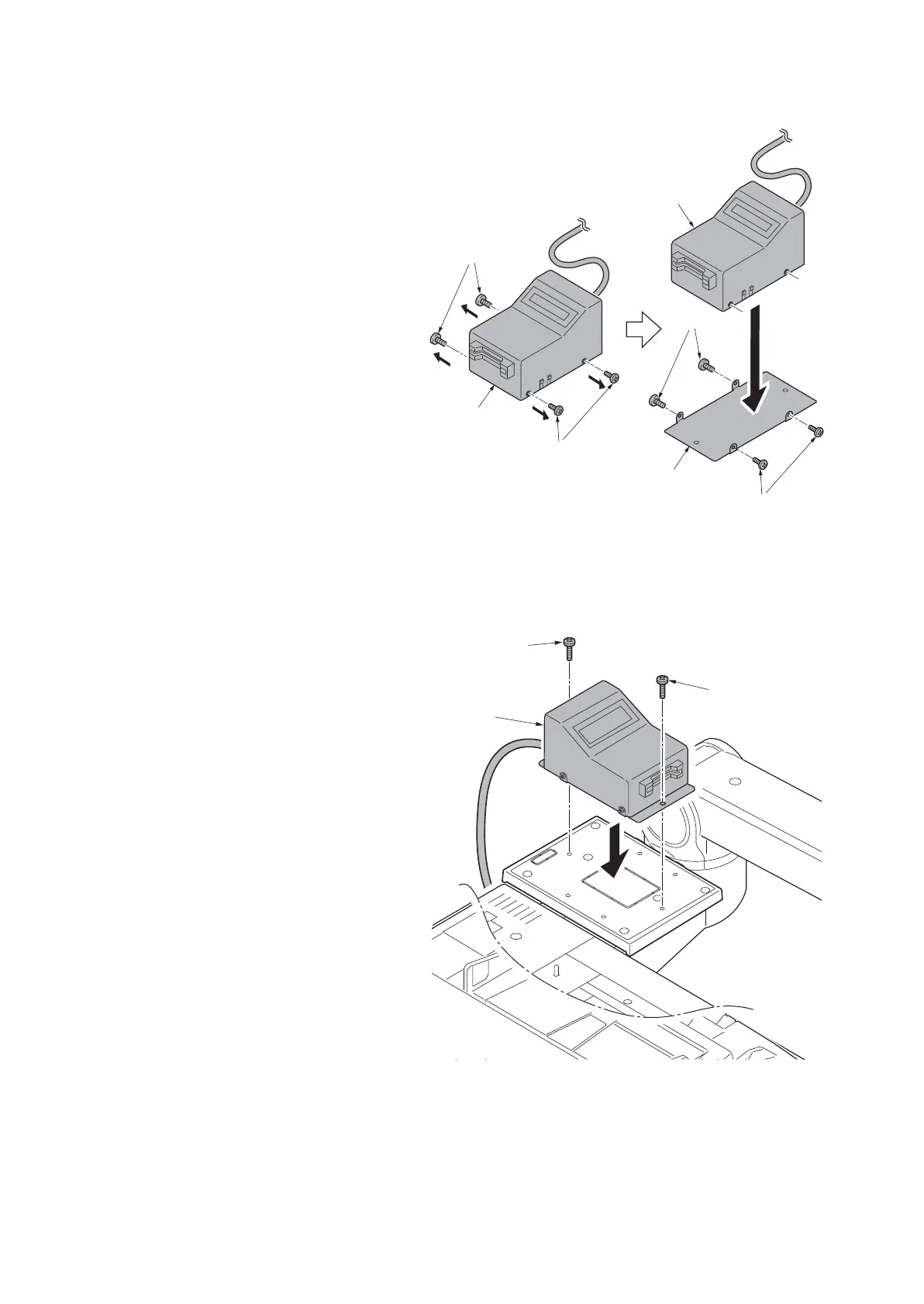
25. Remove the four screws securing the
MK-2 cover; attach the MK-2 mount to
the MK-2, and secure using the four
screws.
Figure 1-2-86
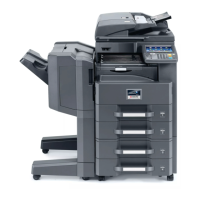
26. Fit the MK-2 to the tray cover using two
M4 x 20 tap-tight S screws.
27. Turn the main power switch on and
enter the maintenance mode.
28. Run maintenance item U204 and select
[Key-Card] (see page 1-3-105).
29. Exit the maintenance mode.
Figure 1-2-87
MK-2 mount
Screws
Screws
Screws
Screws
MK-2
MK-2
MK-2
M4 x 20
tap-tight S
screw
M4 x 20
tap-tight S
screw







 To Next Page