Gocator Line Profile Sensors: User Manual
Gocator Web Interface • 315
Extend
This tool is not supported on A and B revision Gocator 2100 and 2300 sensors. It will however
appear in emulator scenarios created using these sensors.
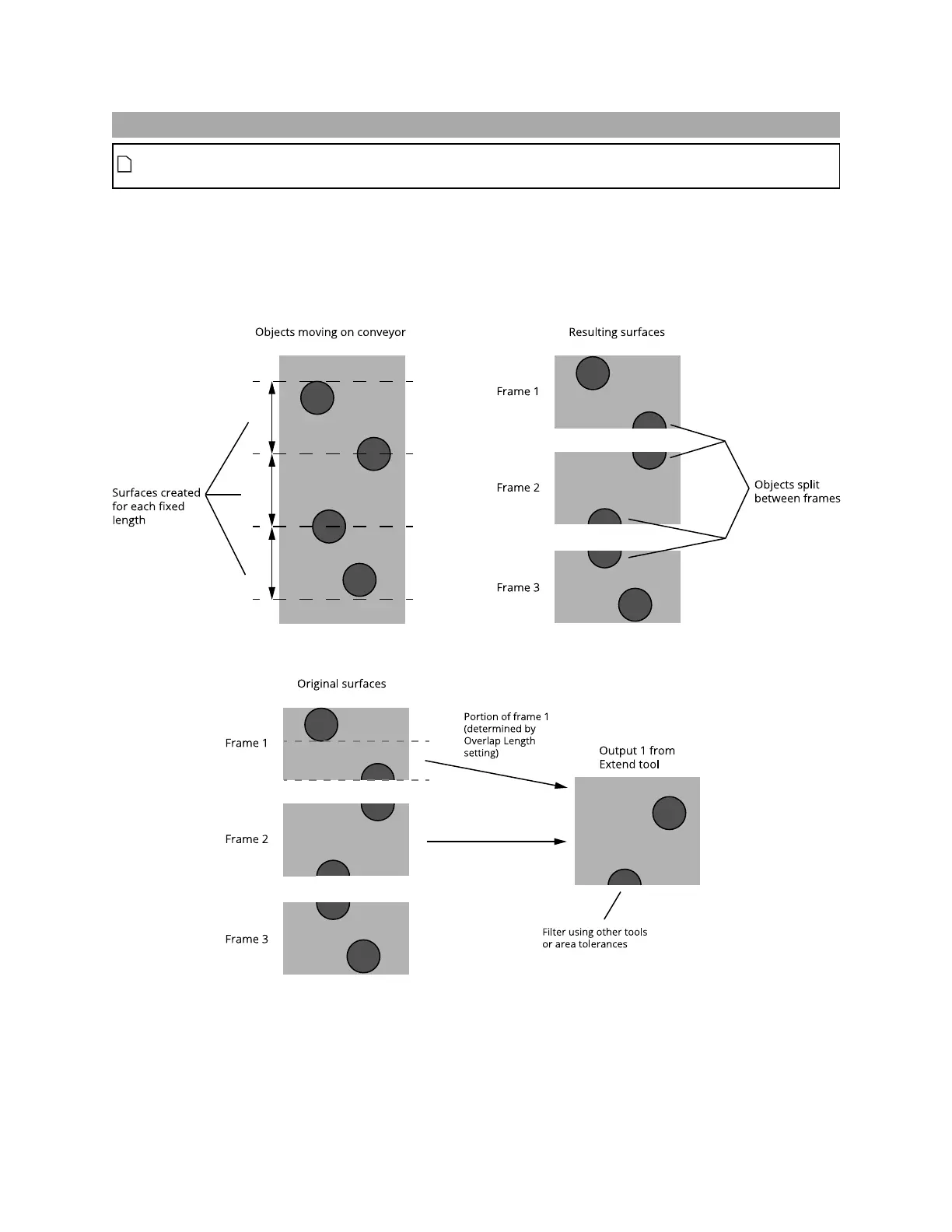
The Extend tool creates a new surface by appending part of the previous frame's data to the current
frame's data. The tool outputs the new surface data, which can be used as input by other tools. The tool
is especially useful when scans are performed using fixed length surface generation, where parts might
be split between two frames. (For more information on surface generation, see Surface Generation on
page 149.)
The following shows how the tool combines data:
Data is only appended in one direction. Partial objects in the resulting surface output from the tool must
be filtered out using downstream tools, for example, excluding them based on the expected area.


 To Next Page
 Loading...


