Gocator Line Profile Sensors: User Manual
Gocator Web Interface • 448
Statistics
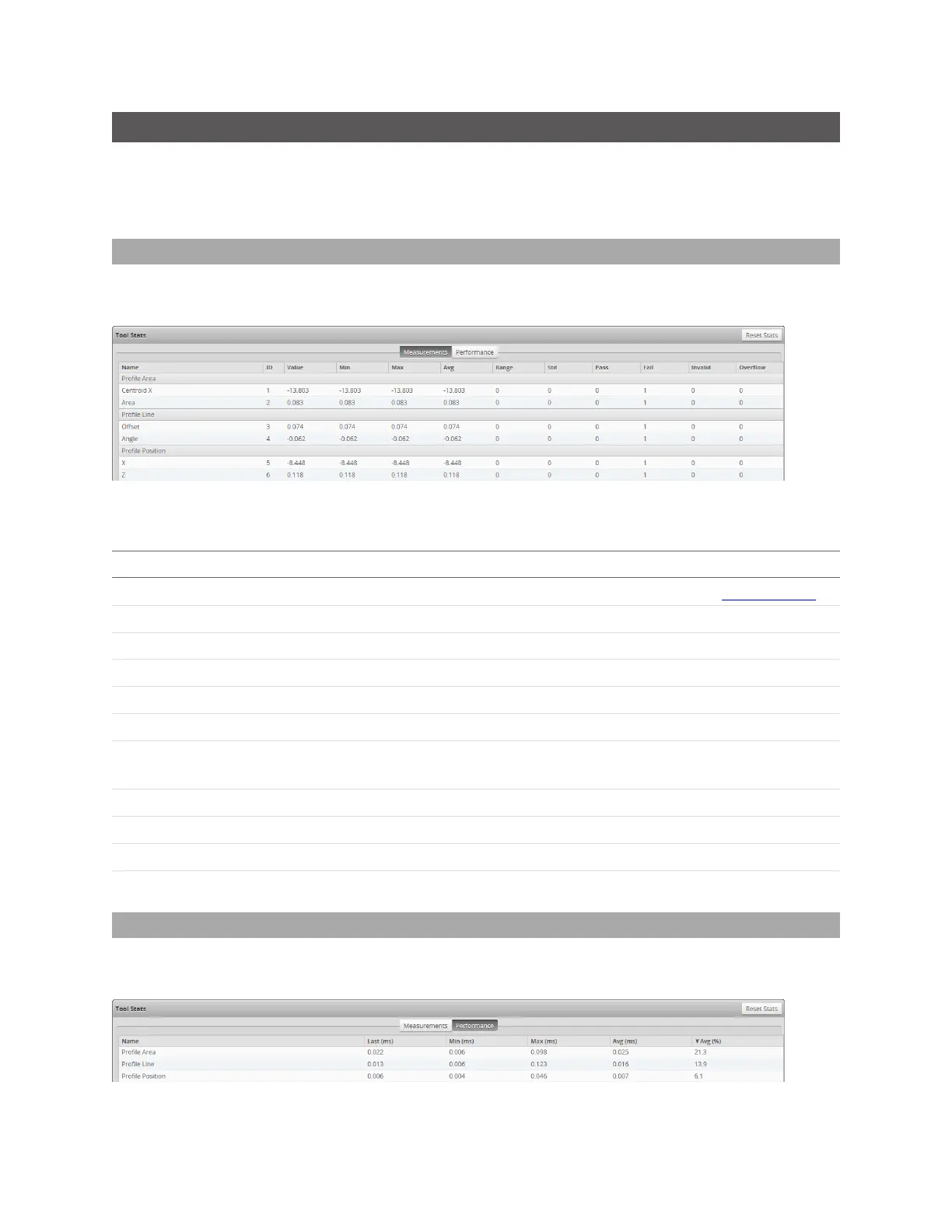
In the Tool Stats pane, you can examine measurement and tool statistics in two tabs:Measurements
and Performance.
To reset statistics in both tabs, use the Reset Stats button.
Measurements
The Measurements tab displays statistics for each measurement enabled in the Measure page,
grouped by the tool that contains the measurement.
For each measurement, Gocator displays the following information:
Name Description
ID
The measurement IDas set in the measurement's IDfield on the Measure page.
Value The most recent measurement value.
Min The minimum measurement value that has been observed.
Max The maximum measurement value that has been observed.
Avg The average of all measurement values collected since the sensor was started.
Range The difference between Max and Min.
Std The standard deviation of all measurement values collected since the sensor was
started.
Pass The number of pass decisions the measurement has generated.
Fail The number of fail decisions the measurement has generated.
Invalid The number of frames that returned no valid measurement value.
Overflow The number of frames that returned an overflow.
Measurement Statistics
Performance
The Performance tab displays performance statistics (execution time)for each tool added in the
Measure page.
For each tool, Gocator displays the following information:



 To Next Page
 Loading...

