PIM
601
Managed Switches
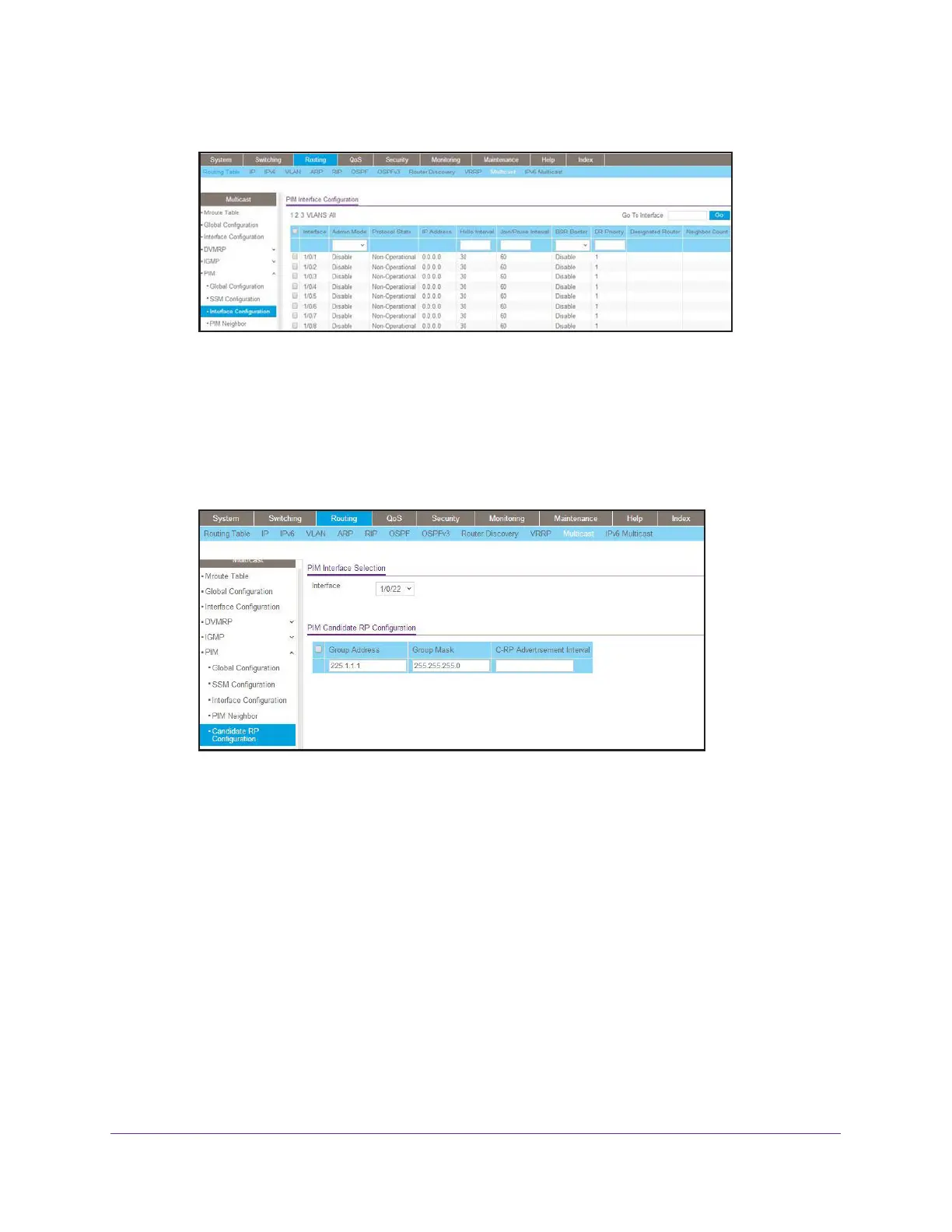
A screen similar to the following displays.
b. Scroll down and select the Interface 1/0/21, 1/0/22, and 1/0/24 check boxes.
c. In the Admin Mode field, select Enable.
d. Click Apply to save the settings.
11. Set up Candidate RP configuration.
a. Select Routing > Multicast > PIM > Candidate RP Configuration.
A screen similar to the following displays.
b. In the Interface list, select 1/0/22.
c. In the Group IP field, enter 225.1.1.1.
d. In the Group Mask field, enter 255.255.255.0.
e. Click Add.
12. Set up BSR Candidate configuration.
a. Select Routing > Multicast > PIM > BSR Candidate Configuration.


 To Next Page
 Loading...