7. Make your selection in the EPrint Target list.
8. Make your selection in the FPrint Quality list.
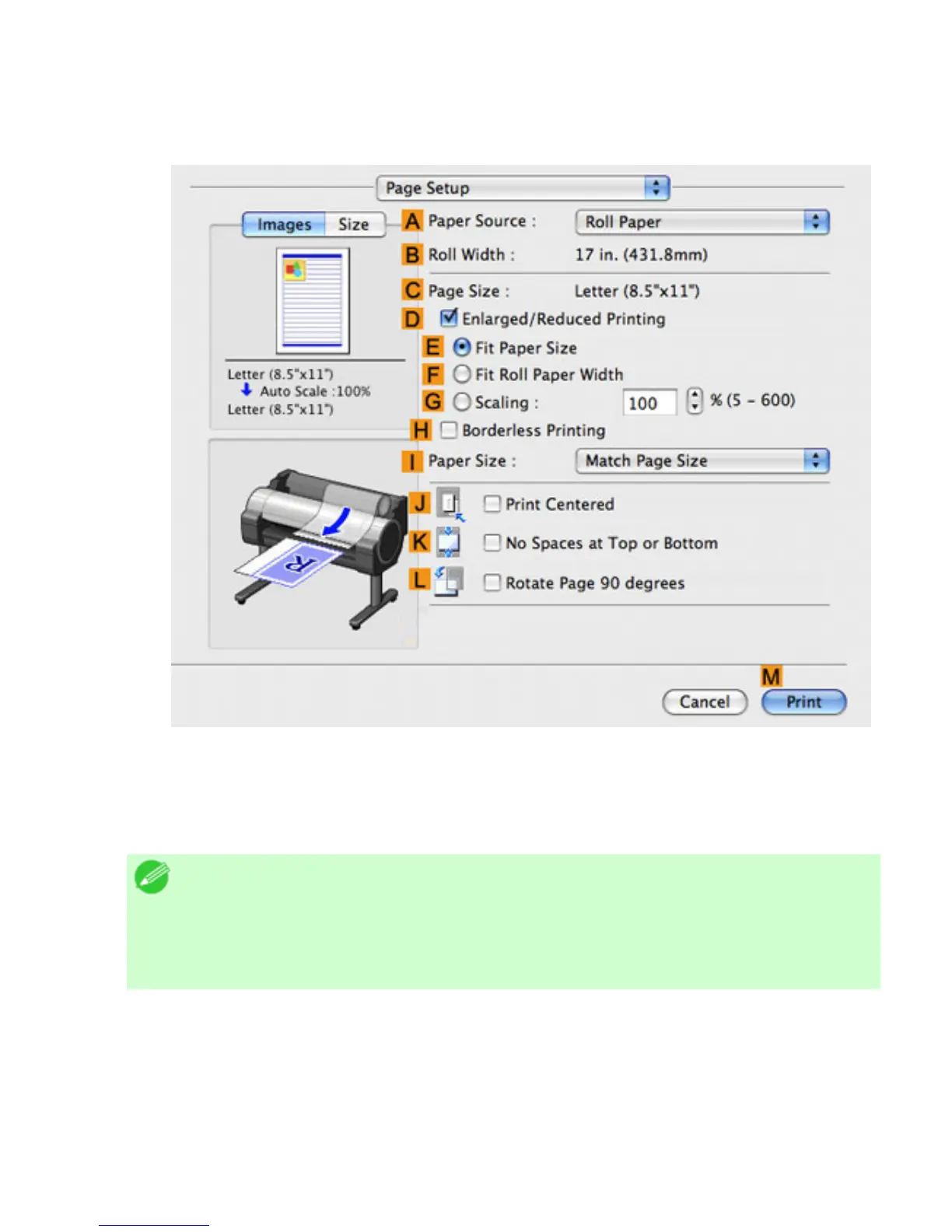
9. Access the Page Setup pane.
10. Click Roll Paper in the APaper Source list.
11. Make sure the width of the loaded roll is displayed in the BRoll Width list-in this case, 16 in.
(406.4mm).
Note
・ If the width of the roll loaded in the printer is not shown in
BRoll Width,
click
LPrinter Information on the Main pane to update the printer
information.
12. Make sure the CPage Size setting matches the original size as selected in CPaper Size in the
Page Attributes dialog box—in this case, ISO A4.












 To Next Page