5. 1. 8. Mac OS X Software > Printer Driver >
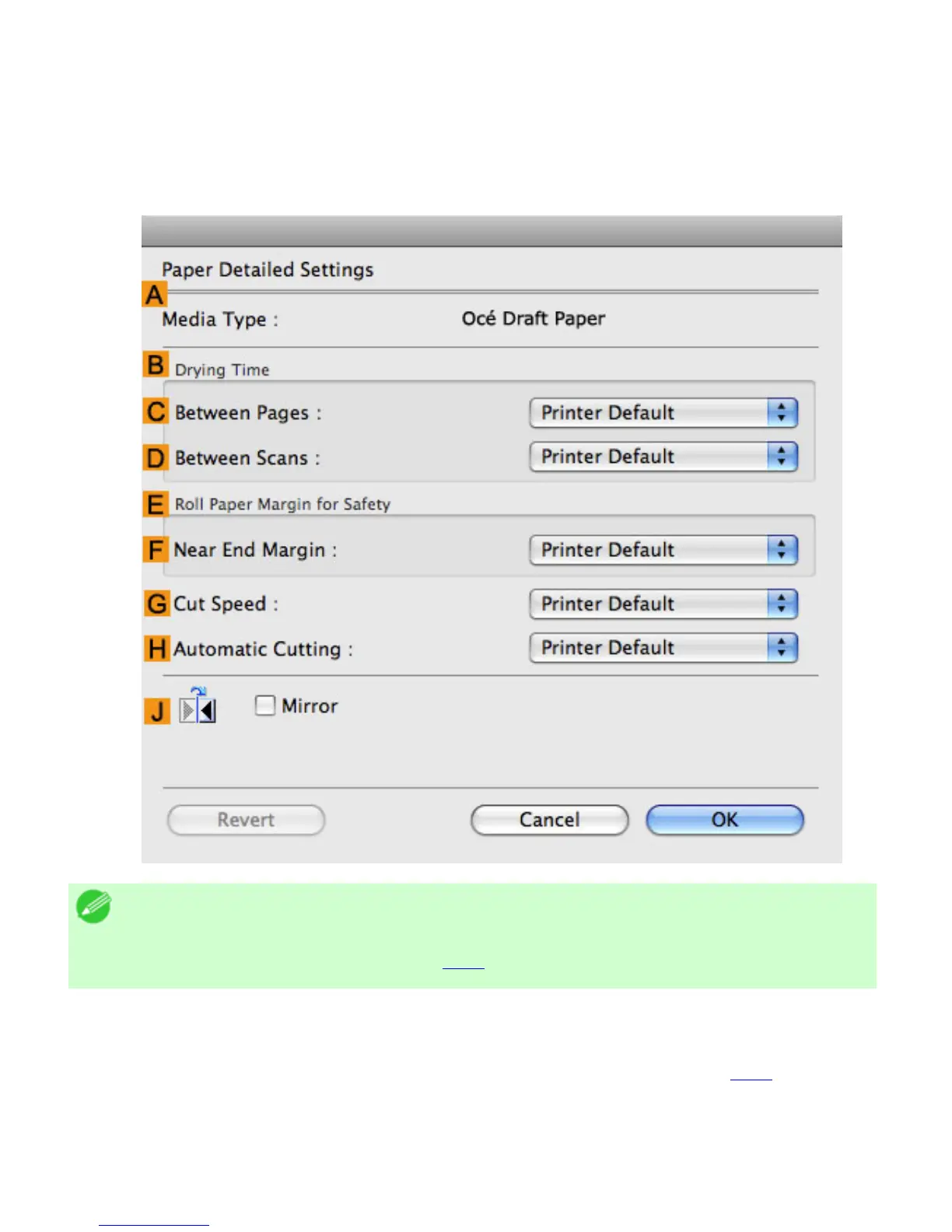
Paper Detailed Settings Dialog Box
The Paper Detailed Settings dialog box offers the following settings. For details on settings items, refer
to the printer driver help.
Note
・ To display the Paper Detailed Settings dialog box, on the Main pane, click Set
by Media Type.(See "Main Pane (
5.1.7)")
AMedia Type
Select the paper type.
For information on the types of paper the printer supports. (See "Types of Paper (6.1.1)")
BDrying Time
Specify the time that the printer waits for ink to dry, as needed. The Drying Time setting is only valid for
rolls.












 To Next Page