5. 1. 14. Mac OS X Software > Printer Driver >
Page Setup Pane
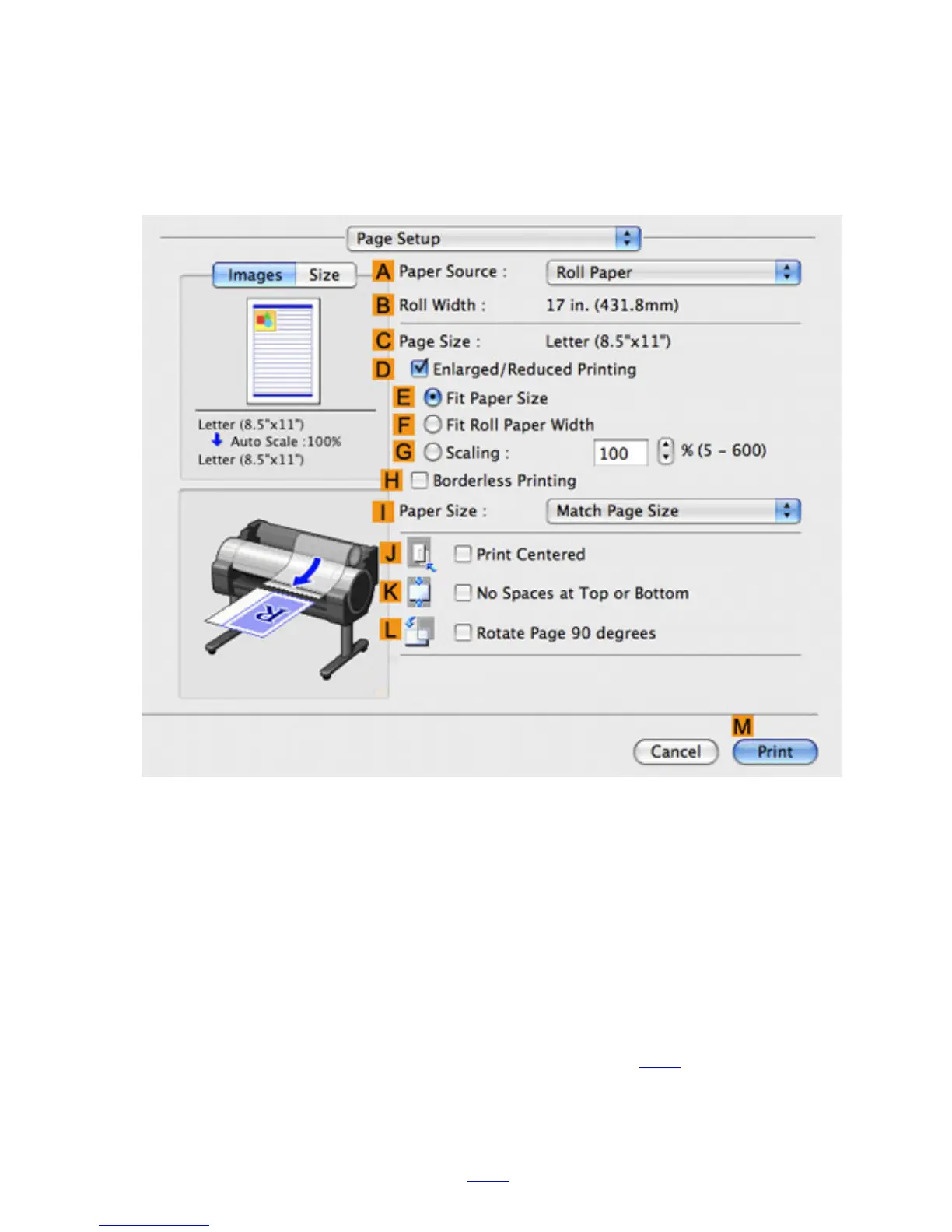
The following settings are available on the Page Setup pane. For details on settings items, refer to the
printer driver help.
APaper Source
Choose how paper is supplied.
Options displayed in the list vary depending on the selection in AMedia Type in the Main pane.
BRoll Width
Displays the paper width of the roll loaded in the printer. Unknown is displayed if the printer cannot
detect the roll paper width.
CPage Size
Displays the size of the original, as specified in the page settings of the application.
For details on page sizes available in the application. see "Paper Sizes (6.1.2)"
DEnlarged/Reduced Printing
Select this checkbox to choose the following options.
● Resizing Originals to Match the Paper Size (3.3.1)












 To Next Page