3. 4. 3. Enhanced Printing Options > Printing at full size >
Printing at Full Size (Mac OS X)
This topic describes how to print at full size based on the following example. (Oversized Printing)
● Document: Any Type
● Page size: A4 (210.0 × 297.0 mm [8.3 × 11.7 in])
● Paper: Roll paper
● Paper type: Plain Paper
● Roll paper width: A2/A3 roll (420.0 mm [16.5 in])
1.
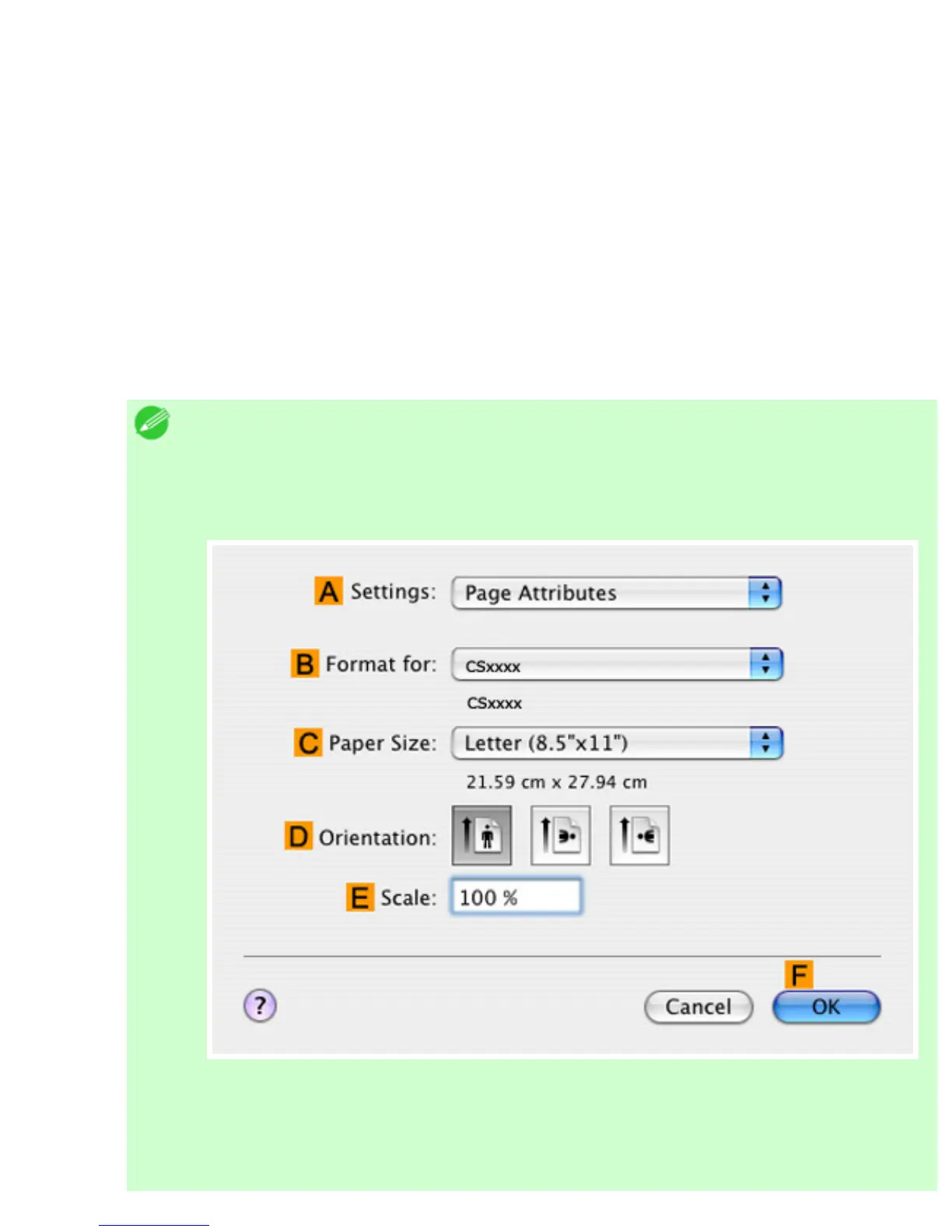
This sets the BFormat for and CPaper Size.
Note
・ The configuration method varies depending on the OS and application software
you are using.
If Page Setup is displayed in the application menu, the settings are configured by
opening the Page Attributes dialog box from Page Setup.
If it is not displayed, the settings are configured in the upper part of the printer
driver displayed when you select Print from the application software menu.












 To Next Page