3. 10. 7. Enhanced Printing Options > Other useful settings >
Using Favorites (Windows)
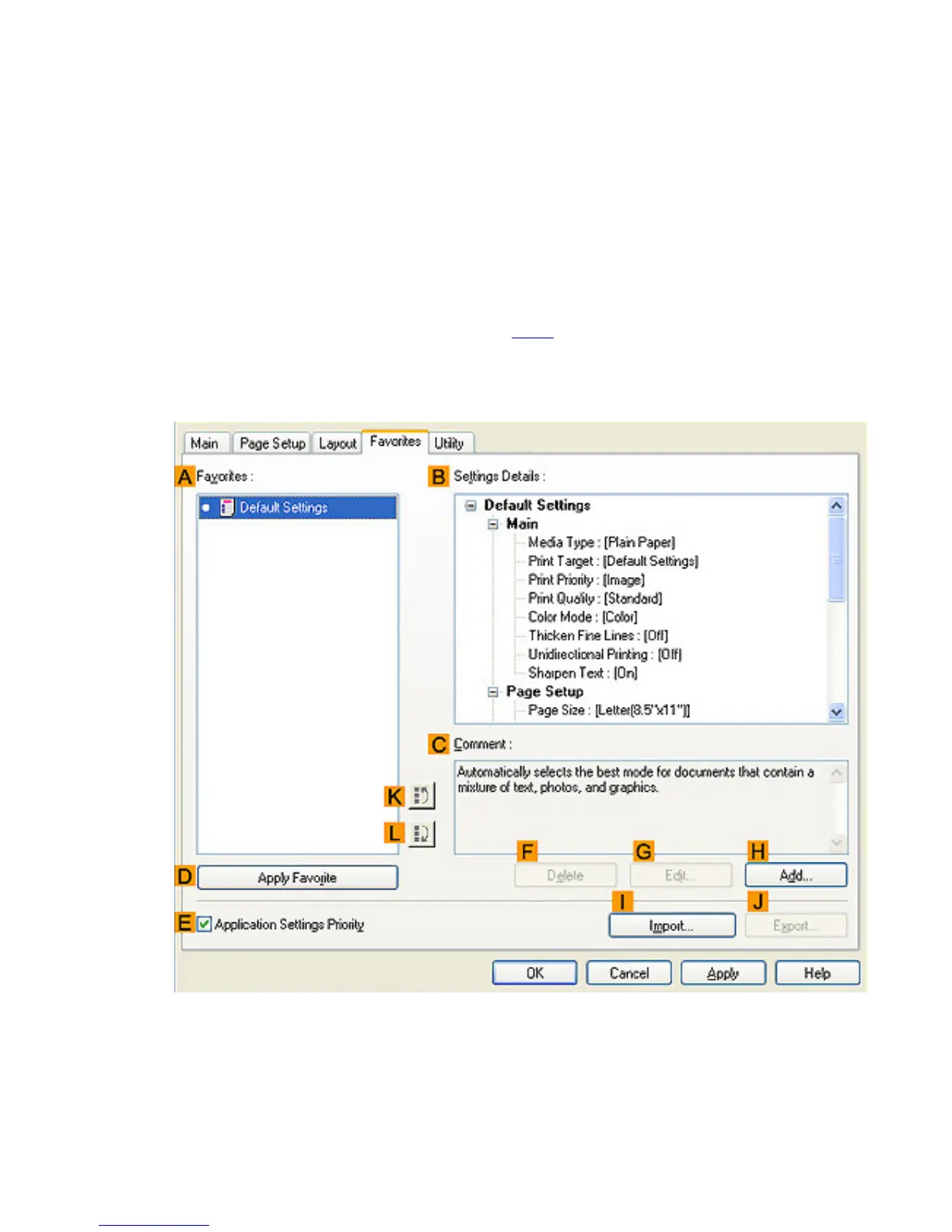
This topic describes how to register favorites and print using favorite settings.
Registering a favorite
Follow the steps below to save the current print settings as a favorite.
1.
Choose Print in the application menu.
2. Select the printer in the dialog box, and then display the printer driver dialog box.(See "Accessing
the Printer Driver Dialog Box from Applications (
4.1.6)")
3. Complete the print settings.
4. Click the Favorites tab to display the Favorites sheet.
5. Click HAdd to display the Add dialog box.












 To Next Page