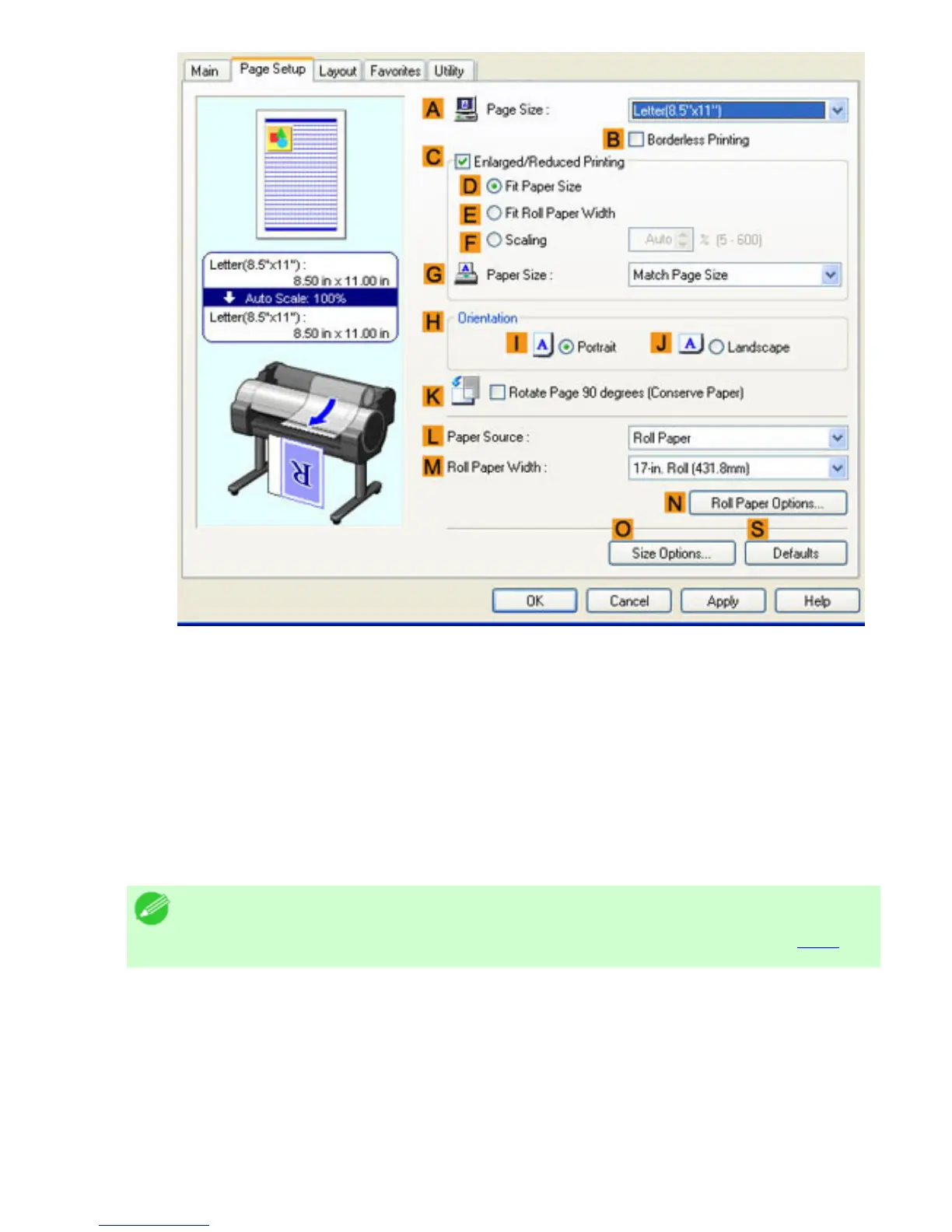
6. In the APage Size list, click the size of the original as specified in the application. In this case,
click ISO A4 or Letter (8.5"x11").
7. Click Roll Paper in the LPaper Source list.
8. Select the width of the loaded roll in the MRoll Paper Width list-in this case, ISO A3/A4 Roll
(297.0mm).
9. Select the KRotate Page 90 degrees (Conserve Paper) check box.
10. Confirm the print settings and print as desired.
Note
・ For tips on confirming print settings, see "Confirming Print Settings (
4.1.3)"












 To Next Page