5. After confirming that DEasy Settings is selected, click Photo (Color) in the EPrint Target list.
Note
・ You can check the settings values selected in the
EPrint Target list by
clicking
GView Settings.
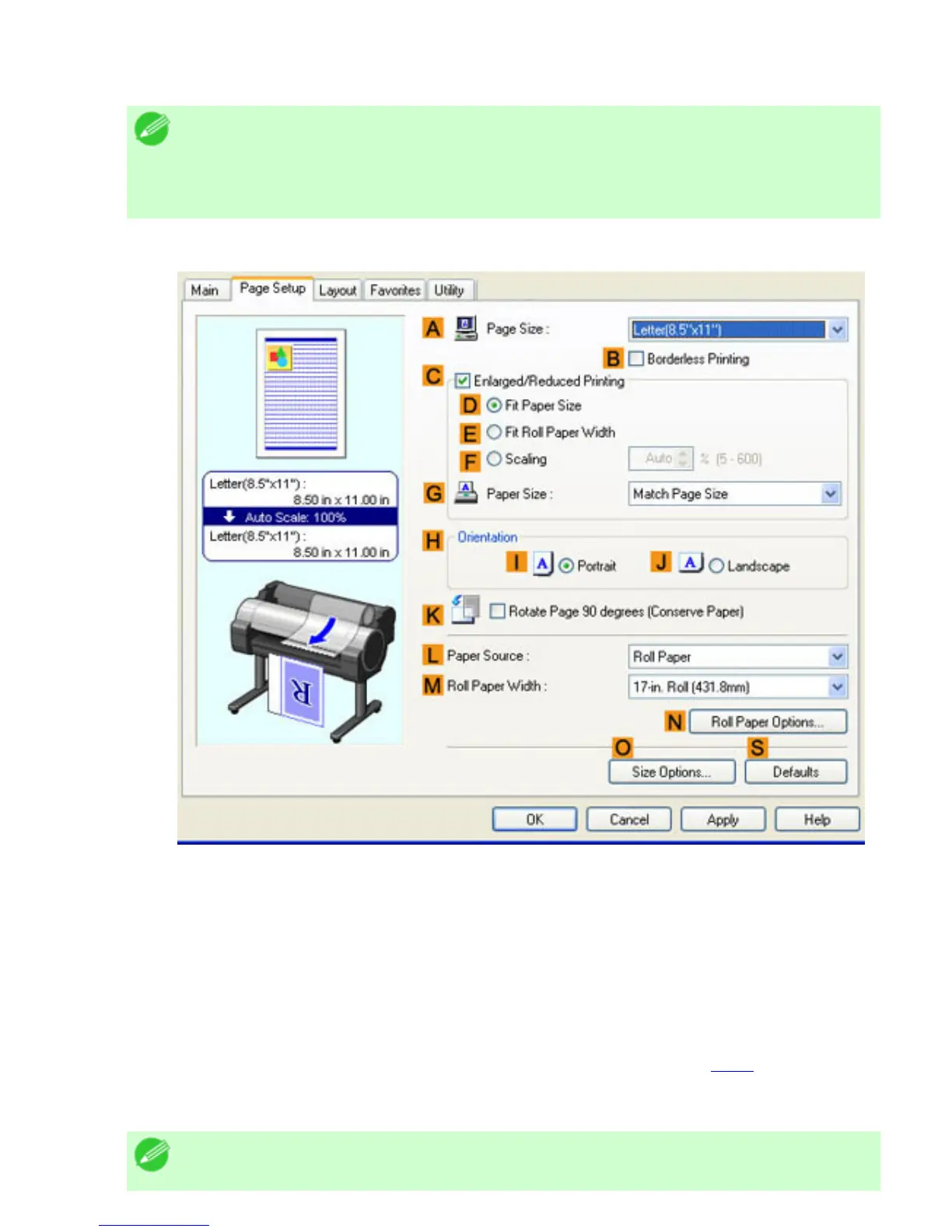
6. Click the Page Setup tab to display the Page Setup sheet.
7. In the APage Size list, click the size of the original as specified in the application. In this case,
click 10"x12".
8. Click Roll Paper in the LPaper Source list.
9. Select the width of the loaded roll in the MRoll Paper Width list. In this case, click 10-in. Roll
(254.0mm), and then click OK.
10. Specify additional printing conditions.
For details on available printing conditions, see "Printer Driver Settings (4.1.1)"
11. Confirm the print settings and print as desired.
Note












 To Next Page