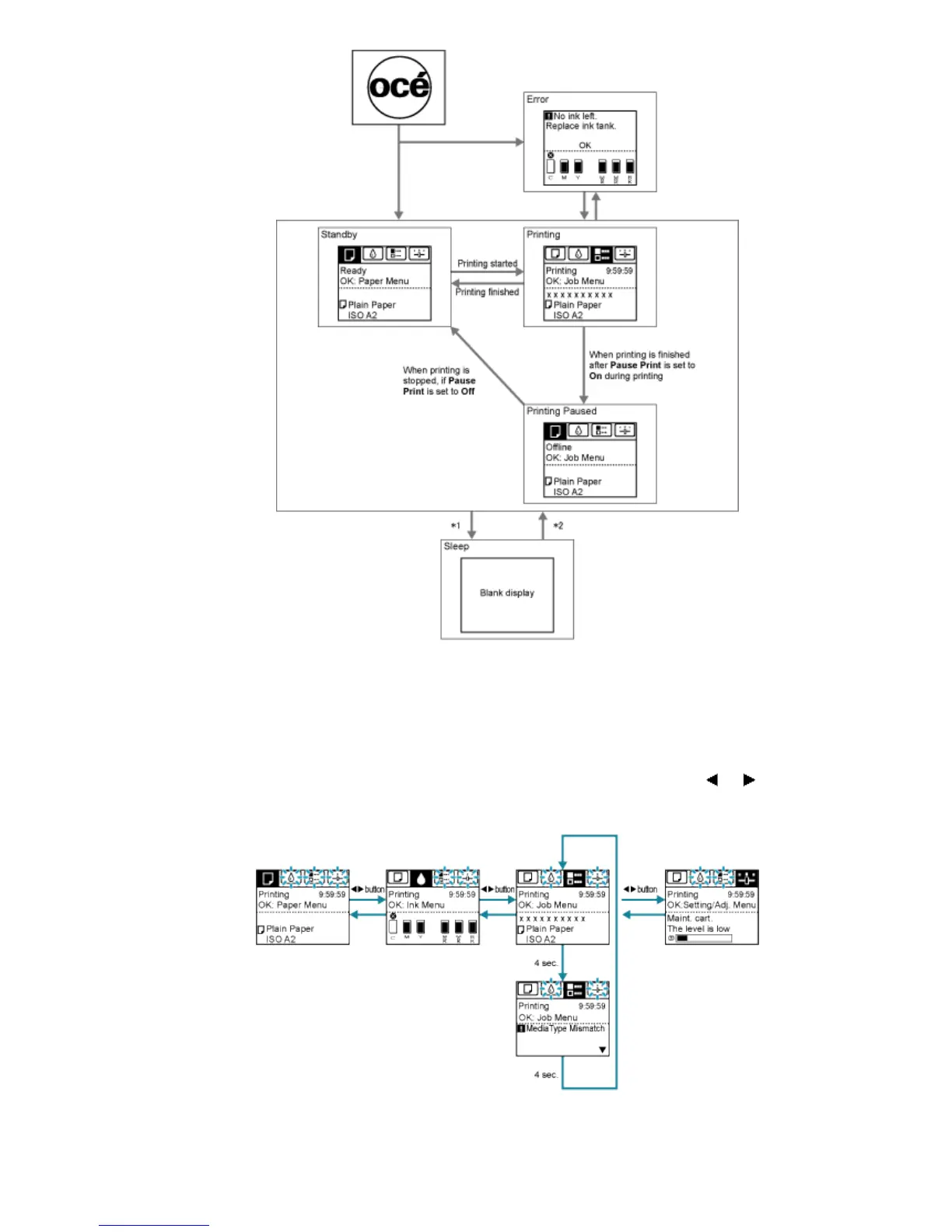
*1: The printer automatically enters Sleep mode when idle for a specific period (by default, five minutes), that is, if no
print jobs are received or buttons are pressed while all covers are closed. However, it does not enter Sleep mode while
error messages are displayed.
*2: In Sleep mode, any button can be pressed except the Power button to recover from Sleep mode. Sleep mode is
also terminated if a print job is received or a command is issued from RemoteUI.
● Error display
Mode transition during error display is as follows.
If multiple errors occur, tabs related to errors other than the error currently shown flash. Press the
or button to
access other tabs and check those errors. If multiple errors occur that are related to the Job tab and Settings/Adj. tab,
each error message is displayed for 4 seconds on each tab before another message is shown.












 To Next Page