Note
・ Click Object Adjustment to open the Object Adjustment dialog box,
which allows you to select the color adjustment target from Image,
Graphics, and Text.
9. Close the Color Settings dialog box.
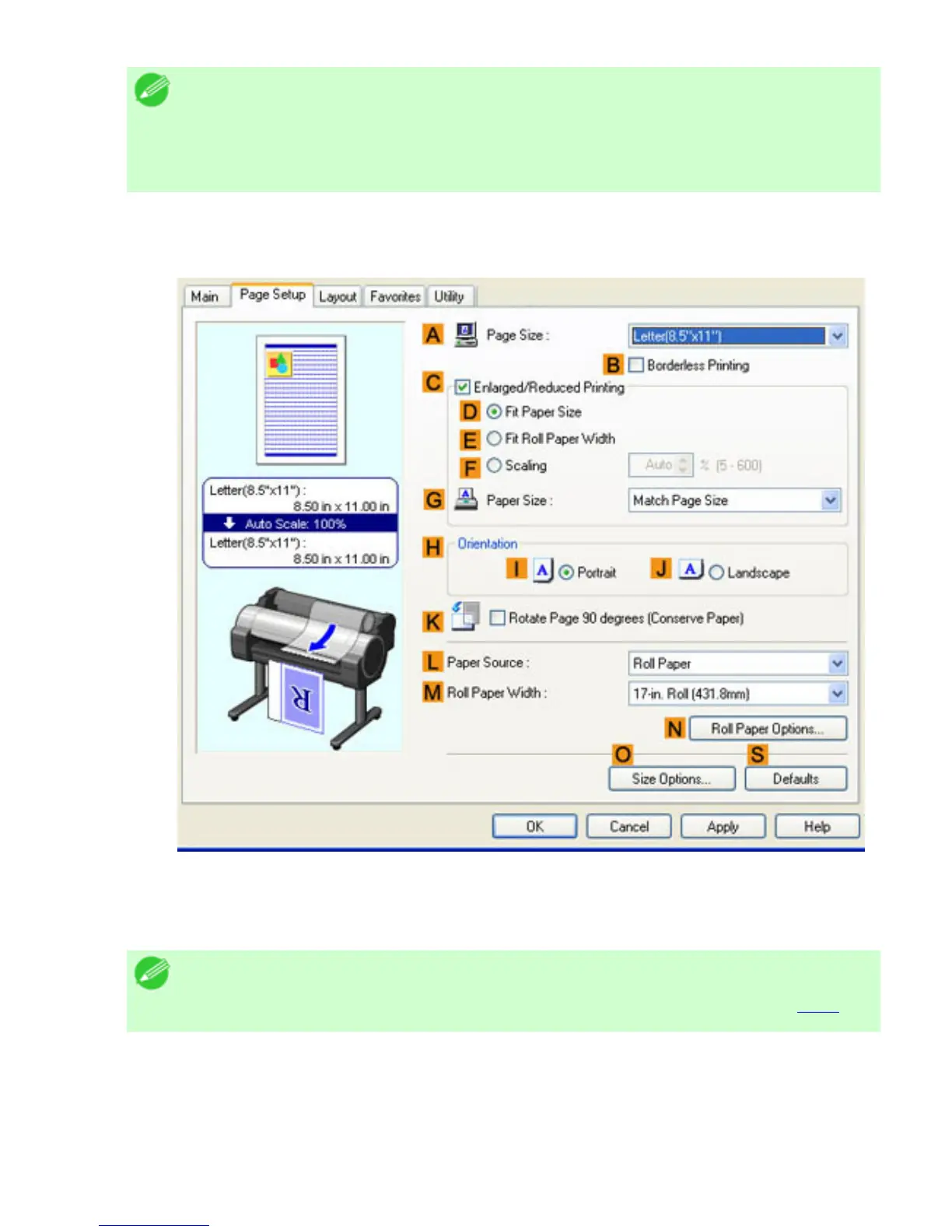
10. Click the Page Setup tab to display the Page Setup sheet.
11. Confirm the settings of APage Size, LPaper Source, and so on.
12. Confirm the print settings and print as desired.
Note
・ For tips on confirming print settings, see "Confirming Print Settings (
4.1.3)"












 To Next Page