EasyManua.ls Logo

Oce CS2436 - Page 808

Oce CS2436
870 pages
Print Icon
To Next Page IconTo Next Page
To Previous Page IconTo Previous Page
Loading...
Error Message (CS2436-12)
If this error recurs
after you reload the
roll, remove the Roll
Holder from the
printer, push the roll
firmly in until it
touches the Roll
Holder flange, and
reload the Roll
Holder in the printer.
(See "Attaching the
Roll Holder to
Rolls (
6.2.1).")
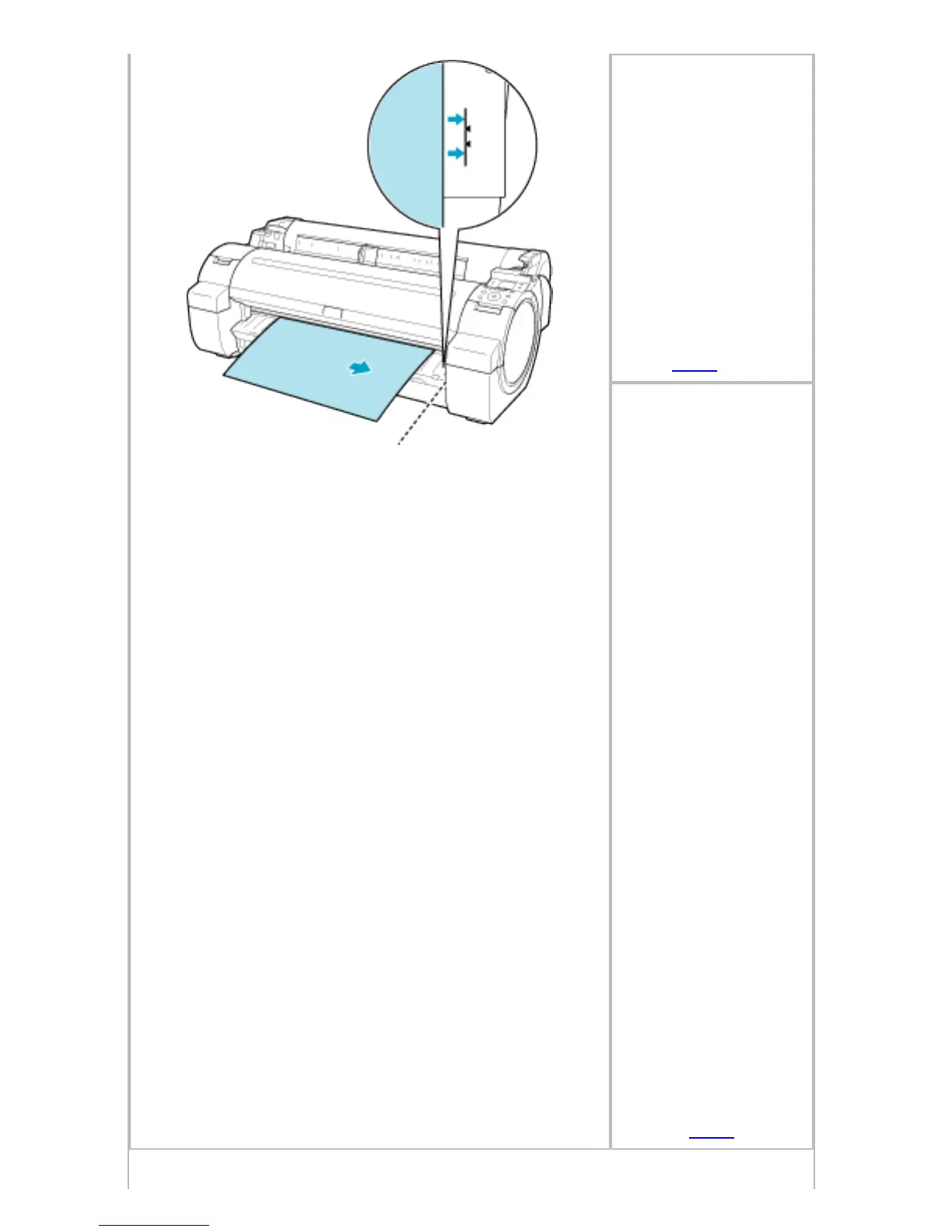
Follow these step to
reload a sheet.
1. Push the
Release Lever
back.
2. Load the
sheet, aligning it
with the guide on
the right.
3. Pull the
Release Lever
forward.
4. If "Not
finished
printing. Finish
printing
remaining
jobs?" is shown
on the Display
Screen, press the
OK button.
Printing will
resume, starting
from the page on
which the error
occurred.
(See "Loading
Sheets in the
Printer (
6.3.1).")
file:///H|/ITC-dd/Projects/Ud/WFPS/oostende%205...ort/iPF750%20User%20Manual/lang/print/cp10.html (75 of 133) [4-3-2010 11:37:38]

Table of Contents

Related product manuals