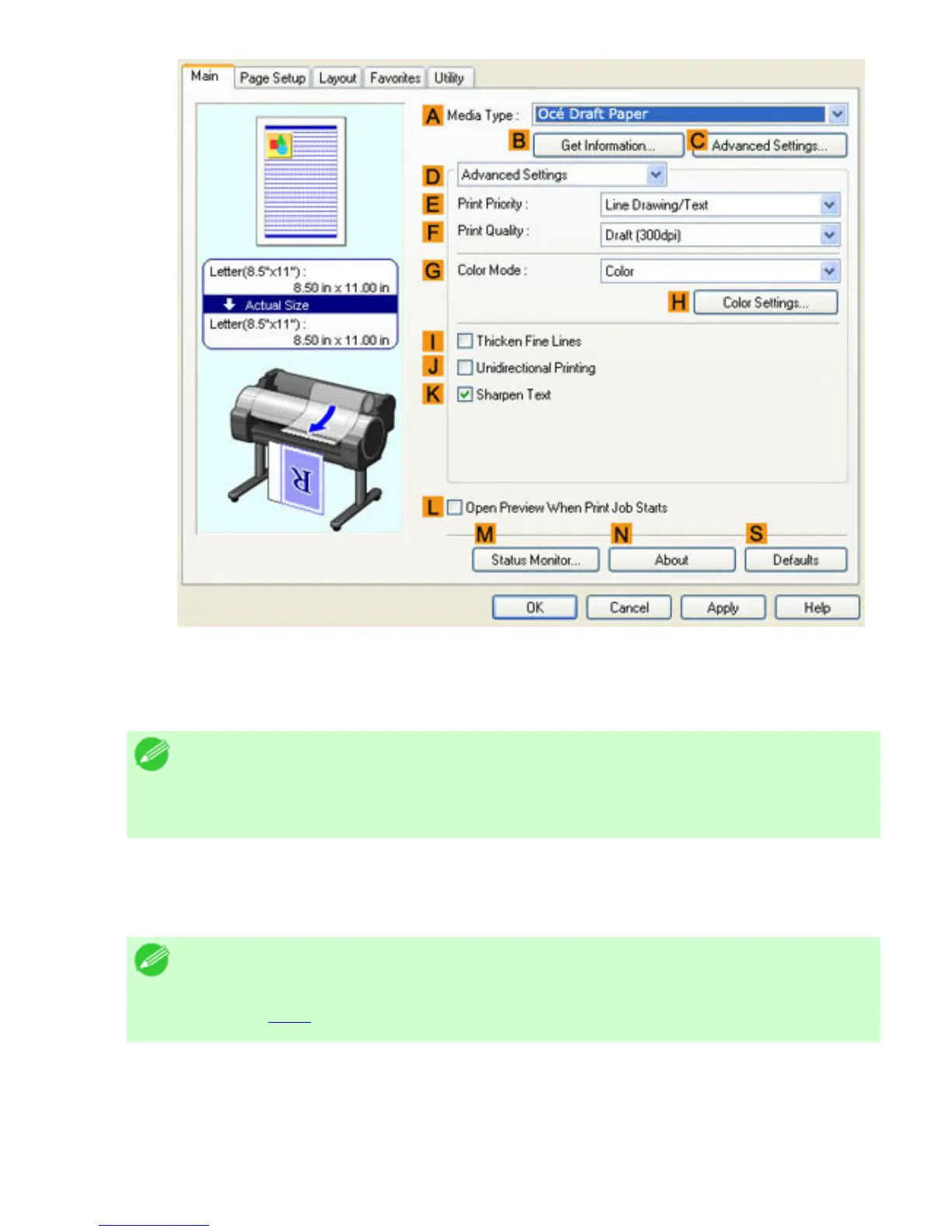
6. Click Line Drawing/Text in the EPrint Priority list.
7. Click High (1200dpi) in the FPrint Quality list.
Note
・ Options displayed in the
FPrint Quality list vary depending on the paper
type.
8. Click Color (CAD) in the GColor Mode list.
9. To adjust the color, click HColor Settings.
Note
・ For instructions on adjusting color, see "Adjusting the Color in the Printer
Driver (
3.1.1)"
10. Select the KSharpen Text check box.
11. Click the Page Setup tab to display the Page Setup sheet.












 To Next Page