Operation
R-Concept
121 / 476
6.3.2.3 Scales
Scales
For detailed information from page 256
6.3.2.4 Readjusting warning thresholds
Select section Warning thresholds using the R-Direct and confirm the selection by
pressing the middle of the wheel.
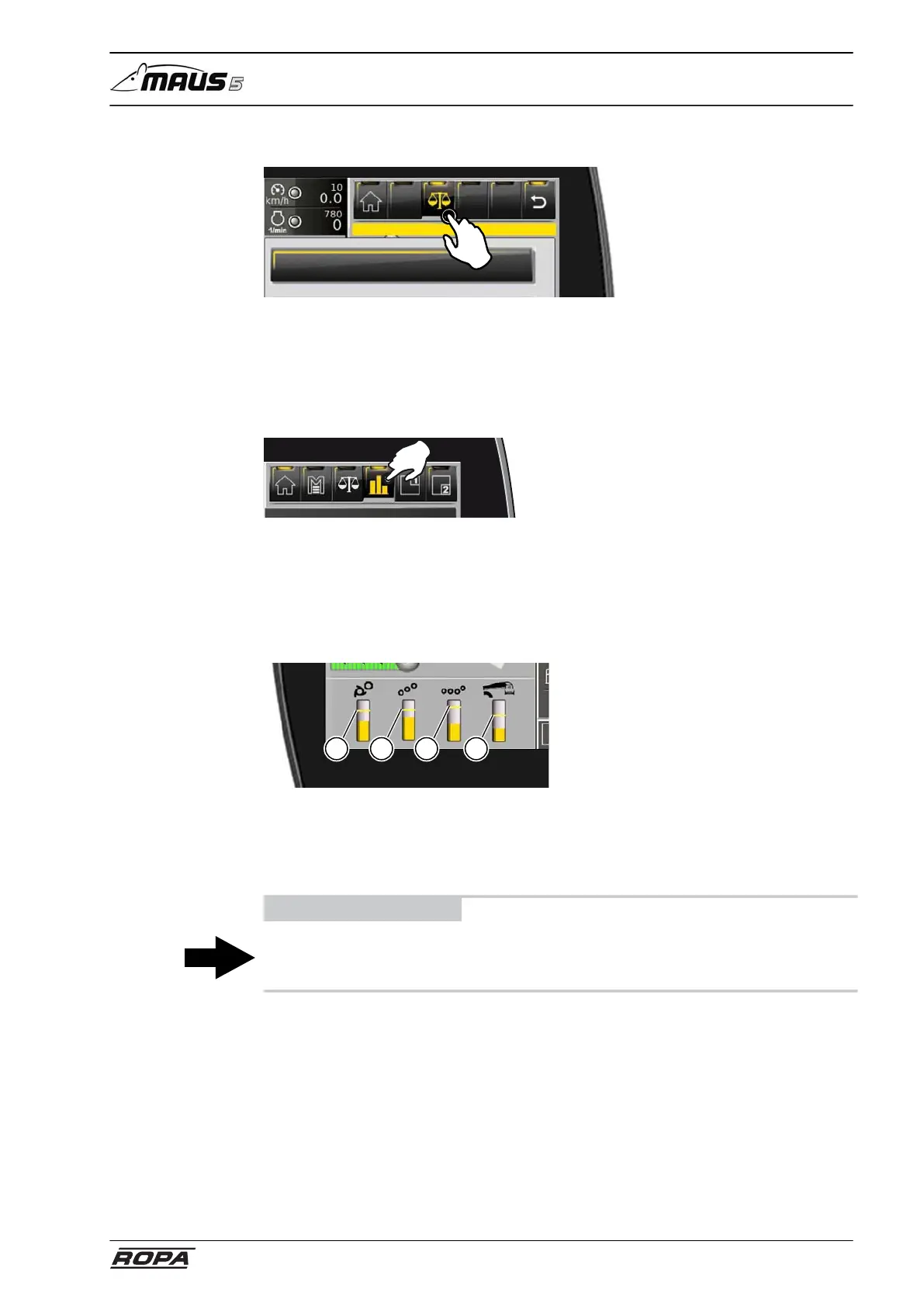
The warning thresholds for the drives of pickup rollers, conveyor rollers, 4-set pinch
rollers and recleaning may be adjusted in this functional section.
Select the display bar for the desired drive by turning the wheel and confirm the selec-
tion by pressing the middle of the wheel. Then adjust the warning threshold by turn-
ing the wheel and confirm the setting by pressing the middle of the wheel. You exit this
menu respectively the function section using the RETURN key.
1 2 3 4
(1) Pickup rollers warning threshold
(2) Conveyor rollers warning threshold
(3) 4 pinch rollers warning threshold
(4) Recleaning warning threshold
ADVICE
Touch the warning threshold on the screen and move it up or down. In such a way you
can adjust the warning threshold directly on the R-Touch.



 To Next Page