Operating Components
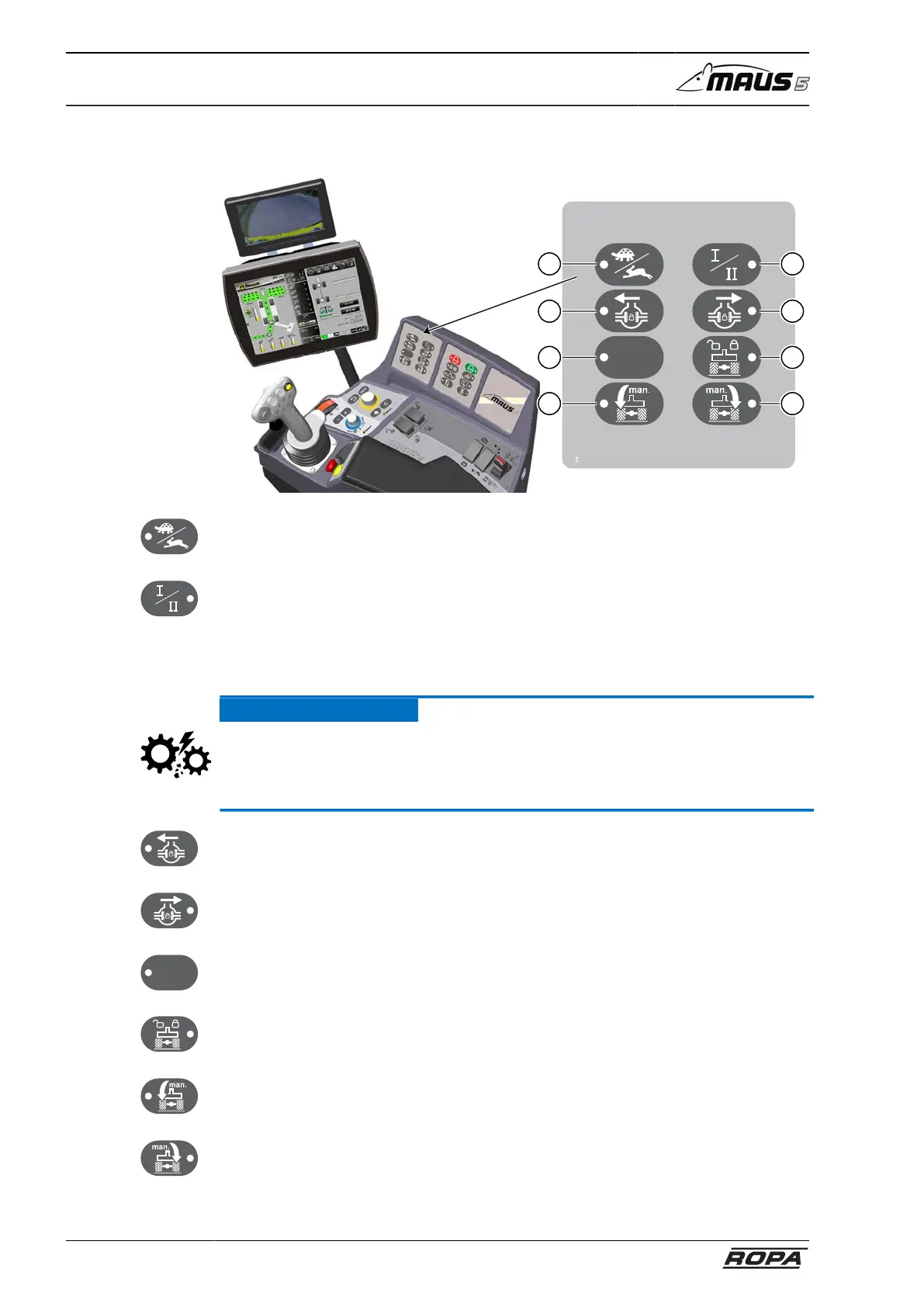
Operating console R-Concept
80 / 476
5.7.4 Keypad I
355540
7
5
3
1
8
6
4
2
(1) Switching operating mode "Turtle/Rabbit":
see page 151
(2) Switching between I/II operating mode
In the Gear I operating mode all-wheel drive is automatically switched on.
In the Gear II operating mode all-wheel drive is automatically switched off.
see page 151
ATTENTION
Hazard of severe damage.
– The switch for selecting an operating mode must only be pressed with the machine
stationary (0.0 km/h).
(3) Differential lock front axle ON/OFF:
The differential lock is on when the LED lights. (see page 152)
(4) Differential lock ON/OFF:
The differential lock is on when the LED lights. (see page 152)
(5) Empty key (not used currently)
(6) Oscillating axle support ON/OFF:
The oscillating axle support is on when the LED lights. (see page 176).
(7) Swing axle left:
The load on the left rear axle is increased so long as this key is pressed.
(8) Swing axle right:
The load on the right rear axle is increased so long as this key is pressed.



 To Next Page