Operating Components
Operating console R-Concept
74 / 476
13
14
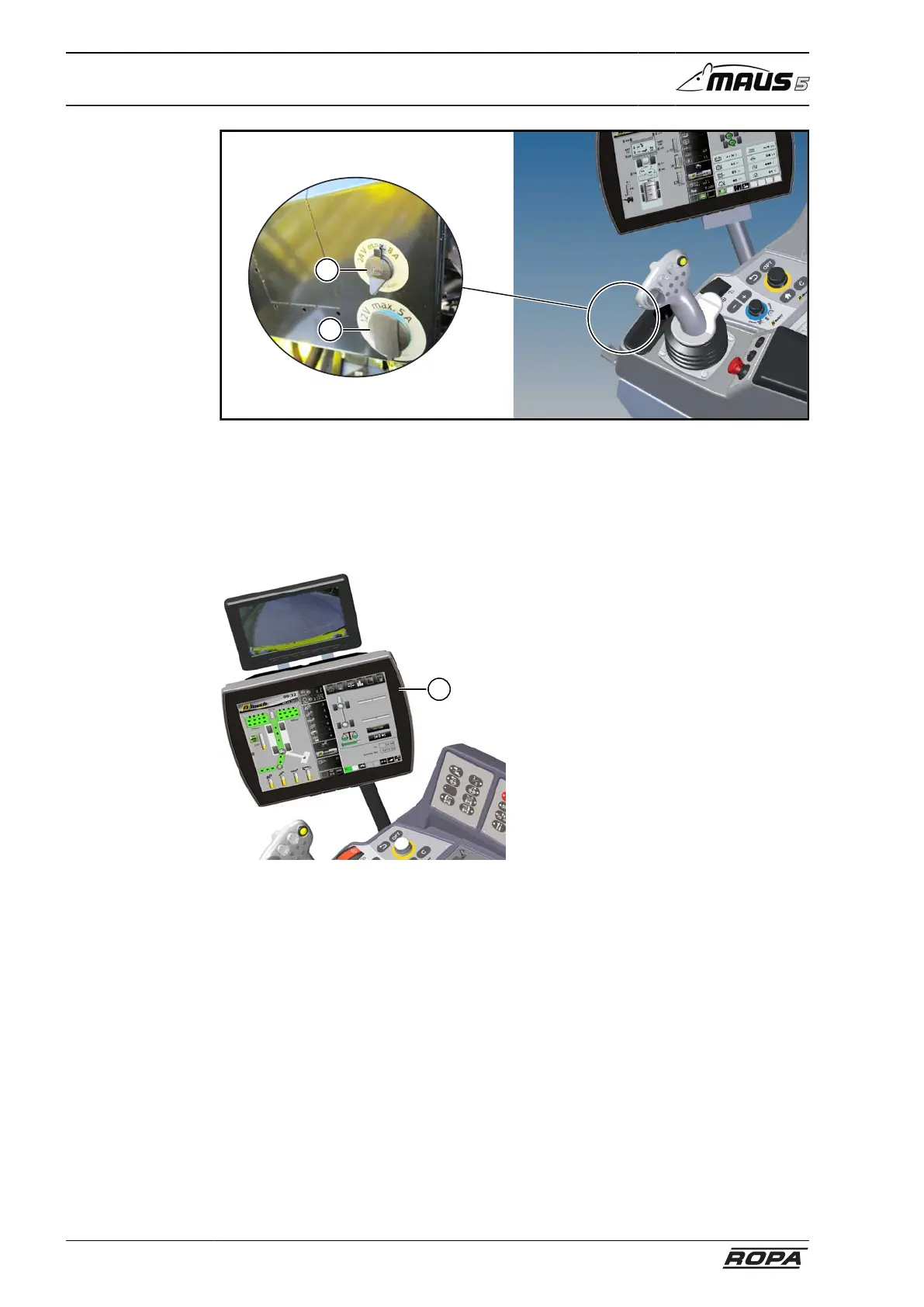
Outlets at the front side of the operating console
(13) Outlet 24V/8A maximum
(14) Outlet 12V/5A maximum
5.7.1 Colour terminal R-Touch
1
With R-Touch (1) different settings can
be performed only by touching on the
screen. Since it is a capacitive touch
screen (PCAP), the screen also reacts to
touches with stylus or gloves. Almost all
functions which can be performed by turn-
ing/pressing R-Select and R-Direct, can
be made as well by touching tempered
glass surface on the R-Touch. In Chapter
6 therefore, the operation of all functions
with the both operating sections R-Select
and R-Direct is described.



 To Next Page