Operation
Water spray system (option)
253 / 476
6.14.2.4 Water-saving operation (pressure control)
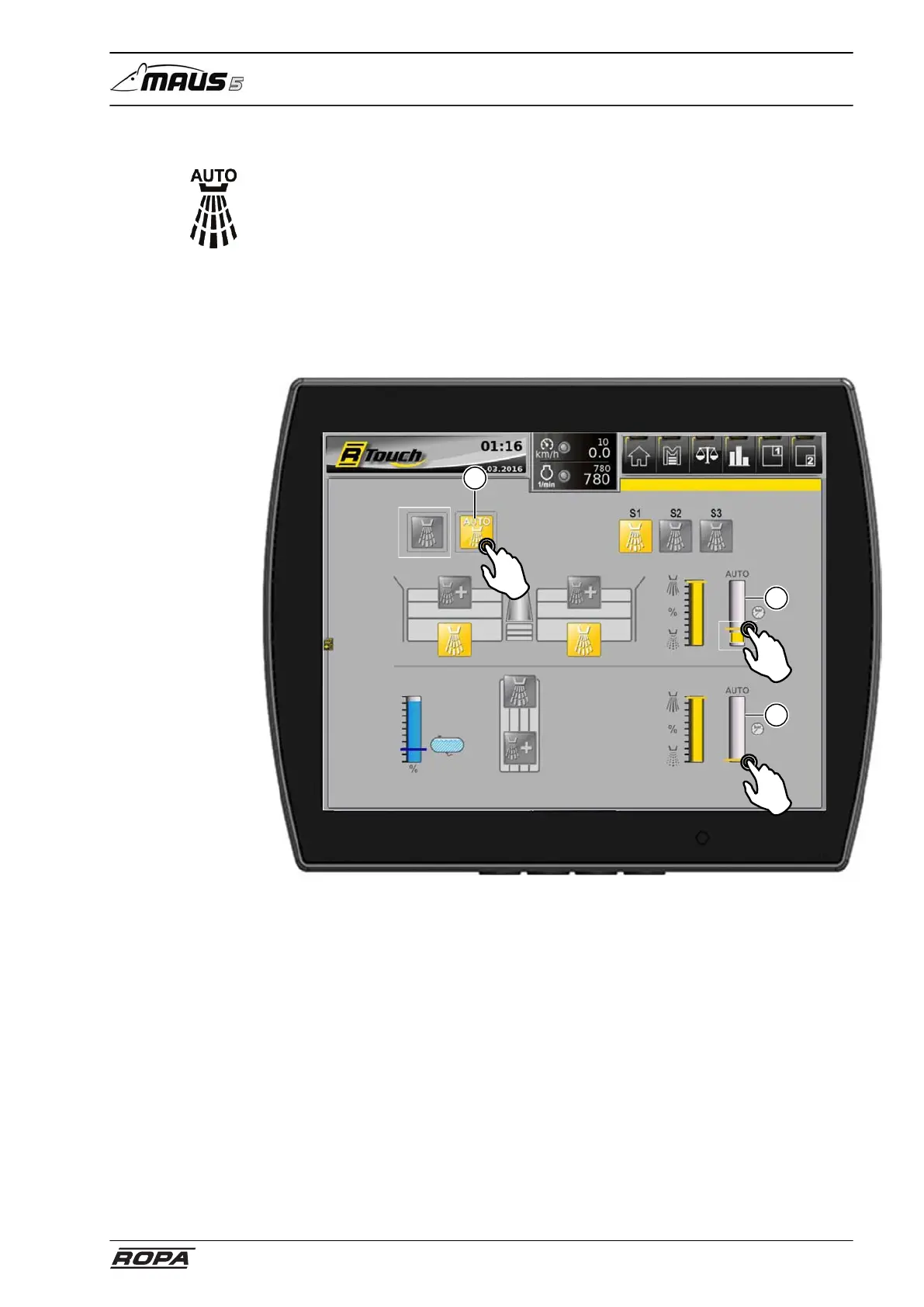
Touch the switch panel (12) to activate pressure control.
If the pressure thresholds that are set in this menu with the indicator bar (18) (19) are
exceeded, the water spray system will start spraying.
If the pressure falls below the threshold, spraying will automatically stop.
Tap the pressure threshold for the 4-set pinch rollers (18) and move it down for the
water spray system to start earlier (lower pressure), or up to delay the start of the
water spray system (higher pressure).
Tap the pressure threshold of the recleaning (19) and move it down for the water spray
system to start earlier (lower pressure), or up to delay the start of the water spray sys-
tem (higher pressure).
Water spray system
12
18
19



 To Next Page