Operating Components
Operating console R-Concept
75 / 476
5.7.1.1 Positioning R-Touch
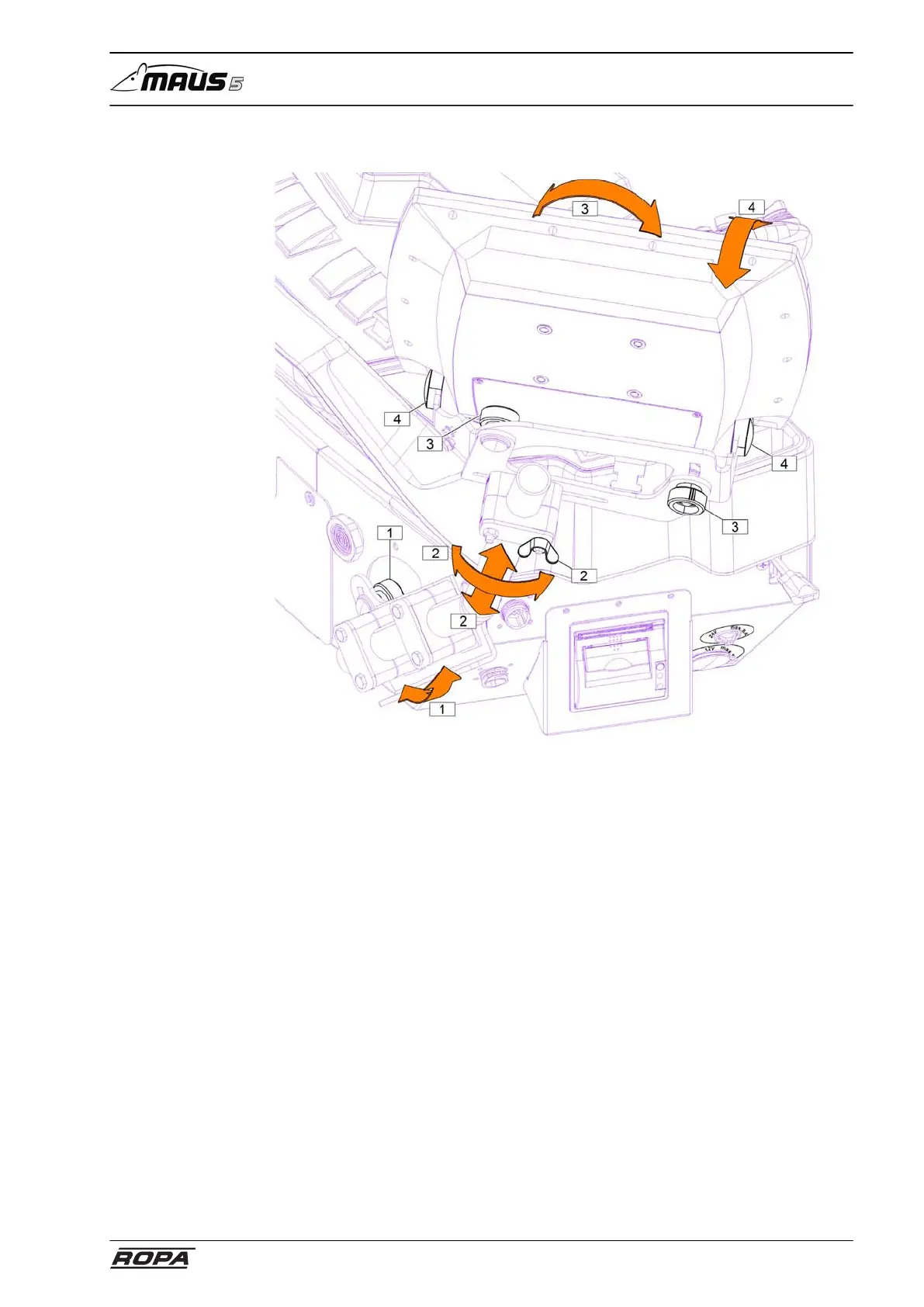
The R-Touch color terminal has four different ways to change its position in order to
operate it optimally.
Adjustment of the operation panel (1):
Hereby the whole carrier tube can be rotated forward and backward.
Fold the operating console backwards, loosen the knurled screw, swing the holding
tube to the desired position and tighten the knurled screw.
Adjustment of the wing nut on R-Touch holder (2):
Thus R-Touch color terminal can be moved and adjusted in height.
Adjustment of the knurled screw on R-Touch holder (3):
Thus R-Touch color terminal can be adjusted in transverse inclination.
Adjustment of the socket screws on R-Touch holder (4):
Thus R-Touch color terminal can be adjusted in longitudal inclination.



 To Next Page