Operation
Scales (option)
260 / 476
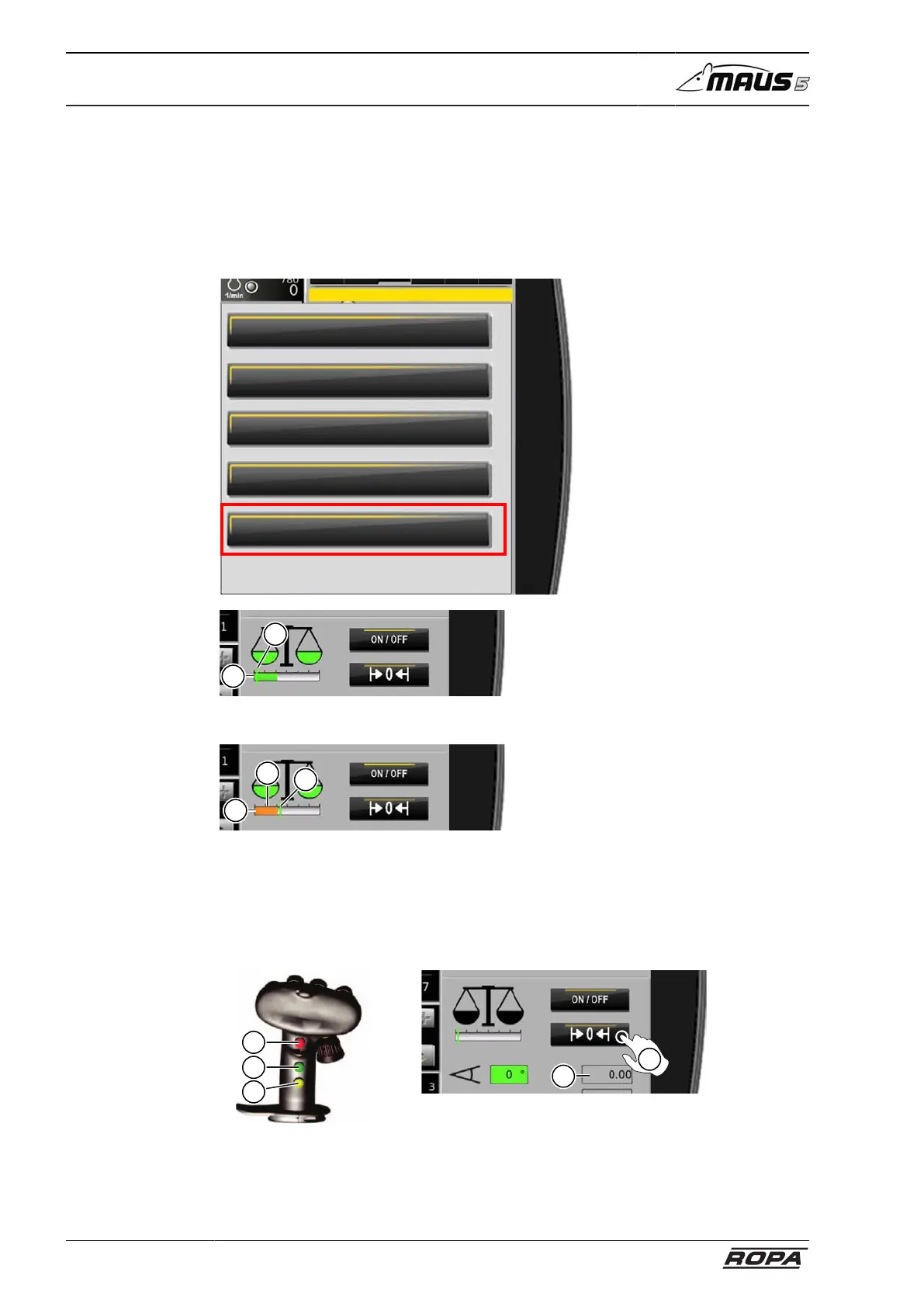
6.15.2.4 Amount limit scales
The indicator status bar (1) displays the load on the weighing cells. The amount
limit scales (2) (= green mark) is the value from which the throughput is weighed on
the conveyor. This value can be changed in the "Amount limit scales" menu. If the
throughput on the conveyor is below the amount limit scales, the indicator status bar is
shown in orange (3), the scales do not add any weight to the weighed amount.
Scales
Amount day
Amount season
Zeroing
Calibration
Amount limit scales
2
1
Amount limit scales too high, scales add weight
2
3
1
Amount limit scales too low, weighing stopped
6.15.2.5 Set current weighed amount to 0
There are two methods for setting the display of the current weighed amount (7) to 0
on the R-Touch.
11
12
13
6
7
– Set 0 with the keys on the right joystick. Press and hold keys (11), (12) and (13)
simultaneously for a short time.
– Touch the switch panel (6).



 To Next Page