Operating Components
Steering column
64 / 476
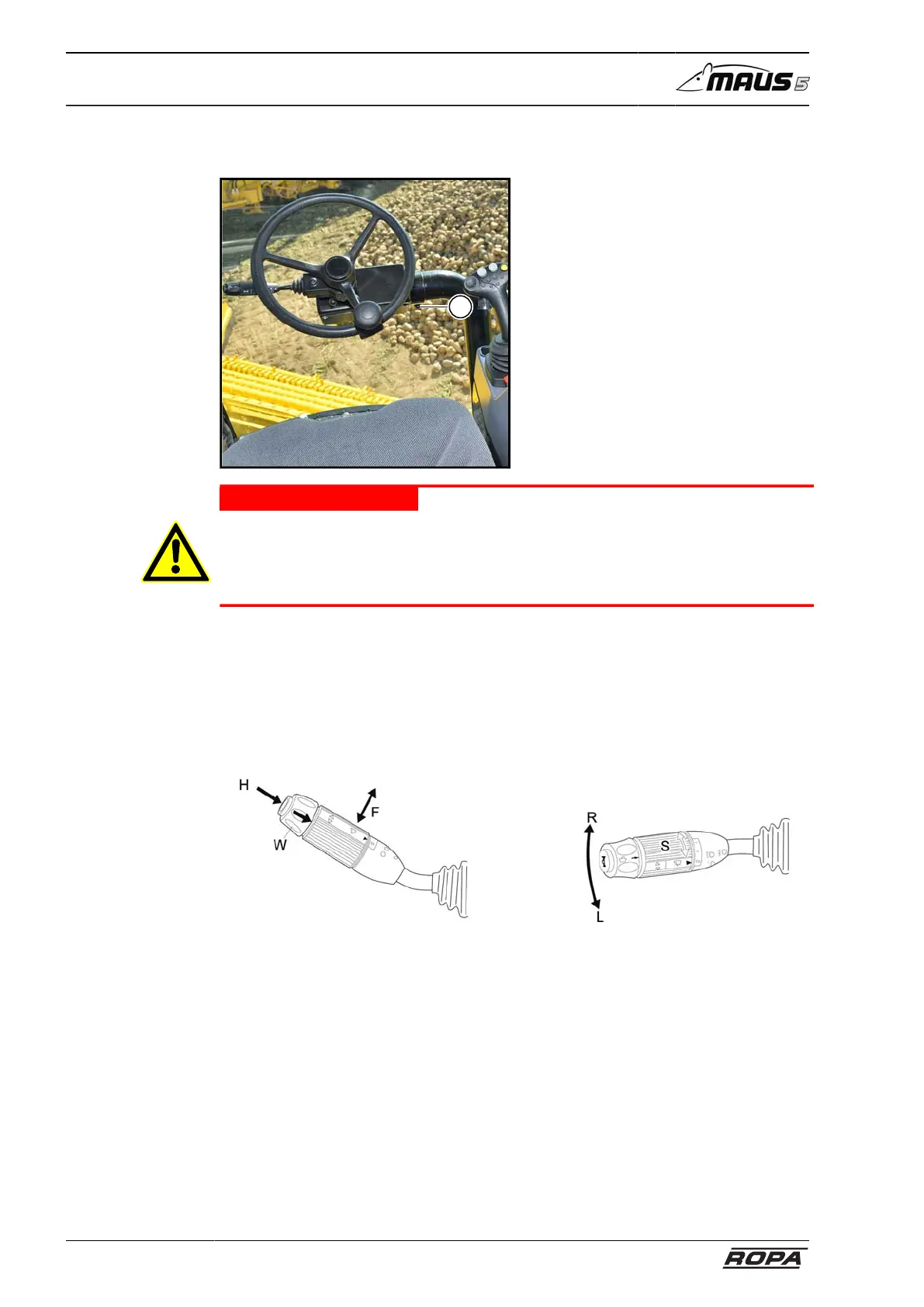
5.4 Steering column
1
DANGER
Hazard of deadly injuries if the steering column is moved while driving.
In this case, the machine can go out of control and cause the severest damages.
– Therefore, NEVER move the steering column while driving!
Clamping screw (1) incline adjustment
Loosen the clamping screw (1) and pull or push steering column into the desired posi-
tion. Retighten the clamping screw (1). Check if the steering column is securely fixed
in the desired position.
5.4.1 Steering column switch
– Press lever to the right: Turn indicator right (R)
– Press lever to the left: Turn indicator left (L)
– Lever up/down: driving lights/high beam/headlight flasher (F)
– Pressure switch on the end: Horn (H)
– Sliding sleeve before the horn: front window washer system (W)
– Turning the sliding sleeve to the first stop location: interval operation of window
wiper front (S). The duration of the wiping interval may be set on the R-Touch in
menu „Window wiper“. (see also page 130)
– Turning the sliding sleeve to the second stop location: uninterrupted operation of
window wiper front (S).



 To Next Page