Operation
Park heating (option)
291 / 476
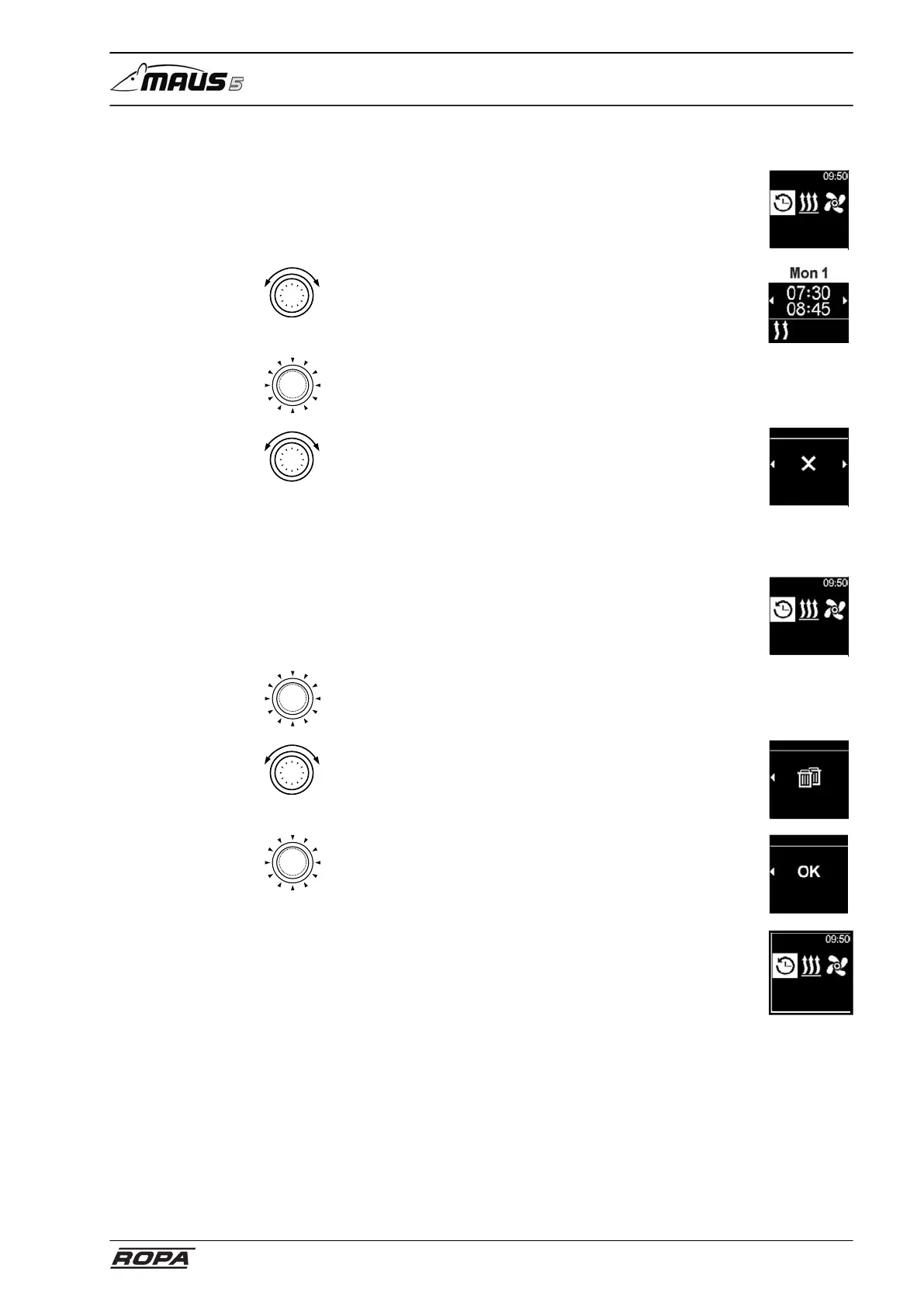
6.22.2.6 Deactivate, edit and delete programmed timers
– Select Timer icon in the main menu
The saved timer is shown on the display. Timers are chrono-
logically arranged by day and time. The next active timer is
displayed first.
Timer
– Rotate control button
– Select desired timer
– Press control button to confirm the selection
– Rotate control button
– Select option (activate/deactivate, edit, delete).
Deactivate
Timer
6.22.2.7 Delete all programmed timers
– Select Timer icon in the main menu
Timer
– Press control button
The saved timer appears in the display
– Rotate control button
– Select the "Delete all" icon on the display
Delete all
Timer
– Press control button to confirm the selection
– The display shows OK
– Press control button to confirm the selection
All programmed timers have been deleted. The display
shows the main menu.
Delete all
Timer
Timer



 To Next Page