Operation
R-Concept
102 / 476
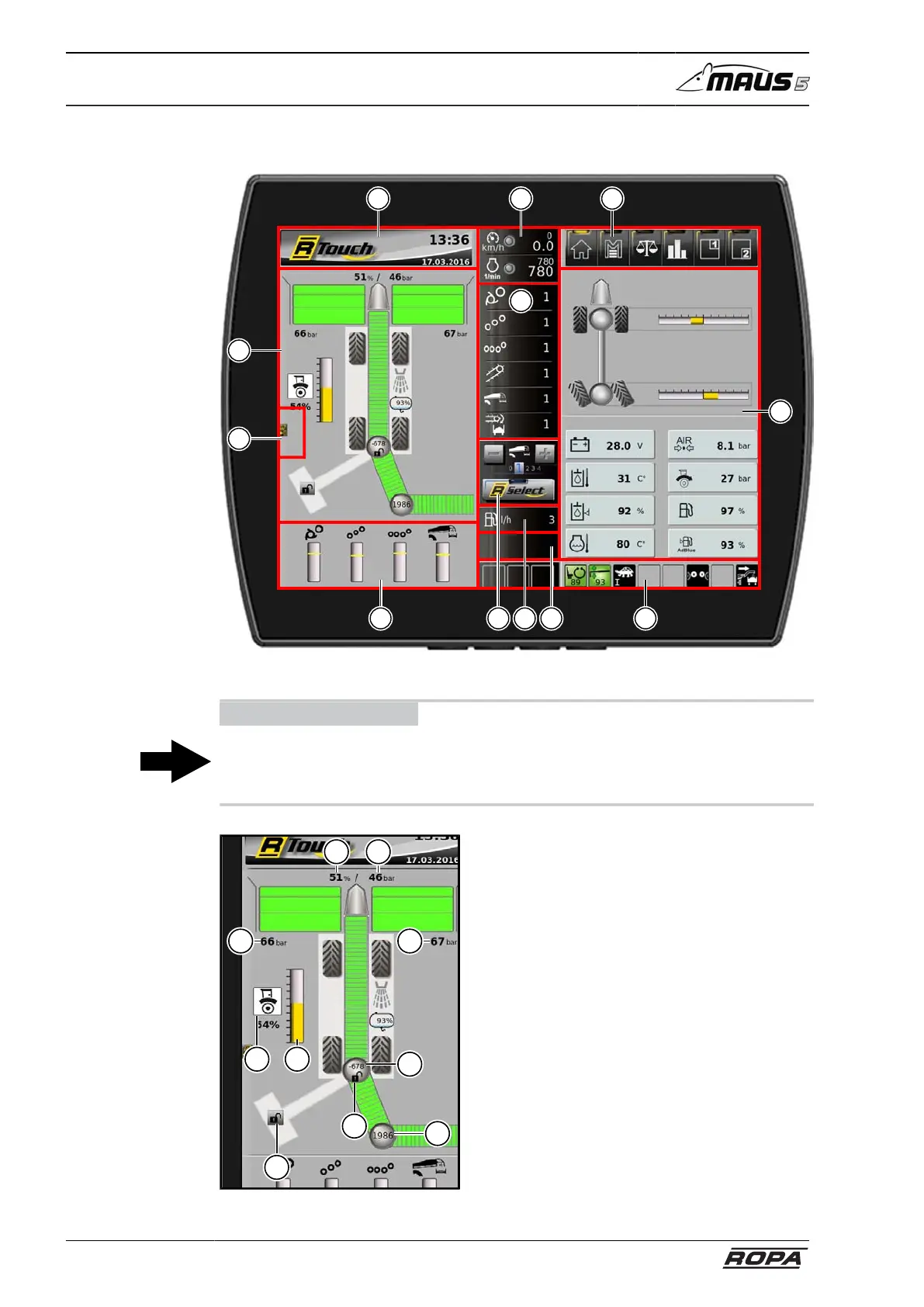
6.3.1.1 Display areas on the R-Touch
F
A E K
L
JC IHG
M
B
[A] Display area for warning indicators and hints (see page 122)
ADVICE
When a warning indicator activates the warning buzzer, you can suppress the sound-
ing of the buzzer for a short period clicking on the display area A or pressing the key
C.
2
7
6
9
1 3
4
5
8
10
[B] Display area beet path
(1) Relief pressure left
(2) Relief pressure mid
(3) Relief pressure right
(4) Pickup height
(5) Status indicator bar showing hand
potentiometer setting
(6) Status of traction drive (only dur-
ing loading)
(7) Position rotate swivel arm
(8) Position rotate truck conveyor
(9) Condition swivel arm lock
(10) Counterweight arm lock status



 To Next Page