Operation
Operating modes "Turtle" and "Rabbit"
151 / 476
6.7.1 Operating mode change
– To switch the operating mode completely release the gas pedal and stop the vehi-
cle.
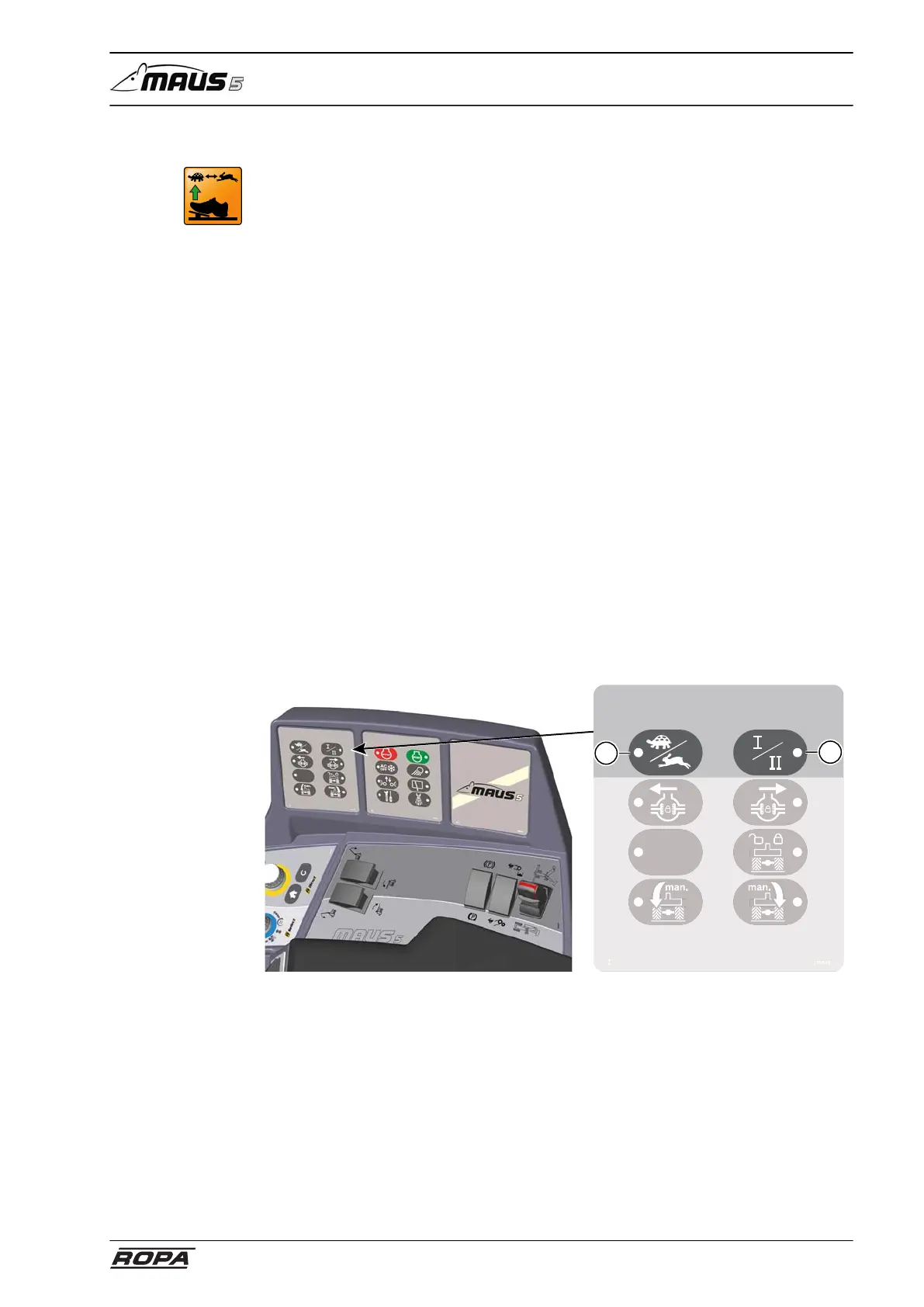
– Select the desired operating mode using keys (1) and (2) on the keypad I.
In "Turtle" operating mode the ladder swings out and the warning signs on the pile
pickup swing up.
Driving speeds:
Operating mode "Turtle I" 0-0,7 km/h
Operating mode "Rabbit I" 0-10,3 km/h
Operating mode "Rabbit II" 0-32 km/h (or 40 km/h, 25 km/h)
Switching process:
– Engage the parking brake.
– Set the engine to idling speed.
– Select the desired combination of operating mode and gear using the keys (1) and
(2) on the keypad I:
Select operating mode "Turtle"/"Rabbit"- key (1);
Select gear I/II - key (2)
– A sound is audible when switching the operating mode (clack).
– If one of the two key LEDs and the icon on the R-Touch are flashing orange after
switching, then the transmission is under tension.
Release the parking brake and drive very carefully (!) and very slowly forward
or backward. The gearbox will now audibly switch gears. In spite of this, check
whether the icon for the selected operating mode is white on the R-Touch and that
the key LED on the keypad are steady.
355540
1
2



 To Next Page