Operating Components
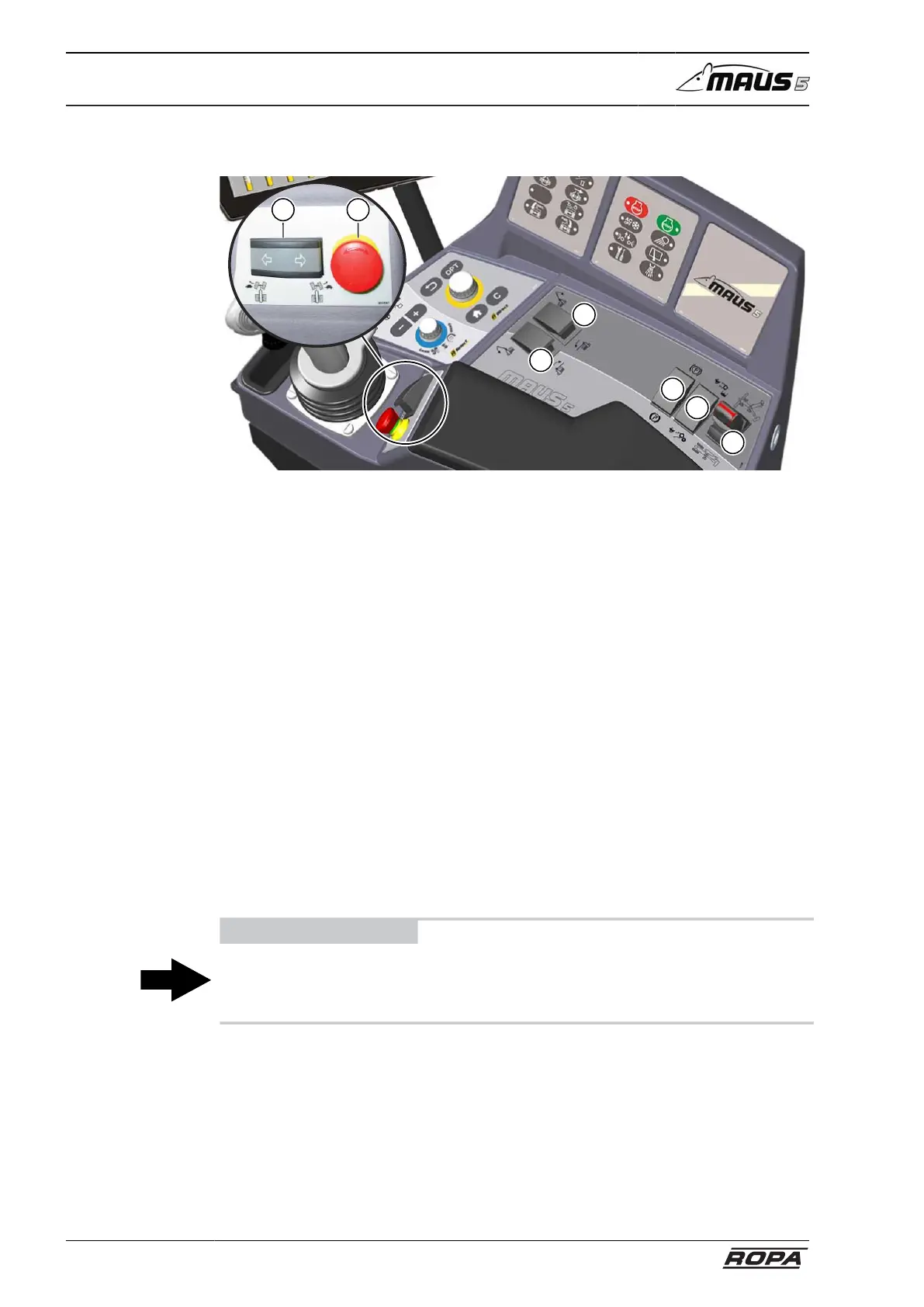
Operating console R-Concept
82 / 476
5.7.6 Switches on operating console
3
4
5
6
7
2
1
(1) Steer the rear axle right/left (only in "Turtle" operating mode)
(2) Emergency stop switch
(3) Clearing shield left
press forward = unfold
press backward = fold
(4) Clearing shield right
press forward = unfold
press backward = fold
(5) Parking brake (hand brake)
(6) Quick motion switch truck conveyor/infeed conveyor
press to the right = fast motion truck conveyor
press to the left = fast motion infeed conveyor
(7) Analogue rocker
Automatic unfolding into operating position. see page 176
Automatic folding for road drive. see page 179
ADVICE
The emergency stop switch never switches off the diesel engine and the traction drive!
It switches off the machine drive as well as the yellow button (6) on the joystick! In
order to unlock, turn the Emergency-Stop switch slightly clockwise.



 To Next Page