Operation
Park heating (option)
290 / 476
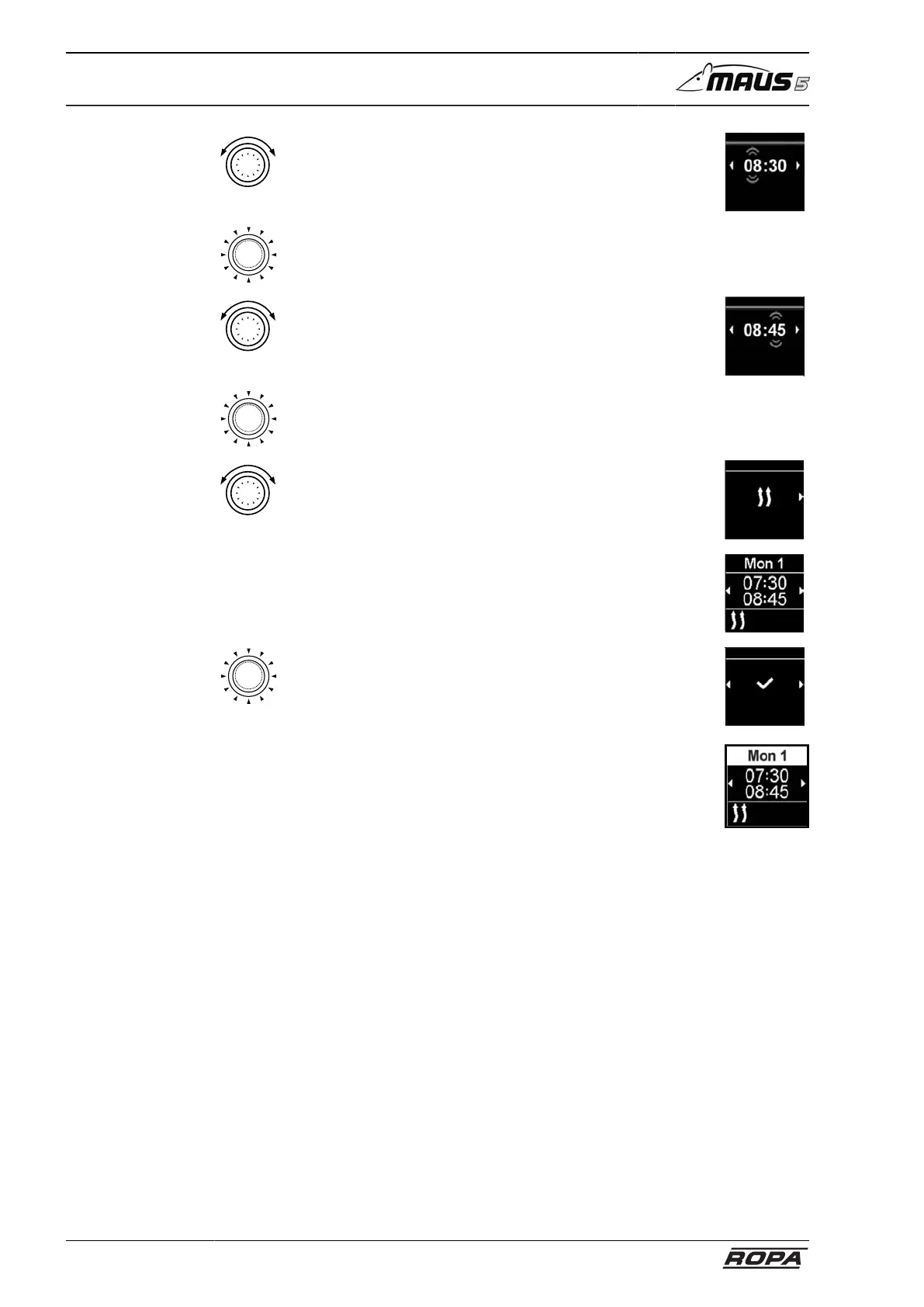
– Rotate control button
– Set "hour" shut-off time
Power-off time
Timer
– Press control button to confirm the selection
– Rotate control button
– Set desired "heater" operating mode
Power-off time
Timer
– Press control button to confirm the selection
– Rotate control button
– Set desired "heater" operating mode
Normal
Timer
– The programmed timer is saved and shown on the dis-
play
– Press control button to activate the programmed timer
– Activation is shown on the display
– Press control button to confirm the selection
The numbering of the timer is set by the programming
sequence. An activated preset preselection time is indicated
by a white bar.
A T icon is shown in the main menu. The immediate start
button flashes green if a timer with heating is active but the
display is shut off.
Aktivieren
Timer



 To Next Page