DMG 3200/3100/3000 – User Manual
Page 111 (306)
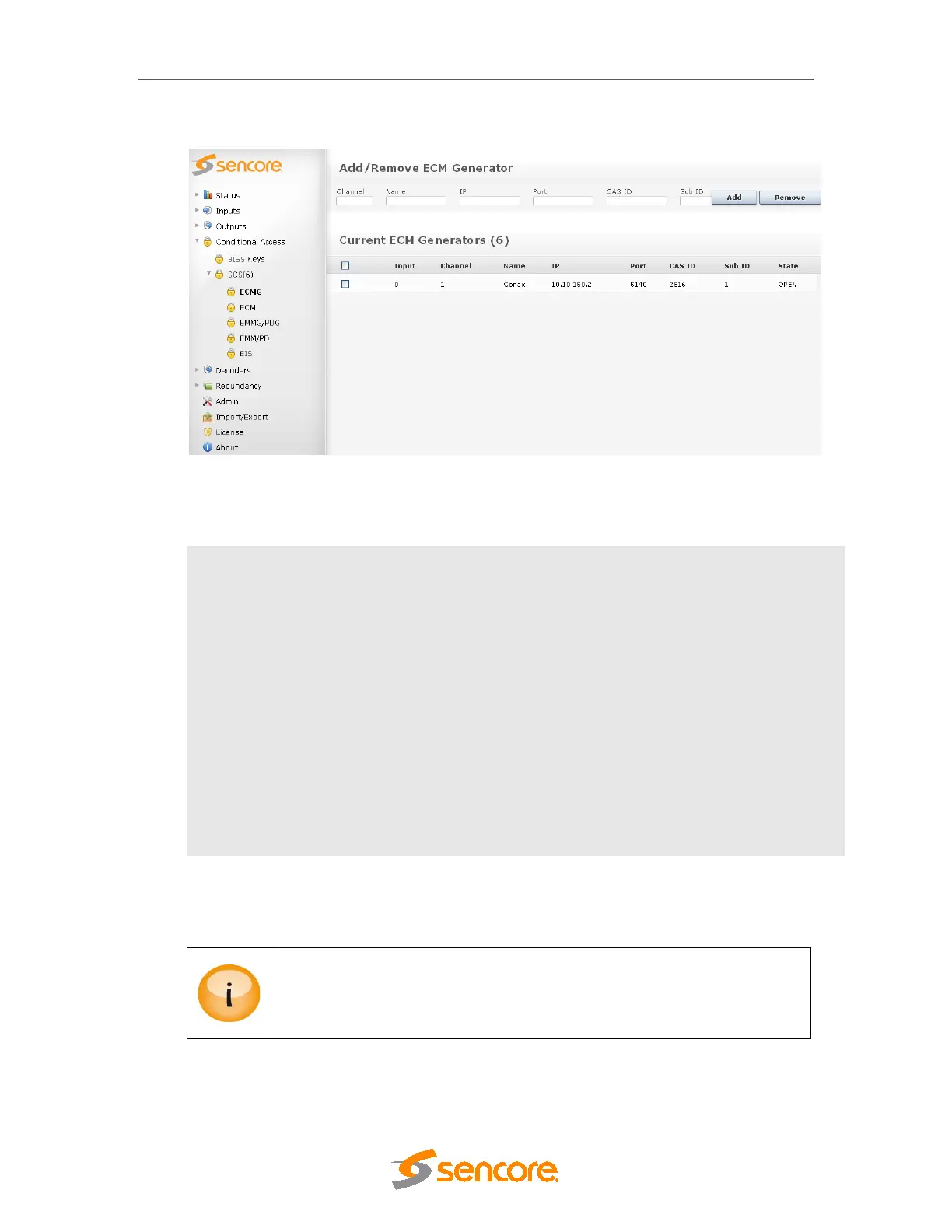
Figure 6.19- Adding an ECM Generator
The following information is displayed:
Input
Logical port representing the connection to the ECMG – assigned automatically.
This number is used internally as well as for generating alarms.
Channel
The SimulCrypt Channel ID used for the CA system
Name
For reference in the GUI only
IP
IP address of the ECMG
Port
TCP port of the ECMG
CAS ID
CA vendor specific ID
Sub ID
CA vendor specific sub ID
State Status of ECMG connection, either OPEN or NOT CONNECTED.
To change an, ECMG channel connection click on the existing ECMG entry and enter the new
configuration.
It is possible to have several ECMG connections simultaneously but the CAS ID
has to be uniquely defined. If the same CAS ID is used, a real SimulCrypt will
not work as the CA Descriptor in the PMT will be identical for both ECMs. In this
case, private data must be used by STBs to distinguish ECMs.



 To Next Page