DMG 3200/3100/3000 – User Manual
Page 238 (306)
• Average bitrate since last reset
• Minimum bitrate since last reset
Figure 8.49 – Statmux Status properties
8.7.2.3 StatMux Service configuration
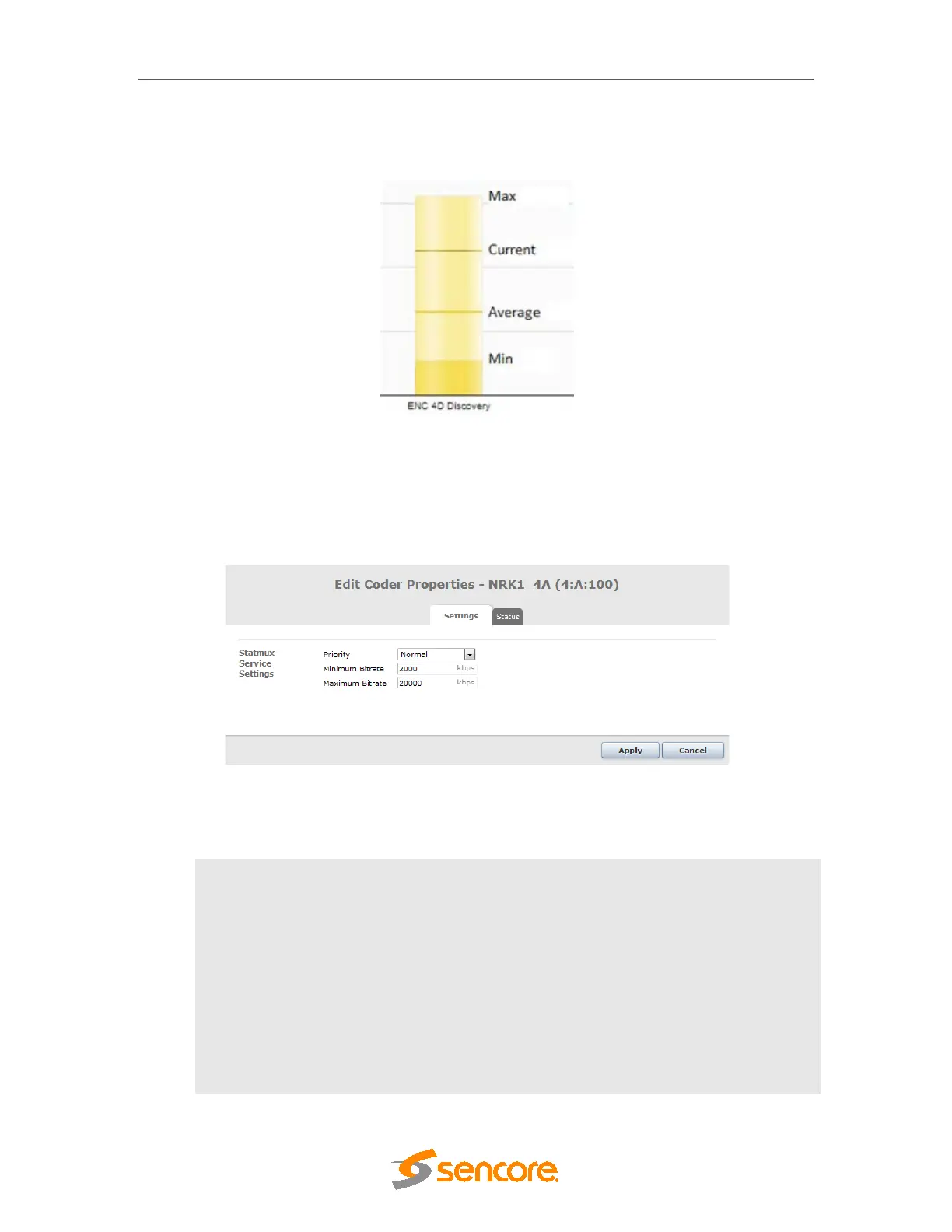
By double clicking any programs within a StatMux group (on the StatMux page) will bring up the
Edit Coder Properties dialog:
Figure 8.50– Statmux Coder settings
The following service related parameters are available under the Settings tab:
Priority
The priority will adjust the video priority of this channel in the range [-5,-
4,-3,-2,-1-,Normal,+1,+2,+3,+4,+5]. A higher priority will increase the
allocated video bitrate and video quality of this program compared to
other programs in the StatMux group. The priority parameter will
directly affect the amount of quantization (QP) allowed for this program,
in QP steps.
Minimum Bitrate
This is the minimum allowed bitrate allocated by this program. All audio
and video PID's will count as specified in the table below.
Maximum Bitrate
This is the maximum allowed bitrate allocated by this program. All
audio and video PID's will count as specified in the table below.



 To Next Page